Unlock Better Answers from ChatGPT
You’ve experienced the magic of ChatGPT. But you’ve also experienced the frustration: you ask a question and get a generic, shallow, or unhelpful response. You know the AI is capable of more, but you can’t seem to unlock it. The problem isn’t the tool; it’s the technique. The quality of your output is a direct mirror of the quality of your input. To get better answers, you need better prompt tricks.
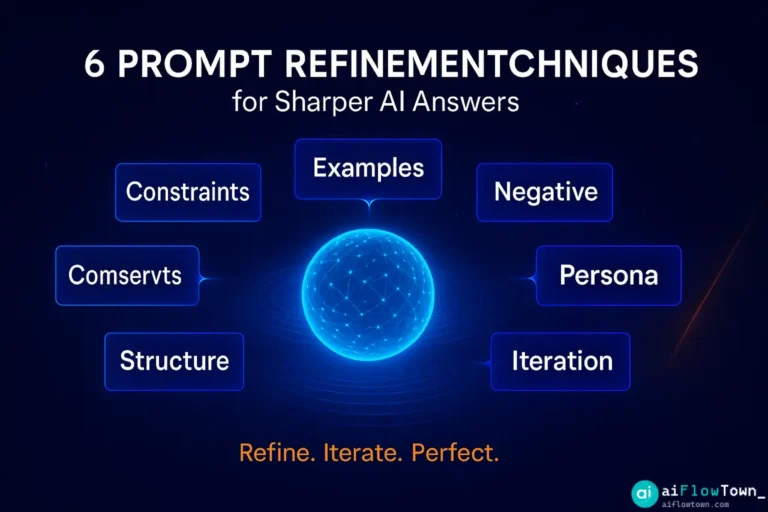
Mastering the art of conversation with an AI is the new superpower for knowledge workers. It’s the difference between using a calculator and being a mathematician. This guide will move you beyond basic questions and into the realm of strategic communication with AI. We will break down 7 powerful, easy-to-learn ChatGPT prompt engineering tips that will fundamentally change the way you work. These aren’t just theories; they are actionable techniques you can start using today to save time, generate better ideas, and turn ChatGPT into a true creative and analytical partner. Let’s learn how to get better ChatGPT answers.
The Foundation: Why Most Prompts Fail
Most prompts fail for one simple reason: they lack context and specificity. We treat ChatGPT like a search engine, typing in a short query and expecting a perfect result. But an AI is not a search engine; it’s a reasoning engine. It needs a detailed “job brief” to perform well. A weak prompt is like telling an intern, “Write about marketing.” A strong prompt is like telling them, “Act as a senior content strategist and write a 3-point outline for a blog post targeting small business owners, focusing on the benefits of email marketing.” The seven tricks below are all methods for providing a better job brief.
The 7 Essential ChatGPT Prompt Tricks
Integrate these techniques into your daily workflow, and you’ll see an immediate improvement in the quality of your AI-generated content.
1. The Expert Persona Prompt
This is the single most effective trick on this list. Instead of just asking a question, you first tell the AI *who* it should be. By assigning a role, you load a specific context, tone, and knowledge base, forcing it to answer from a particular viewpoint.
- Weak Prompt (Before):
“Explain the benefits of content marketing.”
- Strong Prompt (After):
"Act as a seasoned Content Marketing Strategist speaking to a skeptical small business owner. Explain the top 3 tangible benefits of content marketing in a clear, persuasive, and jargon-free manner."Why it works: Assigning a persona constrains the AI’s vast knowledge to a specific, relevant domain. The “Strategist” persona knows to focus on business outcomes (leads, sales), while the “skeptical business owner” target forces it to use persuasive, benefit-driven language. This is the core of chatgpt persona prompting.
2. Provide a Clear Example (Few-Shot Prompting)
AI models are excellent at pattern recognition. If you want an output in a specific style or format, the best way to get it is to show the AI exactly what you want. This is known as “few-shot” or “one-shot” prompting.
- Weak Prompt (Before):
“Write a tweet about the importance of focus.”
- Strong Prompt (After):
"I am writing tweets with a specific style: a short, punchy statement followed by a one-sentence elaboration. Here is an example: 'Your calendar is a weapon. Use it to defend your deep work.'
Now, using the same style, write a tweet about the importance of focus."
Why it works: The example provides a concrete template. The AI doesn’t have to guess the desired tone, length, or structure; it simply has to replicate the pattern with new content. This is a powerful way to ensure consistency in your outputs.
3. Demand Step-by-Step Thinking (Chain of Thought Prompting)
For complex problems, logical puzzles, or multi-step tasks, asking for the final answer directly can lead to errors. Instead, instruct the AI to “think step-by-step” or “work through this problem one part at a time.” This forces the AI to show its work and engage its reasoning capabilities more robustly.
- Weak Prompt (Before):
“If I have 5 projects and each project has 3 phases, and each phase has 8 tasks, how many total tasks do I have?”
- Strong Prompt (After):
"Calculate the total number of tasks I have. Work through this step-by-step to ensure accuracy. Start with the number of projects, then calculate the total phases, and finally the total tasks."Why it works: This technique, known as chain of thought prompting, mimics how humans solve complex problems. By breaking the problem down, it reduces the chance of calculation errors and allows you to audit the AI’s logic. This is one of the most studied techniques to improve ChatGPT responses, with its origins in research from Google AI.
4. Define the Output Format with Precision
Never leave the structure of your answer up to chance. Be ruthlessly specific about the format you need. This saves you immense amounts of time on reformatting and makes the output immediately usable.
- Weak Prompt (Before):
“Give me some ideas for a new productivity app.”
- Strong Prompt (After):
"Generate 5 ideas for a new productivity app. Format the output as a markdown table with three columns: 'App Name', 'Core Feature', and 'Target Audience'."Why it works: The AI’s primary goal is to fulfill your instructions. When you provide a clear structural instruction (like “markdown table” or “JSON object” or “bulleted list”), it prioritizes that format, resulting in clean, well-organized data.
5. Use Constraints to Guide Creativity
An open-ended prompt like “Write a story” often leads to generic results. Creativity thrives under constraints. By giving the AI specific rules, boundaries, and limitations, you force it to generate more interesting and unique outputs.
- Weak Prompt (Before):
“Write a tagline for a coffee brand.”
- Strong Prompt (After):
"Write 5 taglines for a new coffee brand that targets busy urban professionals. The taglines must be under 7 words, use a witty and energetic tone, and mention the idea of 'focus'."Why it works: Constraints narrow the “search space” for the AI. Instead of drawing from millions of possible taglines, it focuses only on those that meet your specific criteria, leading to a much higher-quality and more relevant set of suggestions.
6. The “Reverse Prompt” or “Critique and Refine” Technique
Sometimes, the best way to get what you want is to start with a bad example and ask the AI to fix it. Provide your own rough draft or a poor-quality piece of text and give the AI a clear goal for improvement.
- Weak Prompt (Before):
“Write a professional email asking for a deadline extension.”
- Strong Prompt (After):
"Act as an expert corporate communicator. Here is my rough draft of an email. Please rewrite it to be more professional, concise, and to frame the request in a way that shows proactivity, not unpreparedness. Draft: 'Hi boss, I am behind on the project and I need more time. Can I have until next Friday?'"Why it works: This gives the AI very specific material to work with and a clear “before and after” goal. It often produces better results than starting from a blank slate because it’s an editing task, which is less ambiguous than a pure creation task.
7. Ask for a Debate or Multiple Perspectives
To avoid getting a one-sided or biased answer, instruct the AI to consider multiple viewpoints or to argue against its own conclusion. This is an excellent technique for exploring complex topics, making decisions, or identifying potential weaknesses in an argument.
- Weak Prompt (Before):
“What are the pros of a 4-day work week?”
- Strong Prompt (After):
"Write a balanced debate about the 4-day work week. First, present the 3 strongest arguments in favor of it from the perspective of an employee advocate. Then, present the 3 strongest counterarguments from the perspective of a skeptical CFO. Finally, provide a neutral concluding summary."Why it works: This technique forces the AI to move beyond a simple information dump and engage in critical analysis. It surfaces a more comprehensive and nuanced understanding of a topic, helping you make better-informed decisions.
Summary of Effective ChatGPT Prompts
Here is a quick-reference table summarizing the seven essential prompt tricks.
| Prompt Trick | Core Concept | Best Used For |
|---|---|---|
| 1. Expert Persona | Assign a specific, expert role to the AI. | Getting specialized, high-quality, and tonally appropriate answers. |
| 2. Provide an Example | Show, don’t just tell. Give a clear example of the desired output. | Ensuring consistent style, tone, and format in your results. |
| 3. Chain of Thought | Instruct the AI to “think step-by-step.” | Solving math problems, logical puzzles, and complex, multi-step tasks. |
| 4. Define the Format | Be ruthlessly specific about the output structure (table, list, etc.). | Getting data that is immediately usable and easy to parse. |
| 5. Use Constraints | Add rules, limitations, and boundaries to guide creativity. | Brainstorming, creative writing, and generating unique ideas. |
| 6. Critique and Refine | Provide a rough draft and ask the AI to improve it. | Editing, rewriting, and improving the quality of your own work. |
| 7. Debate Perspectives | Ask for arguments from multiple, opposing viewpoints. | Decision-making, exploring complex topics, and risk analysis. |
Conclusion: Prompting is a Skill, Not a Secret
The difference between an amateur and a pro user of ChatGPT lies in their prompting methodology. By moving away from simple questions and adopting these structured prompt tricks, you are essentially learning the language of AI. You are providing the clarity and context it needs to deliver its best work. Start by incorporating one or two of these techniques into your daily tasks. As they become second nature, you’ll find that the quality of your interactions with AI will skyrocket, turning it from a simple tool into an indispensable partner for thinking and creating. Check out our list of AI productivity prompts for more ideas on how to apply these techniques.
❓ FAQ
Do these prompt tricks work on other AI models like Claude or Gemini?
Yes, absolutely. These are principles of advanced chatgpt prompting and AI communication, not just tricks for one specific model. Techniques like assigning a persona, providing examples, and demanding a specific format work universally across all major large language models because they are all based on the same fundamental technology.
This seems like a lot of work. Isn’t AI supposed to save time?
It’s a classic case of “go slow to go fast.” Spending an extra 30 seconds to write a detailed, structured prompt can save you 10 minutes of editing a generic, unusable response. The initial effort of being specific pays for itself many times over in the quality and usability of the final output.
What is the single most important trick to start with?
If you only adopt one technique from this list, make it the Expert Persona Prompt. Simply starting your prompt with “Act as a…” is the highest-leverage change you can make. It immediately frames the entire conversation and significantly improves the relevance and quality of the AI’s response.
✨ Can I combine these tricks in a single prompt?
Yes, and you absolutely should! The most powerful prompts often combine multiple tricks. For example: “Act as an expert copywriter (Persona) who is a master of witty, short-form content. Write 3 tweets (Constraints) in the same style as this example (Example Prompt) and format them as a bulleted list (Format).” This is how you achieve truly expert-level results.
⚠️ Reminder: Even the smartest tools / AI can miss small details or make mistakes. Always double-check your work before presenting or publishing it - a quick review can save hours later.