
Introduction
You waste 30+ minutes daily on tasks that AI could handle in seconds: transcribing meetings, writing routine emails, scheduling, formatting documents, searching for information. These aren’t big productivity projects—they’re small friction points that compound into hours of wasted time weekly. These 10 AI tools eliminate that friction. Each saves 3-5 minutes per use, multiple times daily. Install them today, reclaim 30 minutes tomorrow, and every day after.
Why Small Time Savings Compound
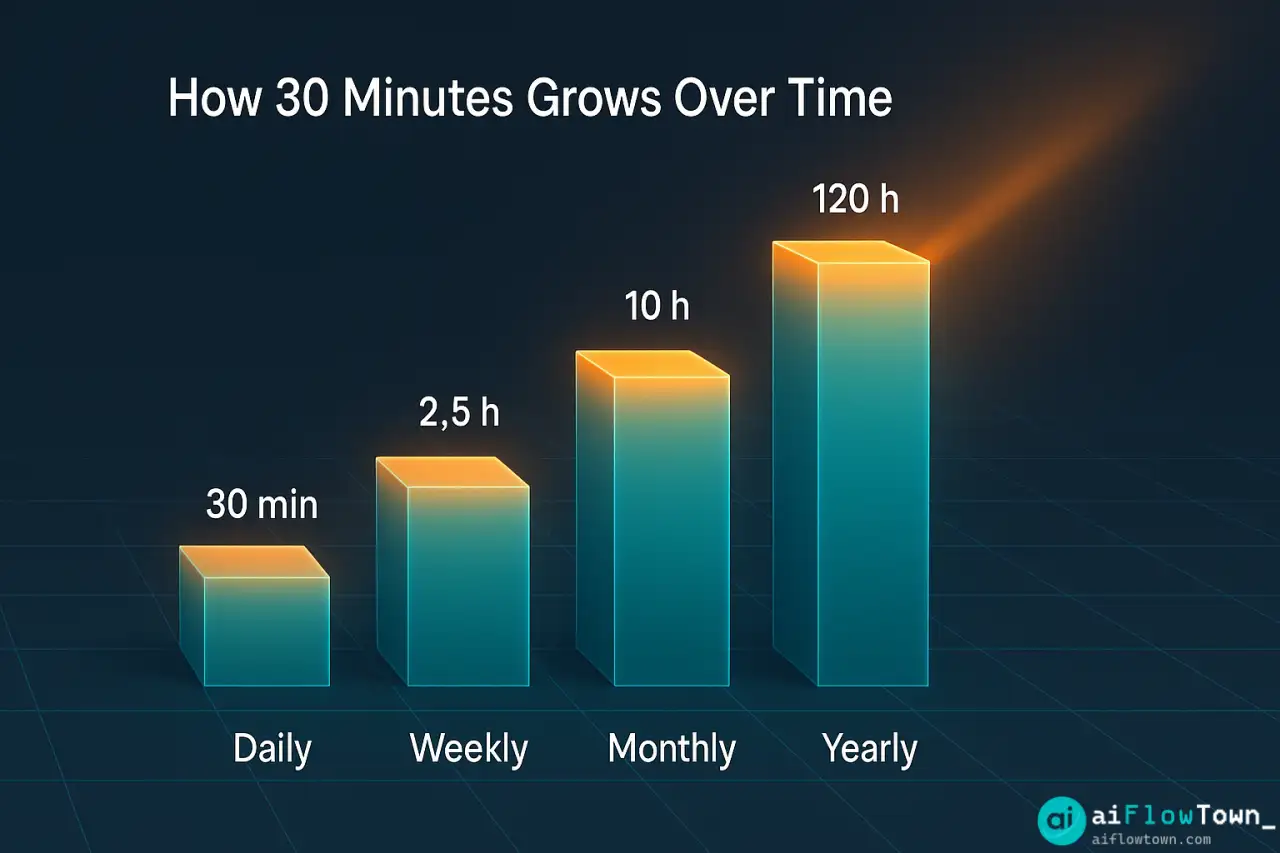
Saving 30 minutes doesn’t sound dramatic. But consider:
- 30 minutes daily = 2.5 hours weekly
- 2.5 hours weekly = 10 hours monthly
- 10 hours monthly = 120 hours yearly
- 120 hours = 3 full work weeks recovered
These ai time saver tools don’t require complex setup or workflow overhauls. They’re surgical improvements: install, configure once, save time forever using ai tools that save time daily consistently.
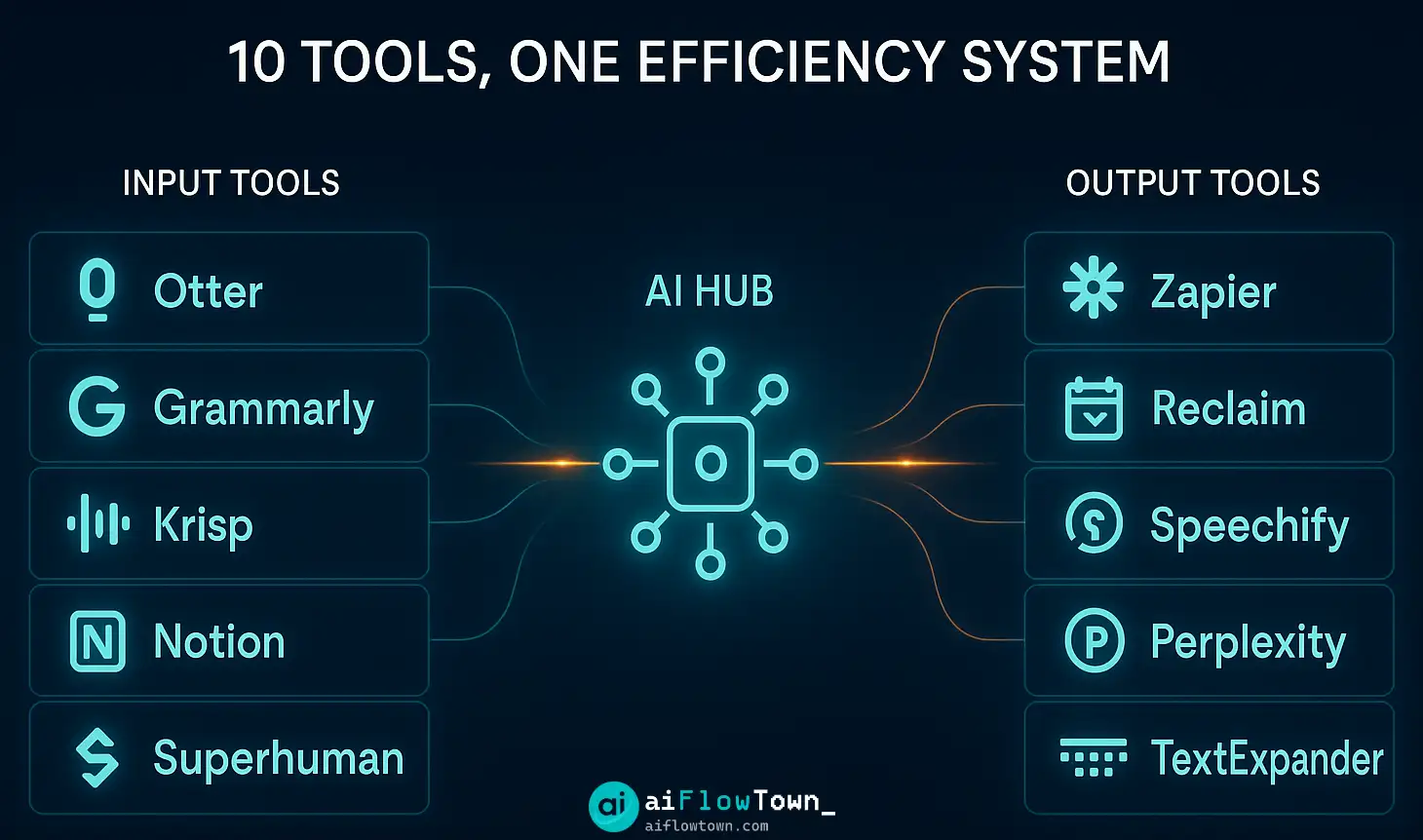
The 10 Time-Saving Tools
1. Otter.ai – Meeting Transcription
What it does: Automatically transcribes meetings, generates summaries, extracts action items.
Time saved per use: 10-15 minutes (no manual note-taking or review)
| Feature | Benefit | Use Case |
|---|---|---|
| Real-time transcription | No manual notes during meeting | Focus on conversation, not typing |
| Speaker identification | Knows who said what | Easy to attribute ideas/decisions |
| Action item extraction | AI identifies tasks automatically | Never miss follow-ups |
| Summary generation | 5-min meeting → 1-min summary | Quick review for absent colleagues |
Setup time: 5 minutes (connect calendar, enable auto-join)
Cost: Free tier covers most needs, Pro $17/mo
Best for: Anyone in 3+ meetings daily
2. Grammarly – Writing Enhancement
What it does: Real-time writing corrections, tone suggestions, clarity improvements across all apps.
Time saved per use: 3-5 minutes per email/document (no manual proofreading)
Without Grammarly:
Write email → Reread for errors → Fix typos → Check tone → Send
Time: 8 minutes

With Grammarly:
Write email → AI fixes as you type → Quick review → Send
Time: 3 minutes

Saved: 5 minutes × 10 emails daily = 50 minutes
Setup time: 2 minutes (browser extension)
Cost: Free (basic), Premium $12/mo
Best for: Heavy email/document writers
3. Reclaim.ai – Smart Scheduling
What it does: Automatically schedules tasks, protects focus time, adjusts when meetings appear.
Time saved per use: 15-20 minutes daily (no manual calendar tetris)
How it works:
- ✅ You list tasks with deadlines and durations
- ✅ Reclaim automatically places them on calendar
- ✅ When meetings appear, it reschedules tasks automatically
- ✅ Blocks focus time so others can’t book over deep work
- ✅ Syncs personal and work calendars for realistic availability
Setup time: 10 minutes (connect calendars, add tasks)
Cost: Free tier generous, Pro $12/mo
Best for: Anyone juggling tasks + meetings. For more on scheduling, visit AI workflows.
4. Superhuman – AI-Powered Email
What it does: Keyboard shortcuts, AI triage, instant search, scheduled sending, follow-up reminders.
Time saved per use: 20-30 minutes daily (email processing 3x faster)
Average email processing: 2 minutes per email × 50 emails = 100 minutes
With Superhuman: 40 seconds per email × 50 emails = 33 minutes
Daily savings: 67 minutes– Superhuman Speed Gains –
Setup time: 30 minutes (onboarding + learning shortcuts)
Cost: $30/mo (pricey but massive ROI)
Best for: 50+ emails daily, keyboard-first workers
5. Notion AI – Content Generation
What it does: Generates drafts, summaries, action items, meeting notes directly in Notion.
Time saved per use: 5-10 minutes per document
Practical uses:
Meeting notes: Paste raw notes → AI formats + extracts actions (2 min vs 10 min)
Project briefs: Bullet points → AI expands to full brief (5 min vs 20 min)
Status updates: "Summarize this page" → Instant executive summary (1 min vs 8 min)
Documentation: Technical details → User-friendly guide (10 min vs 40 min)
Setup time: 0 minutes (built into Notion)
Cost: $10/mo add-on to Notion
Best for: Heavy Notion users, documentation writers
6. Speechify – Text to Speech
What it does: Converts any text to natural-sounding audio, reads at adjustable speeds.
Time saved per use: Reclaim “dead time” (commute, exercise, chores)
Productivity hack:
- Read articles during commute (30 min daily)
- Review documents while walking (15 min daily)
- Listen to emails while cooking (20 min daily)
- Speed up to 2x for faster consumption
Setup time: 2 minutes (app install)
Cost: Free tier, Premium $12/mo
Best for: Auditory learners, people with commutes
7. Zapier – Automation Connector
What it does: Connects apps to automate workflows without coding.
Time saved per use: Varies by automation, typically 30+ minutes weekly
High-ROI automations:
Zap 1: Email attachment → Auto-save to Drive folder (5 min saved per attachment)
Zap 2: Form submission → Create task + notify team (8 min saved per submission)
Zap 3: Calendar event → Generate meeting doc (10 min saved per meeting)
Zap 4: Social media mention → Log in spreadsheet (3 min saved per mention)
Setup time: 15-30 minutes per automation
Cost: Free tier (100 tasks/mo), Starter $20/mo
Best for: Repetitive workflows between apps using productivity apps that automate tasks seamlessly. For more automation, check AI automation tools for beginners.
8. Krisp – Noise Cancellation
What it does: AI removes background noise from calls—barking dogs, construction, keyboard typing.
Time saved per use: Prevents meeting disruptions and rescheduling (10+ min per avoided issue)
Hidden time savings:
- ✅ Take calls from anywhere (no “quiet space” hunting)
- ✅ No “sorry, can you repeat that?” interruptions
- ✅ Work from home without worrying about household noise
- ✅ More confident on calls = better communication
Setup time: 3 minutes (install, select as mic)
Cost: Free tier (60 min/day), Pro $12/mo
Best for: Remote workers, busy households
9. TextExpander – Typing Shortcuts
What it does: Expands short codes into full text—addresses, emails, code snippets, templates.
Time saved per use: 15-20 minutes daily (typing speed multiplied)
| Shortcut | Expands To | Time Saved |
|---|---|---|
| ;addr | Your full address | 15 sec → 1 sec |
| Professional email signature | 30 sec → 1 sec | |
| ;meeting | Zoom link + agenda template | 45 sec → 1 sec |
| ;thanks | Thank you paragraph | 20 sec → 1 sec |
| ;code | Frequently used code block | 60 sec → 1 sec |
Setup time: 20 minutes (create your top 10 snippets)
Cost: Free alternatives exist, Premium $40/year
Best for: Anyone typing same things repeatedly
10. Perplexity AI – Research Assistant
What it does: AI search that gives direct answers with sources, not just links.
Time saved per use: 5-10 minutes per research query
Search comparison:
Traditional Google:
Query → Click result 1 → Scan → Not quite right → Back
Click result 2 → Read → Maybe relevant → Check result 3 → Compare info
Time: 10-15 minutes

Perplexity AI:
Query → Get synthesized answer with sources → Verify if needed → Done
Time: 2-3 minutes

Saved: 8-12 minutes per research task
Setup time: 0 minutes (just use it)
Cost: Free tier excellent, Pro $20/mo
Best for: Frequent researchers, fact-checkers
Implementation Strategy
Don’t Install All 10 Today
Pick based on your biggest time drains:
- Lots of meetings? Start with Otter.ai (#1)
- Email overwhelm? Grammarly (#2) or Superhuman (#4)
- Calendar chaos? Reclaim.ai (#3)
- Repetitive typing? TextExpander (#9)
- Frequent research? Perplexity (#10)
Week 1: Install 2 Tools
- Choose your top 2 pain points
- Install corresponding tools
- Use deliberately for 5 days
- Track time saved (estimate, don’t obsess)
- Decide if ROI justifies keeping
Week 2-4: Add 2 More Tools
Once first tools become habit, add next pair. Gradual adoption beats trying everything at once and abandoning all.
The 30-Minute Daily Breakdown
How these tools combine to save 30+ minutes:
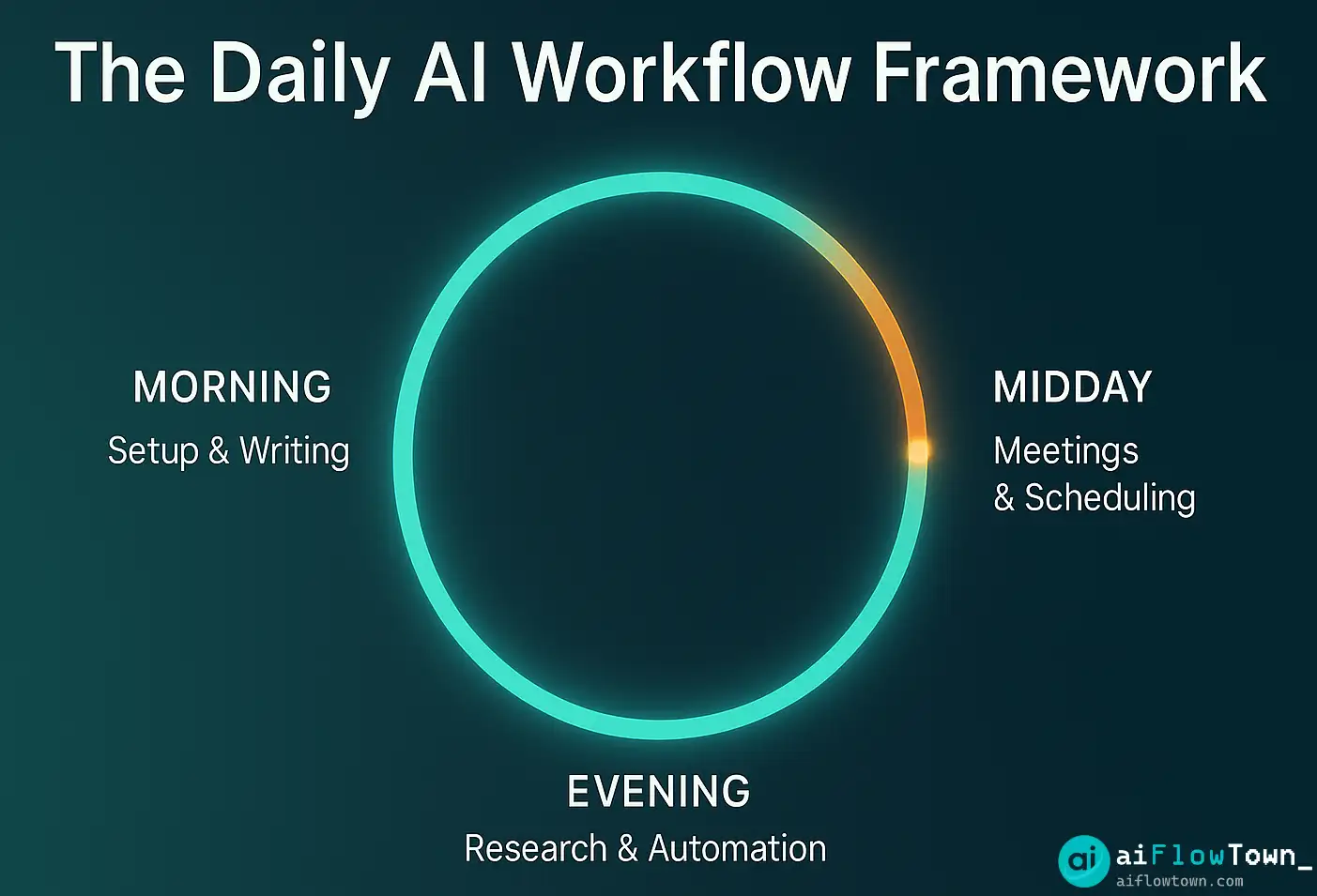
Morning routine (10 min saved):
– Reclaim.ai shows exactly what to work on (3 min)
– TextExpander speeds up email responses (5 min)
– Grammarly eliminates proofreading (2 min)Midday meetings (15 min saved):
– Otter.ai transcribes automatically (10 min)
– Krisp removes noise interruptions (5 min)Afternoon work (8 min saved):
– Perplexity AI for quick research (5 min)
– Notion AI generates first drafts (3 min)Total: 33 minutes saved daily
– Daily Time Recovery –
For more time-saving strategies, visit quick tips and flow hacks.
❓ FAQ
What’s the total monthly cost?
All 10 tools: ~$150/mo if you get premium versions. Realistic starter pack (Otter free, Grammarly free, Reclaim free, TextExpander $3/mo): $3-10/mo. Add premium tiers only if you use heavily. Most people need 3-4 tools max, not all 10.
⚡ Which tool has biggest impact?
Depends on your workflow. Meeting-heavy: Otter.ai. Email-heavy: Superhuman or Grammarly. Task-heavy: Reclaim.ai. Research-heavy: Perplexity. Identify your biggest time sink, start there. One well-chosen tool beats five wrong ones.
Are these tools secure?
Mainstream tools (Grammarly, Otter, Reclaim) are used by enterprises with reasonable security. Read privacy policies if handling sensitive data. Don’t put classified info through any cloud AI. For most professional work, risk is comparable to using Google Docs or Slack.
Do these work on mobile?
Mixed. Otter, Grammarly, Reclaim, Speechify, Perplexity all have solid mobile apps. Superhuman, Notion AI, TextExpander work but better on desktop. Zapier and Krisp are backend tools. If mobile-first, prioritize tools with good apps.
⏱️ How long until I see results?
Immediate for some (Grammarly, Perplexity, TextExpander—use once, save time). Week 1-2 for others (Reclaim.ai, Zapier need setup and habit formation). After 2 weeks of consistent use, time savings become obvious. Track loosely to confirm value.
Final Thoughts
These ai time saver tools aren’t magic productivity solutions. They’re friction removers—each eliminates a small, repetitive task that compounds into significant time waste. Installing all 10 won’t transform your life, but choosing the right 2-3 for your specific workflow absolutely will.
Start this week with one tool addressing your biggest time drain. Use it deliberately for 5 days. If it saves time, keep it and add another. If not, try a different tool. Build your personal time-saving ai software 2025 stack based on actual time recovered, not feature lists.
Thirty minutes daily seems small, but it’s 120 hours yearly—three full work weeks recovered. That’s three weeks you could spend on projects that actually matter, learning new skills, or just having a life outside work. Install one tool today.
Next: Want to save even more time? Learn how to automate repetitive work with ai using our guide to AI automation tools for complete beginners.
⚠️ Reminder: Even the smartest tools / AI can miss small details or make mistakes. Always double-check your work before presenting or publishing it - a quick review can save hours later.