Introduction
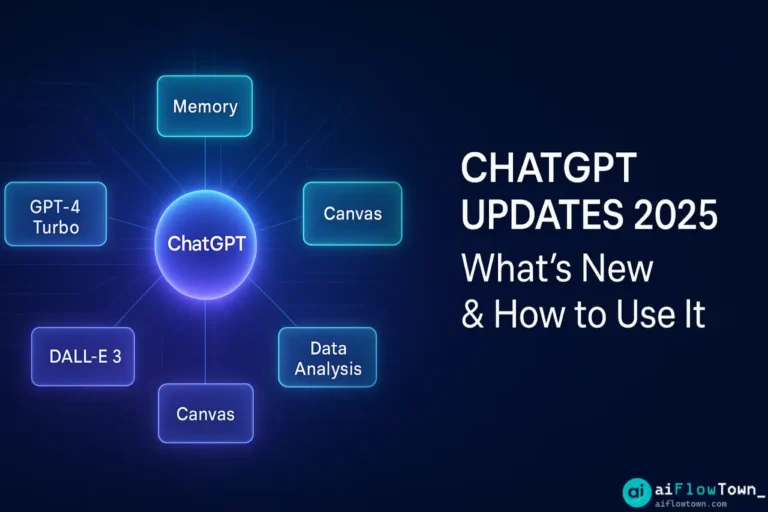
ChatGPT evolves faster than most users can keep up. Features appear quietly, pricing shifts without announcement emails, model improvements happen behind the scenes. You might be using ChatGPT the same way you did six months ago, unaware of capabilities that could dramatically improve your results. This guide covers the significant ChatGPT updates in early 2025—not just what changed, but which updates actually matter for productivity and how to use them effectively.
Major Model Updates
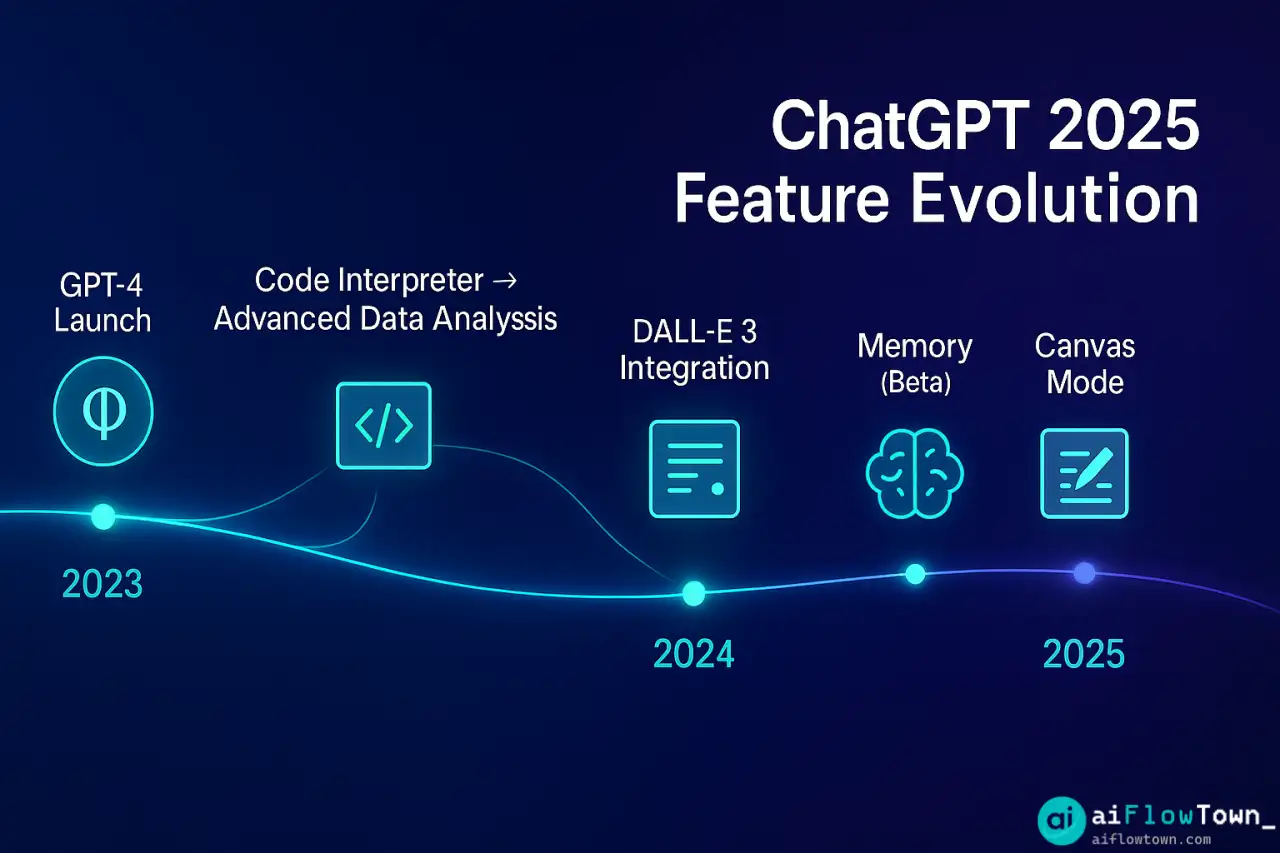
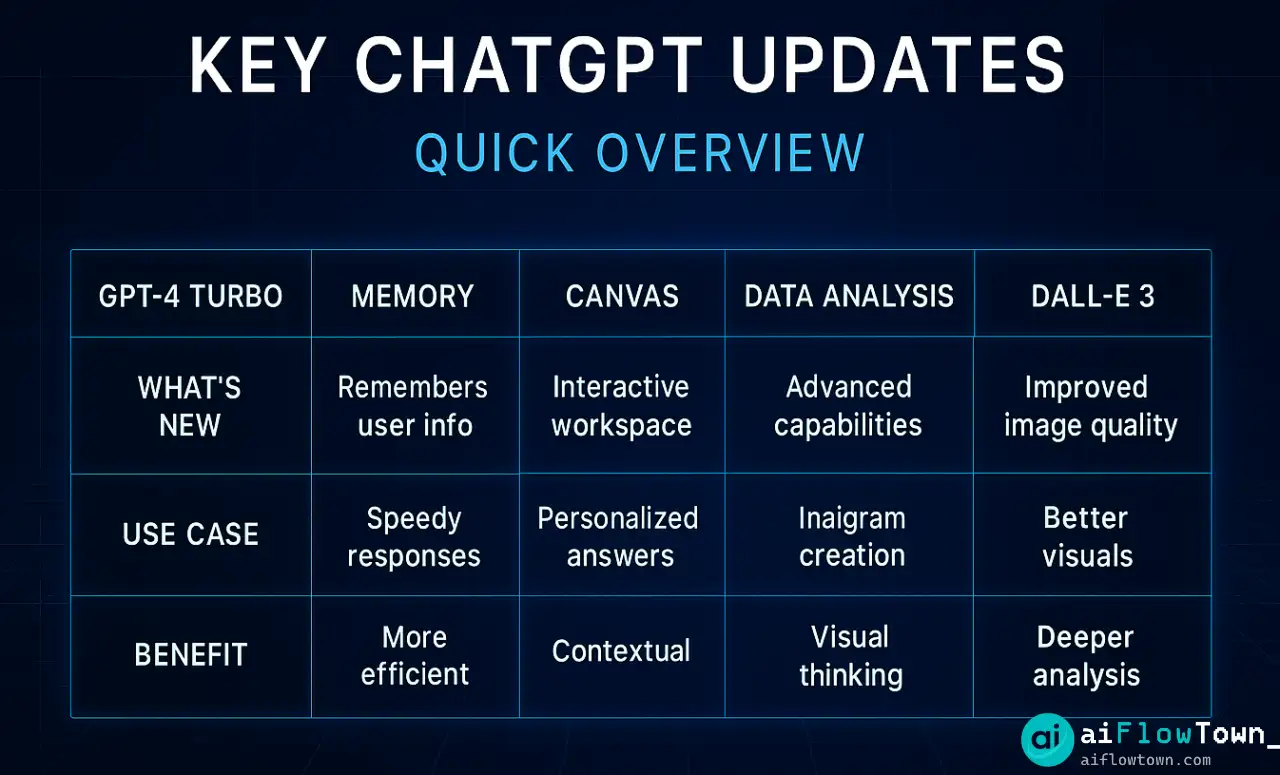
GPT-4 Turbo Improvements (January 2025)
OpenAI released a refined GPT-4 Turbo model with notable improvements in:
- ✅ Instruction following: Better at following complex, multi-step prompts without drifting
- ✅ Context retention: Maintains thread context across longer conversations (improved from ~20 messages to ~35)
- ✅ Code generation: More accurate syntax, better error handling in generated code
- ✅ Reasoning transparency: When asked to “show your work,” provides clearer step-by-step logic
What this means practically: You can have longer, more complex conversations without needing to “remind” ChatGPT of earlier context. For coding tasks, fewer syntax errors mean less debugging. These chatgpt updates 2025 improvements are subtle but compound over repeated use.
Response Speed Optimization
Average response time reduced by ~30% for GPT-4 queries. Noticeable especially for:
- • Code generation (now 3-5 seconds vs 7-10 seconds previously)
- • Long-form content (articles, reports)
- • Complex analysis with multiple data points
Speed matters more than you’d think—faster responses mean less context switching while waiting. For more on leveraging AI effectively, visit AI productivity prompts.
New Feature Rollouts
1. Memory Management (Beta)
ChatGPT can now remember information across conversations—a game-changer for repeated tasks.
How it works:
You tell ChatGPT once: "I'm a Python developer working on web apps, prefer Django over Flask, always write docstrings, and use type hints."

In future conversations, ChatGPT automatically:
- Generates Python code with your preferences
- Suggests Django solutions first
- Includes docstrings without being asked
- Uses type hints in all code examples
Enable in settings: Settings → Personalization → Memory → Enable
Practical use cases:
- Remember your role, company, industry for contextual responses
- Store writing style preferences (tone, length, format)
- Save project-specific details referenced frequently
- Retain personal preferences (metric vs imperial, date formats)
Privacy note: You control memory—view, edit, or delete stored information anytime. For understanding what’s new in chatgpt 2025 memory features, this is the biggest workflow improvement.
2. Canvas Mode for Writing
New interface for collaborative writing and editing, rolling out to Plus users.
What’s different:
| Feature | Traditional Chat | Canvas Mode |
|---|---|---|
| Editing | Generate full rewrites | Select text, request specific edits |
| Version control | Lost in chat history | Track changes, restore previous versions |
| Inline comments | Not possible | Comment on specific sections |
| Iterative work | Copy-paste loops | Direct editing in document |
Best for: Blog posts, reports, proposals, any long-form content requiring multiple revision rounds.
3. Advanced Data Analysis (Previously Code Interpreter)
Rebranded and improved with new capabilities:
- ✅ Upload multiple files (up to 10 simultaneously, was 1)
- ✅ Persistent sessions (work continues across conversations)
- ✅ Better visualization library support (matplotlib, seaborn, plotly)
- ✅ Export working code as downloadable scripts
Example workflow:
Upload CSV with sales data → Ask “Show me monthly revenue trends with seasonality highlighted” → ChatGPT generates analysis + interactive chart → Export Python script for future use
– Data Analysis Flow –
This enables latest openai features and improvements for data-heavy work without coding expertise.
4. DALL-E 3 Integration Improvements
Image generation now handles:
- More accurate text rendering in images
- Better style consistency across generated variations
- Iterative editing (“make the sky more dramatic” works better)
- Higher resolution outputs (now up to 1792×1024)
Pricing and Access Changes
Tier Structure (Updated January 2025)
| Tier | Price | What Changed |
|---|---|---|
| Free | $0 | Now includes GPT-4 access (limited to 10 messages/3 hours) |
| Plus | $20/mo | Message cap increased (50 → 80 messages/3 hours) |
| Team | $30/user/mo | Added: shared memory, team analytics dashboard |
| Enterprise | Custom | Added: SAML SSO, dedicated support, unlimited messages |
Significant change: Free tier now gets GPT-4 access with limits. This democratizes access but may mean slower response times during peak hours as free users share capacity.

What Didn’t Change (But People Think It Did)
Common Misconceptions
- ❌ “ChatGPT got dumber” → No, but usage patterns shift as capabilities expand. If you use it the same way, results feel different
- ❌ “Internet access is better” → Web browsing capability unchanged; still limited to recent content and can’t access paywalled sites
- ❌ “It can read any file now” → Still text-based primarily; complex Excel formulas or binary formats have limitations
- ❌ “Responses are censored more” → Content policy unchanged; perception shifts based on specific use cases encountering boundaries
ChatGPT vs Claude: 2025 Comparison
With Anthropic’s Claude also improving, here’s how they compare in early 2025:
| Capability | ChatGPT | Claude |
|---|---|---|
| Code generation | ✅ Excellent | ✅ Excellent |
| Long-form writing | ⚠️ Good but verbose | ✅ More natural voice |
| Following complex instructions | ✅ Improved significantly | ✅ Consistently strong |
| Image generation | ✅ Built-in (DALL-E) | ❌ Not available |
| File analysis | ✅ Up to 10 files | ✅ Up to 5 files |
| Response speed | ✅ Fast | ⚠️ Slightly slower |
| Pricing | $20/mo | $20/mo |
For detailed chatgpt vs claude 2025 comparison, both are excellent—choice depends on specific use case. ChatGPT better for visual content needs, Claude slightly better for pure writing tasks. For tool comparisons, visit tools and apps.
How to Use New Features Effectively
Memory Setup Strategy
First conversation of 2025:

"Remember these details for all our future conversations:
- My role: [Your job title and key responsibilities]
- My industry: [Your field]
- Writing preferences: [Tone, length, format you prefer]
- Tools I use: [Software, languages, frameworks]
- What I value: [Speed vs detail, practical vs theoretical]

Confirm you've stored this."
ChatGPT will acknowledge and apply these preferences automatically going forward using how to use new chatgpt features strategically.
Canvas Mode Best Practices
- Start with outline in Canvas, then expand section by section
- Use inline comments for specific revision requests
- Request “show changes” to see what ChatGPT modified
- Export versions before major rewrites (safety net)
Advanced Data Analysis Workflow
- Upload data files with clear names
- Ask high-level question first: “What’s interesting in this data?”
- ChatGPT explores, suggests analyses
- Pick direction: “Show me that correlation as interactive chart”
- Export code for reproducibility
For more advanced workflows, check AI workflows.
Updates That Matter Most
Not all updates affect everyone equally. Prioritize based on use case:
- Writers: Canvas mode is game-changing—try it first
- Developers: Code generation improvements + memory = huge efficiency gain
- Analysts: Multi-file upload + persistent sessions = finally usable for real work
- Casual users: Free GPT-4 access means upgrade might not be necessary
- Teams: Shared memory + team analytics justify Team tier upgrade
What’s Coming Next
Based on OpenAI’s roadmap and beta features:
- Voice mode improvements: More natural conversations, lower latency
- Plugin ecosystem expansion: More third-party integrations
- Custom GPTs marketplace: Discover and use specialized versions
- Team collaboration features: Shared conversations, project workspaces
- API access to Canvas mode: For developers building on ChatGPT
❓ FAQ
Is free ChatGPT good enough now?
Depends on usage. 10 GPT-4 messages per 3 hours works for casual users or specific questions. Power users hit limits quickly. If you use ChatGPT 30+ times daily, Plus pays for itself. For occasional use, free tier is now surprisingly capable.
Do I need to do anything to get updates?
Most updates roll out automatically. For beta features (Memory, Canvas), check Settings → Beta features to enable. Model improvements happen server-side—you don’t download anything. Just start using, improvements are live.
Is my memory data private?
Memory stores on your account, not shared across users. OpenAI states they don’t use Memory data for training. You control it fully—view, edit, or delete anytime in Settings → Personalization → Memory. Turn off if uncomfortable with the feature.
Are mobile apps updated too?
iOS and Android apps receive updates with ~1-2 week delay vs web version. Canvas mode not yet available on mobile. Advanced Data Analysis works but with limited functionality. For cutting-edge features, use web version; mobile for convenience.
Should I switch to Claude instead?
Not necessarily “instead”—use both. ChatGPT for image generation, multi-file analysis, and when you need speed. Claude for long-form writing and content requiring nuanced tone. Many power users subscribe to both ($40/mo total) for different use cases.
Final Thoughts
The chatgpt updates 2025 represent incremental improvements that compound significantly over time. Memory alone changes ChatGPT from a stateless tool into a personalized assistant that improves with use. Canvas mode finally makes collaborative editing practical. Speed improvements reduce friction enough to change usage patterns.
Don’t just read about updates—actually enable and use them. Set up Memory today with your preferences. Try Canvas mode for your next writing project. Upload multiple files to Advanced Data Analysis. The gap between knowing features exist and incorporating them into workflow is where most productivity gains hide.
ChatGPT evolves monthly. The users who benefit most aren’t necessarily those using it most, but those who regularly explore new capabilities and integrate them into existing workflows. Spend 10 minutes quarterly reviewing what’s new and adjusting how you use the tool.
Next: Now that you know what’s new, learn how to maximize your results with our complete guide to AI productivity prompts that work with ChatGPT’s latest capabilities.
⚠️ Reminder: Even the smartest tools / AI can miss small details or make mistakes. Always double-check your work before presenting or publishing it - a quick review can save hours later.