Introduction
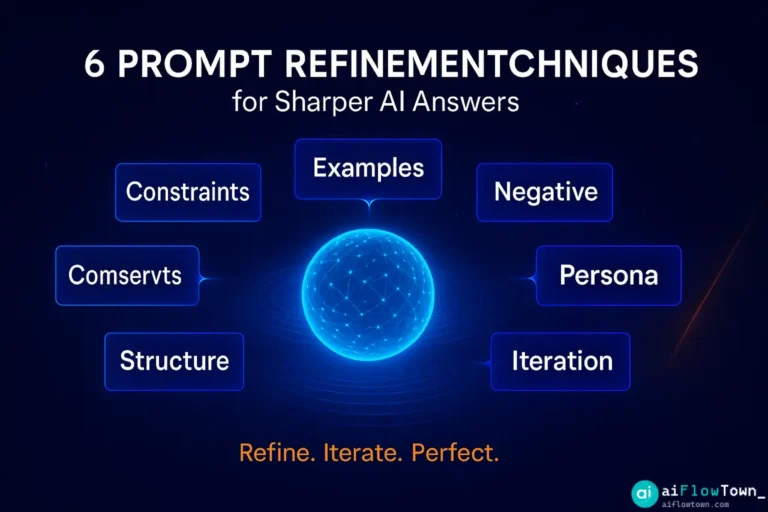
Your first prompt rarely works. AI gives you something close but not quite right. Too generic. Missing context. Wrong tone. Most people give up and accept mediocre outputs. Prompt refinement is the skill that separates disappointing AI results from actually useful ones. These six techniques turn rough prompts into precise instructions.
Why Prompt Refinement Matters More Than Initial Prompts
Perfect first prompts are myths. Even experts iterate. The difference is they know how to refine quickly instead of starting over.
Prompt refinement isn’t about being more detailed initially. It’s about diagnosing why the output missed and adjusting specifically. Add constraint here. Remove ambiguity there. Shift tone slightly. Test again.
This process takes 30 seconds but improves output quality dramatically. Here’s how to do it systematically.
Technique 1: Add Specific Constraints
Why This Works
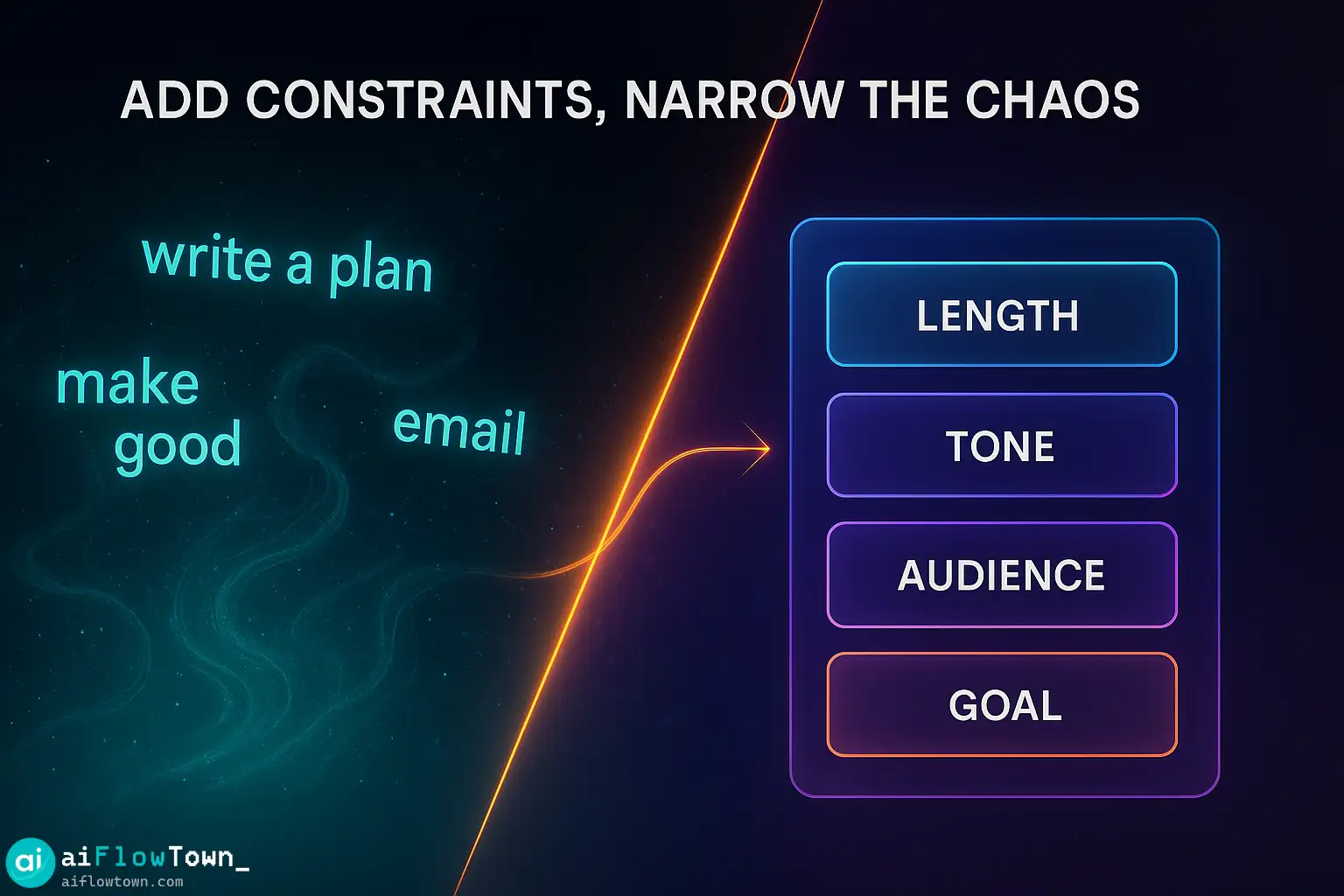
Vague prompts get vague answers. AI has infinite directions to go. Constraints narrow possibilities to what you actually need.
Most bad outputs come from missing constraints, not bad AI. You asked for “a plan” but didn’t specify timeline, resources, or success criteria. AI guessed. Guesses are rarely right.
How to Apply
Weak prompt:
Write a marketing email.
Refined with constraints:
Write a marketing email for B2B SaaS companies, 150 words max, focusing on ROI and time savings, casual but professional tone, with clear CTA to book a demo.
What changed: Audience specified. Length limited. Benefits defined. Tone clarified. Action stated.
Quick refinement checklist:
- Who is this for? (audience)
- How long? (word count, time limit)
- What format? (list, paragraph, table)
- What tone? (formal, casual, technical)
- What’s the goal? (persuade, inform, entertain)
For more constraint examples, check our ultimate AI prompt library.
Technique 2: Provide Examples
Why This Works
“Show don’t tell” applies to AI prompts. One example teaches AI more than three paragraphs of description.
You say “casual tone” and AI interprets that 50 different ways. You show an example of casual tone and AI matches it exactly.
How to Apply
Weak prompt:
Summarize this article in bullet points.
Refined with example:
Summarize this article in bullet points, like this:
- Main point stated clearly in 10-15 words
- Supporting detail or stat
- Why this matters (one sentence)

Follow this exact format for each point.
What changed: Exact structure shown. Length demonstrated. Pattern clear.
Three example patterns that work:
1. Input-output pairs:
Like this: [example input] → [example output]
2. Before-after:
Transform this [before] into this [after]
3. Multiple samples:
Here are three good examples: [1, 2, 3]. Create something similar.
Technique 3: Use Negative Instructions
Why This Works
Easier to identify what you don’t want than what you do want. AI often defaults to patterns you hate. Telling it what to avoid prevents those defaults.
Generic corporate speak. Overly formal language. Clichés. These sneak into outputs. Negative instructions block them.
How to Apply
Weak prompt:
Write a LinkedIn post about productivity.
Refined with negative instructions:
Write a LinkedIn post about productivity.

Do NOT:
- Use buzzwords (synergy, leverage, ecosystem)
- Start with 'In today's fast-paced world'
- Include generic advice everyone knows
- End with 'What do you think? Comment below!'

Instead: specific tactic, personal example, direct tone.
What changed: Common mistakes explicitly blocked. Alternative direction given.
Common negative instructions to use:
- "No jargon or buzzwords"
- "Don't explain obvious things"
- "Avoid passive voice"
- "No sales-y language"
- "Don't start with questions"
For more refinement strategies, explore our AI productivity prompts guide.
Technique 4: Assign a Specific Persona
Why This Works
“You are an expert” is too vague. Expert at what? With what perspective? What experience level?
Specific personas give AI context about knowledge depth, communication style, and perspective. A financial analyst writes differently than a startup founder. Both are “experts” but in different ways.
How to Apply
Weak prompt:
Explain blockchain.
Refined with persona:
You are a patient teacher explaining blockchain to a small business owner who knows nothing about crypto but understands basic accounting. Use analogies to traditional banking. Avoid technical jargon. Focus on practical implications for their business.
What changed: Role defined. Audience specified. Communication style set. Focus clarified.
Effective persona templates:
Template 1 – Role + Audience:
You are a [role] explaining [topic] to [specific audience]
Template 2 – Experience + Style:
You are a [experience level] [role] with [expertise], known for [communication style]
Template 3 – Situation + Goal:
You are a [role] who needs to [goal] for [audience] in [situation]
Real examples:
- "You are a data analyst presenting to non-technical executives"
- "You are a patient doctor explaining diagnosis to worried parent"
- "You are a developer writing documentation for junior engineers"

Technique 5: Refine Through Iteration
Why This Works
Single perfect prompts are rare. Iteration is faster. Get 70% there with first prompt, refine to 95% with follow-ups.
AI remembers conversation context. Each refinement builds on previous output. You’re not starting over—you’re course-correcting.
How to Apply
Iteration pattern:
First prompt (broad):
Create a project timeline for launching a new product.
AI responds with generic timeline
Refinement 1 (add constraint):
Make this specific to SaaS product launch, 3-month timeline, team of 5.
AI adjusts
Refinement 2 (adjust format):
Show this as weekly milestones instead of phases.
AI reformats
Refinement 3 (add detail):
Add specific deliverables for each milestone.
Final output achieved
Iteration shortcuts:
- "Make this more specific"
- "Shorter version, same key points"
- "Change tone to [tone]"
- "Add examples to each point"
- "Remove the part about [topic]"
- "Rewrite first paragraph to be stronger"
Each iteration takes 10 seconds. Four iterations beats one perfect prompt attempt.
Technique 6: Request Specific Structure
Why This Works
Format shapes content. Ask for bullet points, get concise thinking. Ask for paragraphs, get elaboration. Structure isn’t cosmetic—it’s functional.
AI makes formatting decisions when you don’t. Those decisions might not match your needs. Specify structure upfront.
How to Apply
Weak prompt:
Compare these three project management tools.
Refined with structure:
Compare these three project management tools in a table:
- Column 1: Feature name
- Column 2: Tool A (yes/no + brief note)
- Column 3: Tool B (yes/no + brief note)
- Column 4: Tool C (yes/no + brief note)
- Column 5: Recommendation

Focus on: pricing, team size limits, integrations, ease of use, mobile app
What changed: Exact format specified. Comparison criteria defined. Output structure predetermined.
| Structure Type | When to Use | Example Request |
|---|---|---|
| Table | Comparing options | “Create table with columns: [list]” |
| Bullet points | Quick scanning | “5 bullet points, 15 words each” |
| Numbered steps | Processes | “Step 1, 2, 3 with action per step” |
| Sections with headers | Long content | “3 sections: Overview, Details, Action” |
| Q&A format | FAQs or learning | “Question then answer, 5 pairs” |
For structured prompt templates, explore our AI workflows guide.
Combining Techniques for Maximum Impact
Technique Stacking
Best prompts use multiple techniques together. Here’s how they stack:
Basic prompt:
Help me plan a product launch.
Add constraints + persona:
You are a product marketing manager at a B2B SaaS company. Help me plan a product launch for enterprise customers. Timeline: 8 weeks. Budget: $50K. Team: 3 people.
Add structure:
Format as:
Week 1-2: [milestones]
Week 3-4: [milestones]
Week 5-6: [milestones]
Week 7-8: [milestones]

Include: key deliverables, responsible role, budget allocation per phase
Add negative instructions:
Do NOT include:
- Generic marketing advice
- Tactics that require agency partners
- Launch events (we're doing digital only)
Add example:
Similar to how Notion launched their AI features: soft launch to existing users, then public announcement, then feature showcase content series.
This stacked prompt delivers specific, actionable output immediately.
What Order to Apply Techniques
Start with: Constraints (narrows scope)
Then add: Persona (sets perspective)
Then add: Structure (defines format)
Then add: Examples (shows pattern)
Then add: Negative instructions (prevents mistakes)
Finally: Iterate (refine output)
This sequence builds from broad to specific, making each layer more effective.
Common Prompt Refinement Mistakes
Over-refining. Adding too many constraints makes prompts brittle. AI can’t improvise when you specify everything. Leave room for AI creativity.
Contradictory instructions. “Be brief but include all details” confuses AI. Choose one direction or prioritize clearly.
Refining wrong element. Bad output from wrong persona, not wrong constraints. Diagnose the actual problem before adding more details.
Not testing iterations. Refine once, check output, refine again. Don’t stack five refinements without seeing results.
Ignoring AI’s questions. Sometimes AI asks clarifying questions. Answer them instead of rephrasing your prompt.
❓ FAQ
⏱️ How many refinements should I make?
Usually 2-4. First prompt gets 60-70% there. Two refinements bring it to 90%+. More than five refinements means your initial prompt was too vague—start over with better constraints.
Which technique should I start with?
Constraints. Adding specific constraints (length, format, audience, goal) fixes 80% of vague outputs. Start there before trying other techniques.
Do refinement techniques work on all AI tools?
Yes. These techniques work across ChatGPT, Claude, Gemini, and other language models. The principles are universal—you’re improving communication, not exploiting specific features.
What if AI still doesn’t understand after refinement?
Provide an example. If three refinements fail, the AI doesn’t understand your description. Show what you want instead of describing it. Examples beat explanations.
How do I know which refinement to make?
Read the output and identify what’s wrong: too generic? Add constraints. Wrong tone? Add persona. Poor format? Add structure. Missing context? Add examples. Contains mistakes? Add negative instructions.
Final Thoughts
Prompt refinement isn’t about writing longer prompts. It’s about writing smarter ones. Six techniques, each taking 10-30 seconds, transform mediocre outputs into exactly what you need.
Start with constraints. That alone fixes most problems. Add persona if tone is off. Request structure if format matters. Show examples when description fails. Block mistakes with negative instructions. Iterate until output matches your needs.
The goal isn’t perfect first prompts—those don’t exist. The goal is fast iteration from rough to refined. These techniques cut that iteration time from minutes to seconds.
Practice on your next three AI requests. Identify which technique each situation needs. After a dozen prompts, refinement becomes automatic.
Ready to master the complete prompt engineering process? Discover advanced strategies with our guide to the 15 best AI productivity tools and how to prompt each one effectively.
⚠️ Reminder: Even the smartest tools / AI can miss small details or make mistakes. Always double-check your work before presenting or publishing it - a quick review can save hours later.