The Ultimate Free AI Toolkit
The artificial intelligence revolution is here, but it often feels hidden behind expensive subscription walls. Every day, a new groundbreaking tool launches that promises to change your workflow, only to ask for a credit card. But what if you could tap into this power without spending a dime? The truth is, a wealth of incredible AI applications are available for free, you just need to know where to look. This is your definitive guide to the best free AI tools on the market.
This isn’t just another list. We’ve gone deep, testing dozens of tools to separate the genuinely useful from the limited demos. We’ll break down the most powerful free offerings across key categories—from writing and image creation to automation and productivity. You’ll learn not only what these tools are, but how to integrate them into your daily life to work smarter, create faster, and achieve more. Forget the paid hype. The most powerful AI toolkit might just be the one that costs you nothing.
How to Evaluate “Free” AI Tools: The ‘Freemium’ Trap
Before we dive into the list, it’s crucial to understand the landscape. Most free AI tools operate on a “freemium” model. Their goal is to provide enough value to get you hooked, hoping you’ll eventually upgrade. When evaluating a tool, look for a generous free tier that is genuinely useful on its own, not just a frustratingly limited trial. A great free tool should solve a real problem without constant pressure to upgrade. Our selections are based on tools that offer significant, ongoing value in their free versions, allowing you to build a powerful, cost-effective AI stack. We’ll be transparent about the limitations of each free tier so you know exactly what you’re getting.
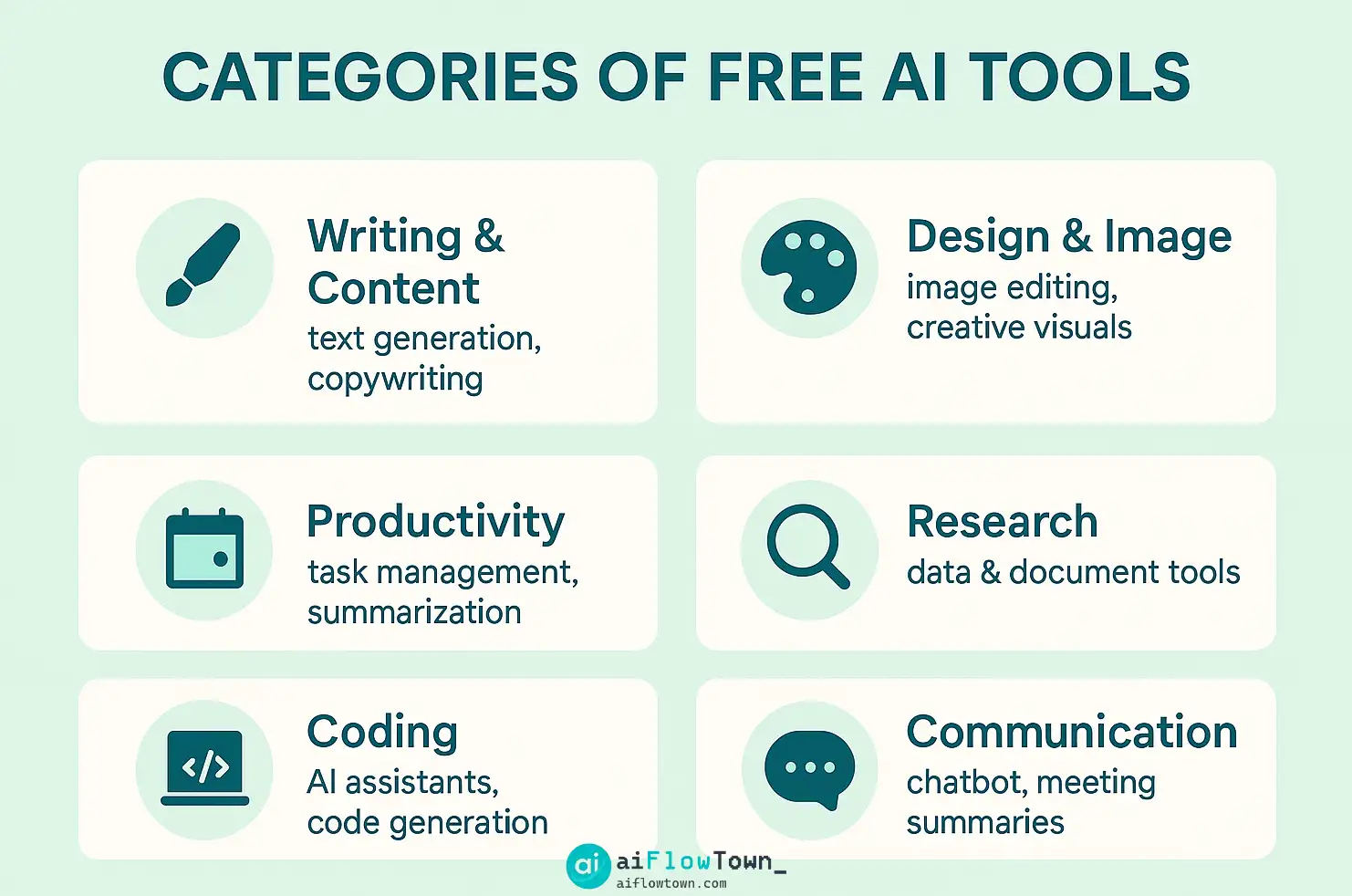
Part 1: Free AI Writing & Content Creation Tools
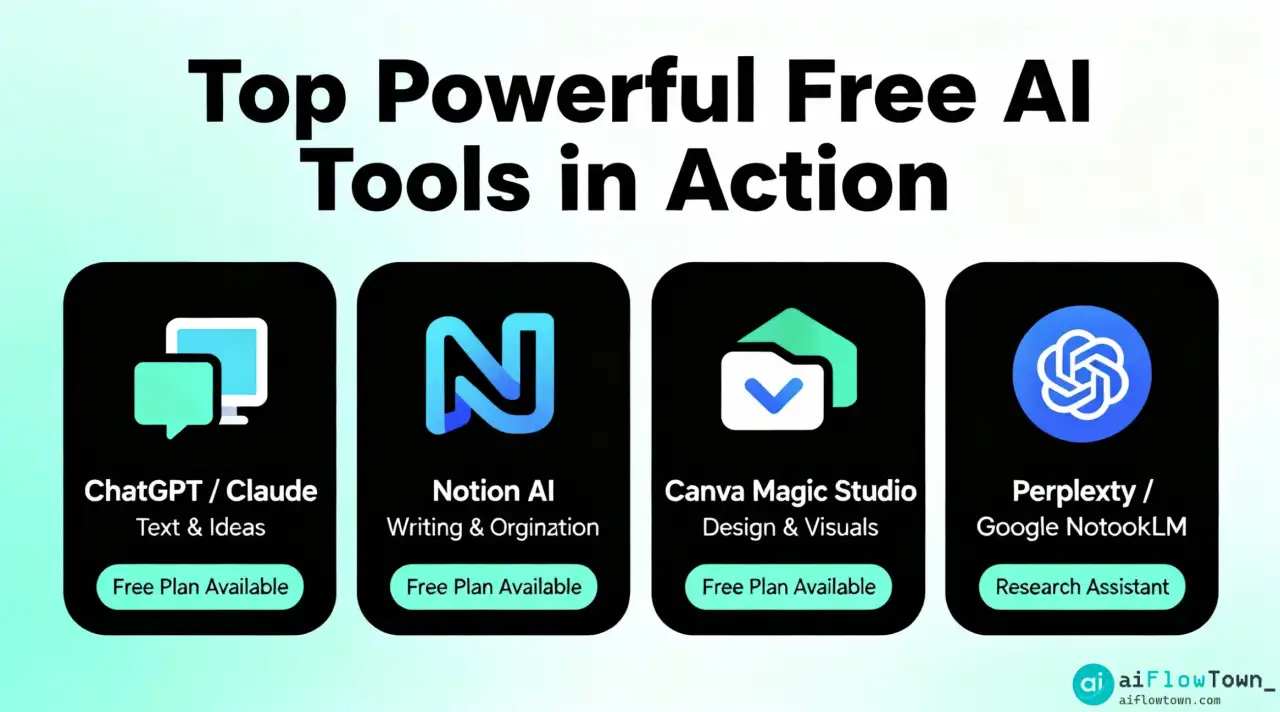
These tools are your secret weapon for brainstorming, drafting, and refining text-based content at scale. The landscape of free AI writing tools is vast, but these stand out for their power and usability.
1. ChatGPT (Free Version – GPT-3.5)
- What it is: The world-famous AI chatbot from OpenAI. The free version runs on the GPT-3.5 model, a highly capable large language model.
- Best for: General-purpose brainstorming, drafting emails, summarizing text, explaining complex topics, and writing code snippets. It’s the Swiss Army knife of AI.
- Key Features (Free Tier): Unlimited messages, access to a massive knowledge base, and conversational memory within a single session. It’s fast, versatile, and incredibly easy to use.
- Limitations: The knowledge base has a cutoff date (it doesn’t know about very recent events). The GPT-3.5 model can sometimes be less nuanced or creative than its paid counterpart, GPT-4.
2. Claude 3 Sonnet (via Claude.ai)
- What it is: A powerful AI assistant from Anthropic, known for its more conversational and “thoughtful” tone. The free tier gives you access to the Sonnet model, which is comparable to GPT-3.5.
- Best for: Creative writing, drafting long-form content, and tasks requiring a more nuanced or collaborative tone. Many users find it produces more “natural” sounding prose.
- Key Features (Free Tier): Generous usage limits (which reset every few hours), a large context window (meaning it can remember more of your conversation), and the ability to upload documents for analysis.
- Limitations: Usage is capped over a period of time, so very heavy users might hit a temporary wall.
3. Notion AI (Free Tier)
- What it is: An AI assistant built directly into the popular productivity app, Notion.
- Best for: Improving and transforming existing text within your documents. It’s perfect for summarizing meeting notes, fixing spelling and grammar, changing the tone of a paragraph, or brainstorming ideas directly on the page.
- Key Features (Free Tier): The free plan includes a limited number of AI actions per user, which is often enough for occasional use like summarizing notes or improving a few paragraphs.
- Limitations: The number of free AI actions is finite. It’s designed for augmenting work within Notion, not for standalone, high-volume chat. You can learn more in our detailed Notion AI review.
4. Grammarly (Free Version)
- What it is: The essential AI-powered writing assistant for proofreading and basic style suggestions.
- Best for: Catching spelling errors, grammatical mistakes, and punctuation issues in real-time across almost any app or website via its browser extension.
- Key Features (Free Tier): Core grammar, spelling, and punctuation checks are free and highly accurate. It also offers a tone detector to help you understand how your writing might be perceived.
- Limitations: Advanced features like fluency, clarity rewrites, and plagiarism detection are locked behind the premium subscription.
5. Perplexity AI
- What it is: An AI-powered “answer engine” that combines a language model with a real-time search engine.
- Best for: Research and getting up-to-date answers to questions with cited sources. It’s a fantastic replacement for traditional search engines when you need a synthesized answer, not just a list of links.
- Key Features (Free Tier): Provides direct answers with footnotes linking to the live web sources it used. This is a game-changer for fact-checking and research.
- Limitations: The free version has a limit on more advanced searches (like “Pro” searches or file uploads).
Part 2: Free AI Image & Art Generation Tools
Unleash your inner artist with a free AI image generator. These tools can turn a simple text description into a stunning, unique visual in seconds.
6. Leonardo.Ai
- What it is: A feature-rich AI image generation platform that is incredibly generous with its free offering.
- Best for: Creating high-quality, stylized images for concept art, game assets, or creative projects. Its pre-trained models and community showcase make it easy to get great results.
- Key Features (Free Tier): A daily allowance of “tokens” (around 150) that is more than enough to generate dozens of images per day. Access to a wide range of fine-tuned models and creative tools.
- Limitations: Private image generation is a paid feature. Advanced features like the “Alchemy” upscaler use more tokens per generation.
7. Microsoft Designer (Image Creator)
- What it is: Microsoft’s free image generator, powered by OpenAI’s DALL-E 3 model, integrated into Bing and its own Designer app.
- Best for: Users who want the power of DALL-E 3 for free. It’s particularly good at understanding complex prompts and rendering text accurately within images.
- Key Features (Free Tier): Generates images using the latest DALL-E model. It uses a “boost” credit system for faster generation, but even after credits are used, generation is still free, just slower.
- Limitations: Generation can be slow during peak times once your priority credits are used up.
8. Canva’s Magic Media
- What it is: An AI image and video generator built directly into the Canva design platform.
- Best for: Marketers, social media managers, and designers who need to quickly create visuals and drop them directly into a design (like a presentation or social media post).
- Key Features (Free Tier): The free plan includes a generous number of lifetime credits for generating images (and some for video). The seamless integration with Canva’s editor is its biggest strength.
- Limitations: The number of free credits is finite. Advanced models and features are reserved for Pro users.
Part 3: Free AI Tools for Productivity & Automation
These AI tools for productivity work behind the scenes to connect your apps, automate tedious tasks, and free up your time for more important work.
9. Zapier (Free Tier)
- What it is: The leading platform for connecting different web apps and automating workflows between them.
- Best for: Simple, linear automations. For example: “When I receive a new email with an invoice, automatically save the attachment to my Google Drive.”
- Key Features (Free Tier): The free plan allows you to build a limited number of “Zaps” (automations) that run a certain number of tasks per month. It’s perfect for automating your most common, repetitive tasks.
- Limitations: Free Zaps can only have a few steps, and more complex, multi-step workflows require a paid plan.
10. IFTTT (Free Tier)
- What it is: “If This, Then That” is one of the original automation platforms, connecting a huge range of apps and even physical smart home devices.
- Best for: Simple personal automations and smart home integrations. For example: “If I post a new photo on Instagram, then save it to my Dropbox.”
- Key Features (Free Tier): The free plan allows you to create a limited number of custom “Applets” (automations), giving you a taste of a more connected digital life.
- Limitations: The number of custom Applets is very limited on the free plan, pushing you towards using pre-built community Applets.
Part 4: Free AI Audio & Video Tools
The world of multimedia is being transformed by AI. These tools can help you edit audio, generate voiceovers, and create short videos for free.
11. Descript (Free Tier)
- What it is: An all-in-one audio and video editor that lets you edit by changing a text transcript.
- Best for: Podcast and video creators who want to quickly edit out filler words (“ums,” “ahs”) and mistakes just by deleting text.
- Key Features (Free Tier): The free plan includes a few hours of transcription, automatic filler word removal, and the ability to export watermarked videos. Its core editing experience is a game-changer.
- Limitations: Limited transcription hours and a watermark on video exports. Advanced AI features like “Studio Sound” are limited.
12. ElevenLabs (Free Tier)
- What it is: A leading AI platform for generating incredibly realistic text-to-speech voiceovers.
- Best for: Creating high-quality voiceovers for videos, presentations, or accessibility purposes.
- Key Features (Free Tier): The free plan gives you a monthly quota of characters to generate, using a selection of high-quality pre-made voices.
- Limitations: The character quota is limited, and the most advanced feature—cloning your own voice—requires a paid plan.
Part 5: How to Choose Your First Free AI Tool
A list of tools is only useful if you know where to start. Don’t try to use all of them at once. Instead, perform a “Pain Point Audit” on your week. Ask yourself:
- What task do I dread the most? If it’s writing difficult emails, start with ChatGPT or Claude.
- Where do I waste the most time? If it’s creating visuals for social media, start with Canva’s Magic Media or Leonardo.Ai.
- What repetitive task could a robot do? If it’s saving attachments or copying data, start with Zapier.
Choose one tool that solves your single biggest problem. Integrate it into your workflow for two weeks. Once it becomes a habit, move on to the next. This systematic approach, as detailed in our guide to building a personal operating system, prevents overwhelm and leads to meaningful, long-term change.
Conclusion: Build Your Free AI Stack
The barrier to entry for leveraging artificial intelligence has never been lower. The best free AI tools are not just toys; they are powerful applications capable of transforming your productivity and creativity. By starting with the free, high-value tools on this list, you can build a robust “AI stack” that is perfectly tailored to your needs, without the hefty monthly bill. The key is to move from passive curiosity to active implementation. Pick one tool from this list today, identify a specific problem it can solve for you, and start building your new, smarter workflow.
❓ FAQ
Are these AI tools truly free, or is there a catch?
These tools operate on a freemium model. Their core features, as described, are free for ongoing use but come with limitations (e.g., usage caps, watermarks, or fewer advanced features). The “catch” is that the companies hope you’ll love the free version so much you’ll eventually upgrade to a paid plan for more power.
What about privacy? Is it safe to use free AI tools?
This is a critical question. As a general rule, you should never input sensitive personal, financial, or proprietary company information into a public AI tool. Always read the privacy policy. Reputable companies like OpenAI, Anthropic, and Microsoft have clear policies, but it’s always best to err on the side of caution. An excellent overview of the privacy landscape was published by the Electronic Frontier Foundation (EFF).
I’m not technical. Can I still use these tools?
Absolutely. The tools on this list have been specifically chosen for their user-friendly interfaces. If you can write an email or use a social media app, you have all the technical skills you need to get started. The learning curve is surprisingly gentle.
Which tool should I start with if I’m a complete beginner?
For a true beginner, start with ChatGPT or Microsoft Designer (Image Creator). They are incredibly intuitive and provide an immediate “wow” factor that demonstrates the power of AI. Simply ask a question or describe an image, and you’ll get a result in seconds. This is the best way to get comfortable with the technology.
⚠️ Reminder: Even the smartest tools / AI can miss small details or make mistakes. Always double-check your work before presenting or publishing it - a quick review can save hours later.