
Introduction
The AI tools landscape changes weekly. New releases, updates, pivots—it’s impossible to track everything. This ai tools roundup cuts through the noise. Fifty tools, tested and organized by category, so you can find exactly what you need without drowning in hype.
How This AI Tools Roundup Works
These aren’t random picks. Every tool here has been tested, evaluated for real-world use, and filtered for quality. No vaporware, no tools that sound impressive but deliver garbage.
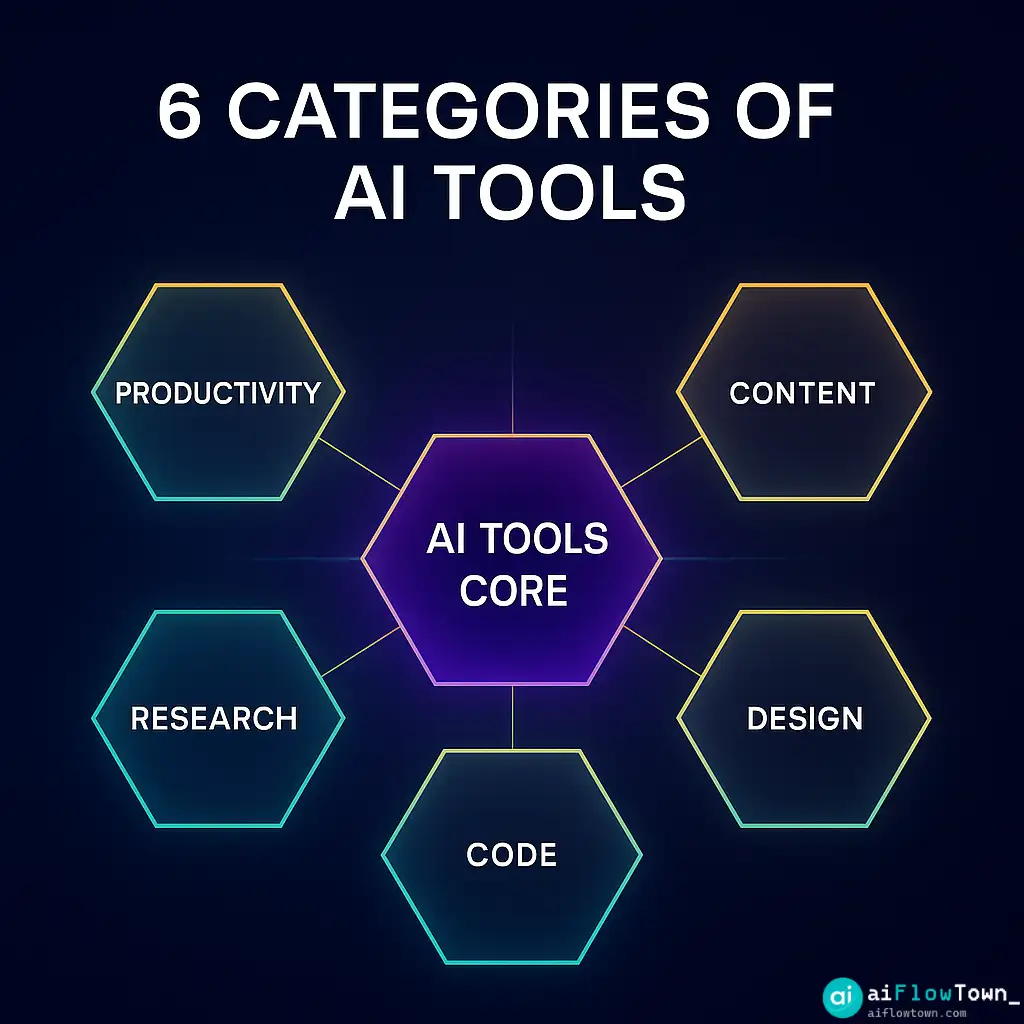
The ai tools roundup is organized by function: productivity, content creation, design, coding, research, and automation. Find your category, scan the options, pick one to test.
Productivity AI Tools
Task Management & Scheduling
1. Motion — AI task scheduling that adapts to your calendar in real-time. Automatically reschedules when priorities shift.
2. Reclaim AI — Protects focus time and schedules habits around meetings. Best for busy calendars.
3. Trevor AI — Time-blocking assistant that syncs with your task list and builds realistic daily plans.
4. Sunsama — Daily planning tool with AI suggestions for task prioritization and time estimates.
5. Akiflow — Universal inbox that consolidates tasks from multiple tools with AI-powered prioritization.
Note-Taking & Knowledge Management
6. Notion AI — Built into Notion for summaries, content generation, and database queries.
7. Mem — AI-powered note capture with automatic organization and smart search.
8. Reflect — Networked notes with AI that surfaces connections between ideas automatically.
9. Obsidian + AI plugins — Local-first note-taking with AI extensions for linking and summarizing.
10. Roam Research + GPT — Graph-based notes with AI integration for research and writing.
For more productivity strategies, explore our AI productivity prompts guide.
Content Creation AI Tools
Writing Assistants
11. ChatGPT — The foundation. Still the most versatile for drafting, editing, and brainstorming.
12. Claude — Better for long-form content and nuanced writing with strong context retention.
13. Jasper — Built specifically for marketing copy and brand-consistent content.
14. Copy.ai — Template-based writing for ads, emails, and social media.
15. Writesonic — SEO-focused content generation with built-in optimization suggestions.
Video & Audio
16. Descript — Edit video by editing text. AI removes filler words and creates clips automatically.
17. Runway ML — Generative AI for video editing, effects, and content creation.
18. ElevenLabs — Voice cloning and text-to-speech with incredibly natural output.
19. Opus Clip — Turns long videos into short clips with AI-identified highlights.
20. Podcastle — AI-powered podcast recording, editing, and enhancement.
Visual Content
21. Midjourney — Still the leader for AI image generation with artistic style.
22. DALL-E 3 — Integrated with ChatGPT, excellent for text rendering in images.
23. Ideogram — Specializes in text-in-image generation, logos, and typography.
24. Leonardo AI — Game asset creation and consistent character generation.
25. Canva AI — Design tools with AI generation built into familiar interface.
Design & Creative AI Tools
26. Figma AI — Design assistance, component generation, and auto-layout suggestions.
27. Uizard — Sketch to wireframe conversion and rapid prototyping.
28. Framer AI — Website builder with AI-generated layouts and animations.
29. Khroma — AI color palette generator based on your preferences.
30. Fontjoy — AI font pairing suggestions for better typography.
Coding & Development AI Tools
31. GitHub Copilot — AI pair programmer that suggests code in real-time.
32. Cursor — AI-first code editor built on VS Code with better context understanding.
33. Replit AI — Complete development environment with AI assistance for building and deploying.
34. v0 by Vercel — Generate React components from text descriptions.
35. Tabnine — Code completion trained on your codebase for personalized suggestions.
For development workflows, check out our AI workflows collection.
Research & Analysis AI Tools
36. Perplexity — AI search that cites sources and provides direct answers with citations.
37. Elicit — Research assistant for academic papers, summarizes findings across studies.
38. Consensus — Search engine specifically for scientific research with evidence ratings.
39. Scholarcy — Extracts key information from academic papers into summaries.
40. ChatPDF — Upload PDFs and ask questions, get answers with page citations.
Automation & Integration AI Tools
41. Zapier AI — Natural language automation builder, connects 6000+ apps.
42. Make (Integromat) AI — Visual automation with AI-powered scenario suggestions.
43. n8n — Self-hosted automation with AI nodes for processing and decision-making.
44. Bardeen — Browser automation focused on scraping, data entry, and research tasks.
45. Axiom — No-code browser automation for repetitive web tasks.
Communication AI Tools
46. Otter.ai — Meeting transcription with speaker identification and searchable history.
47. Fireflies.ai — Auto-joins meetings, transcribes, and integrates with CRMs.
48. Grain — Records calls, creates highlight reels, and shares key moments.
49. Krisp — AI noise cancellation for calls, works with any conferencing tool.
50. Superhuman AI — Email client with AI triage, smart compose, and instant replies.
How to Choose the Right Tools
| Category | Start Here | Level Up With |
|---|---|---|
| Productivity | Motion or Reclaim AI | Add Notion AI for notes |
| Content | ChatGPT or Claude | Add Descript for video |
| Design | Canva AI | Add Midjourney for custom visuals |
| Code | GitHub Copilot | Add Cursor for AI-first editing |
| Research | Perplexity | Add ChatPDF for document analysis |
| Automation | Zapier AI | Add Bardeen for browser tasks |
Tool Selection Framework
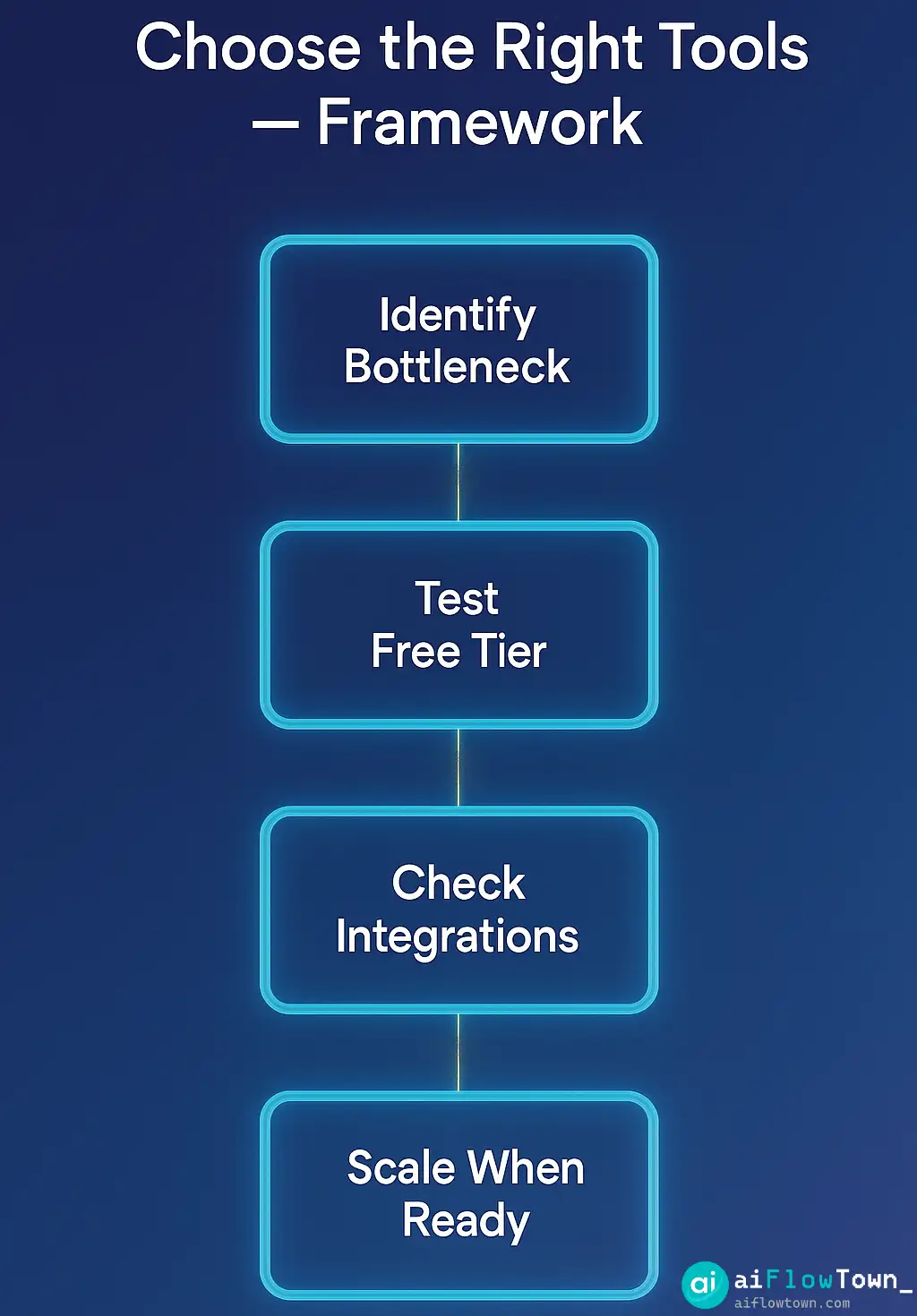
Identify your bottleneck. What takes the most time in your workflow? Start there. Don’t adopt tools because they’re cool—adopt them because they solve real problems.
Test free tiers first. Almost every tool here has a free version. Use it for a week before paying. Many “must-have” tools turn out to be overkill.
Check integration compatibility. The best tool is useless if it doesn’t connect to your existing stack. Verify integrations before committing.
Consider learning curve. Powerful tools often require setup time. If you’re drowning in work, start with simple tools that deliver immediate value.
For tool integration strategies, explore our AI automation tools for beginners guide.
Common Tool Selection Mistakes
Tool hoarding. Collecting tools is not productivity. Using 3 tools well beats barely using 20.
Chasing novelty. New doesn’t mean better. Established tools often have better support, integrations, and stability.
Ignoring total cost. Five tools at $10/month each is $600/year. Calculate annual cost before subscribing.
Skipping onboarding. Most people use 10% of a tool’s features. Spend 30 minutes learning what it can actually do.
Building Your AI Tool Stack
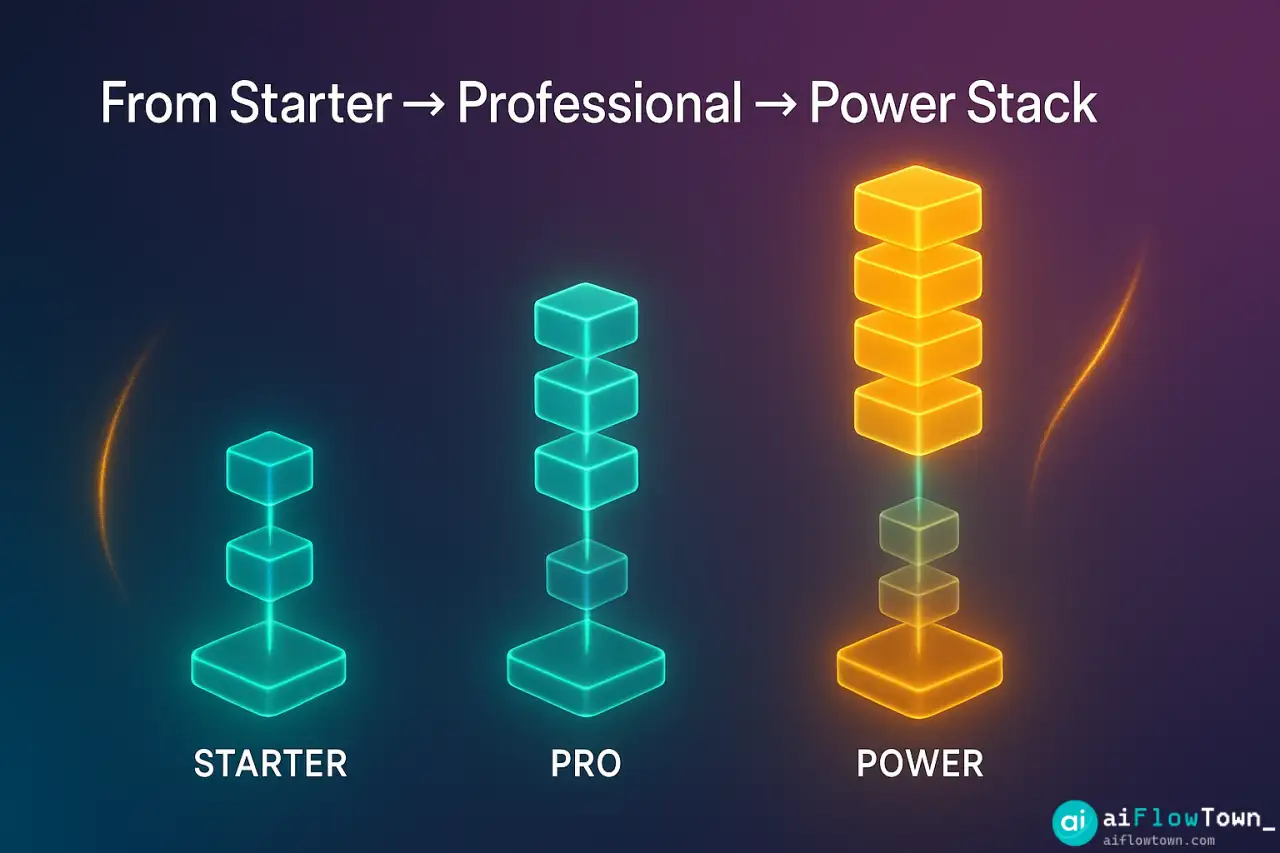
Starter Stack (Free/$10/month)
– ChatGPT Free for writing and brainstorming
– Notion Free for notes and task management
– Canva Free for basic design
– Zapier Free tier for simple automation
Total: $0–10/month, covers 80% of needs
Professional Stack ($30–50/month)
– ChatGPT Plus ($20) for priority access
– Motion or Reclaim AI ($10–18) for scheduling
– Midjourney Basic ($10) for visuals
– GitHub Copilot ($10) if you code
Total: $30–50/month, substantial productivity boost
Power User Stack ($100+/month)
– Claude Pro + ChatGPT Plus ($40) for writing depth
– Motion + Notion AI ($30) for planning and knowledge
– Midjourney Pro ($30) for unlimited images
– Zapier + Automation tools ($30+) for workflows
– Superhuman ($30) for email management
Total: $100–160/month, maximum efficiency
Trends in AI Tools
All-in-one platforms are consolidating. Notion, ClickUp, and others are adding AI to become complete workspaces.
Browser-based is winning. Desktop apps are declining. Web-first tools with mobile support dominate.
Privacy-first options emerging. Tools like Ollama let you run AI locally without sending data to external servers.
Vertical specialization increasing. General tools plus industry-specific AI (legal, medical, finance) offer better results than general-purpose alone.
Red Flags to Watch For
No free trial. Legitimate tools let you test before buying. Immediate paywall suggests weak product.
Vague promises. “10x your productivity” without specifics means marketing hype, not real value.
No integrations. Isolated tools create data silos. Good tools connect to your ecosystem.
Unclear pricing. “Contact us for pricing” often means expensive and inflexible.
Poor documentation. If you can’t figure out how to use it in 5 minutes, move on.
Maximizing Tool ROI
| Strategy | Action | Time Saved |
|---|---|---|
| Master shortcuts | Learn 5 keyboard shortcuts per tool | 30 min/week |
| Template everything | Create templates for repeated tasks | 2 hours/week |
| Automate handoffs | Connect tools via Zapier/Make | 3 hours/week |
| Regular audits | Monthly review: still using this tool? | Saves $20–50/month |
| Team training | 15-min demos of your tool stack | 5 hours/week (team) |
Keeping Up With New Tools
Don’t chase every launch. Wait 2–3 months after release. Many tools pivot, shut down, or reveal fatal flaws.
Follow curated sources. There are AI, Product Hunt, and Indie Hackers cover quality tools. Ignore random Twitter hype.
Test quarterly, not weekly. Pick one new tool per quarter to evaluate. More frequent switching kills productivity.
Ask your network. What tools are people actually using daily? Not what they downloaded—what stuck.
❓ FAQ
How many AI tools should I actually use?
Start with 3–5 core tools that solve your biggest problems. Add only when you have a specific need current tools can’t solve. Quality over quantity always wins.
⏱️ How long should I test a tool before deciding?
Minimum one week of real work usage. If you haven’t found value in 7 days of actual use, you probably won’t. Don’t confuse setup time with testing time.
Should I pay for AI tools or stick with free versions?
Exhaust free tiers first. Upgrade when you hit limits that block real work. If you’re using a tool daily and saving hours, paid is worth it. Occasional use? Stay free.
Can I use multiple AI writing tools together?
Yes, but have clear roles. Use ChatGPT for brainstorming, Claude for long-form drafting, Grammarly for editing. Avoid using multiple tools for the same function.
Do these tools work on mobile?
Most have mobile apps, but functionality varies. Full features usually require desktop. Mobile is best for quick captures and reviews, not heavy work.
Final Thoughts
This ai tools roundup isn’t about trying all 50 tools—it’s about finding the 5 that transform your work. The best productivity system isn’t the one with the most tools, it’s the one you actually use consistently.
Start with your biggest pain point. Pick one tool from the relevant category. Use it for two weeks. If it sticks, great. If not, try another. Build your stack incrementally based on real needs, not hypothetical use cases.
The AI tools landscape will keep evolving. This list will be partially outdated in six months. That’s fine. Focus on mastering tools that solve today’s problems, not collecting tools for imaginary future scenarios.
Your goal isn’t to have the latest tech—it’s to get your work done faster and better. Sometimes that means ChatGPT and Notion. Sometimes it means 10 specialized tools. Use what works, ignore the rest.
Ready to integrate these tools into a complete productivity system? Discover how to build efficient workflows with our guide to the 15 best AI productivity tools that work seamlessly together.
⚠️ Reminder: Even the smartest tools / AI can miss small details or make mistakes. Always double-check your work before presenting or publishing it - a quick review can save hours later.