Introduction
You read an article, watch a tutorial, take notes—then forget 80% within a week. Passive consumption creates the illusion of learning without retention. These 25 AI prompts transform passive reading into active learning by forcing you to explain, question, connect, and apply concepts. Instead of highlighting text, you’re using ChatGPT to quiz yourself, identify gaps, build mental models, and practice recall. Learning shifts from consuming information to processing it deeply enough that it actually sticks.
Why Traditional Studying Fails
You highlight key passages. You take detailed notes. You reread chapters. All of this feels productive but creates minimal retention because it’s passive. Your brain isn’t working hard enough to encode information into long-term memory.
What actually drives learning:
- ✅ Active recall: Forcing yourself to retrieve information from memory
- ✅ Spaced repetition: Reviewing material at increasing intervals
- ✅ Elaboration: Explaining concepts in your own words
- ✅ Application: Using knowledge to solve problems
- ✅ Connection: Linking new info to existing knowledge
AI prompts implement these techniques systematically. Instead of passively reading, you engage with material through study prompts that force deeper processing using ai prompts for faster learning principles.
The 25 Learning Prompts
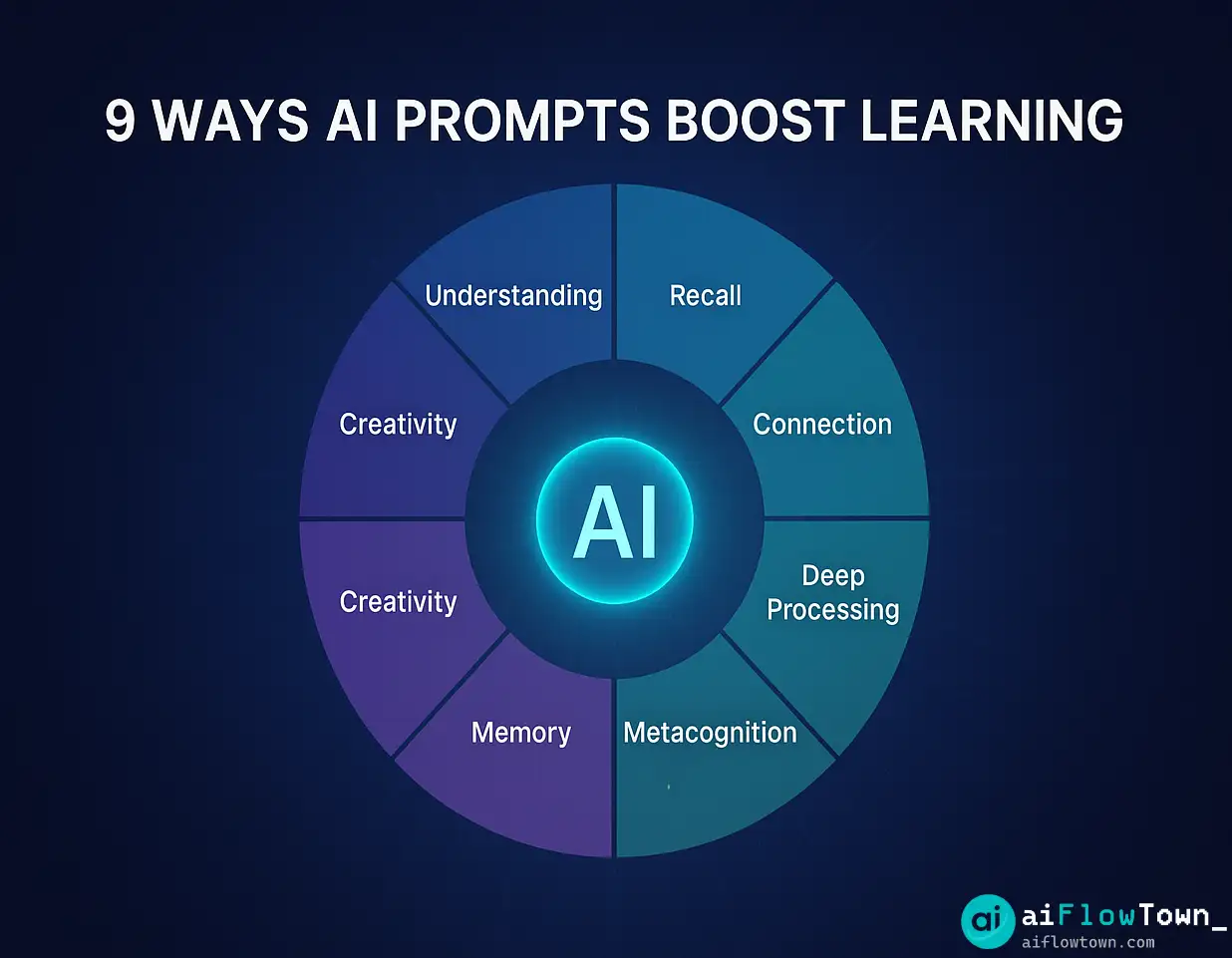
Category 1: Understanding and Summarization
Prompt 1: The ELI5 Test
"Explain [concept] like I'm 5 years old. Use simple analogies and everyday examples. If you need technical terms, define them simply first."
If AI can’t explain it simply, you don’t understand it deeply. This prompt reveals gaps.
Prompt 2: Progressive Complexity
"Explain [concept] at three levels:
1. For a complete beginner
2. For someone with basic knowledge
3. For an advanced learner

Show how the explanation evolves in sophistication."
Prompt 3: The One-Sentence Summary
"Distill [chapter/article] into ONE sentence that captures the core idea. Then expand into 3 sentences. Then 5 sentences. Show how the idea unfolds from simplest to complete."
Category 2: Active Recall and Testing
Prompt 4: Generate Quiz Questions
"Based on [content], create 10 quiz questions:
- 5 factual recall questions
- 3 concept application questions
- 2 synthesis questions requiring combining multiple ideas

Include answers separately so I can test myself first."
This transforms passive reading into active testing using chatgpt prompts to study effectively.
Prompt 5: The Feynman Technique
"I'm going to explain [concept] in my own words. Point out:
- Where my explanation is unclear
- What I'm missing
- Where I'm using jargon without understanding
- How to improve my explanation

[Your explanation here]"
Prompt 6: Challenge My Understanding
"Ask me 5 hard questions about [topic] that test whether I truly understand it versus just memorized facts. Make them progressively harder."
Category 3: Connection and Context
Prompt 7: Build a Mental Model
"Create a visual mental model showing how [concept] connects to:
- Related concepts in the same field
- Real-world applications
- Underlying principles
- Common misconceptions

Use a hierarchical structure."
Prompt 8: Find the Through-Line
"I'm learning about [topics A, B, C]. What's the underlying principle that connects all of them? Help me see the pattern."
Prompt 9: Real-World Bridge
"Give me 5 examples of [concept] in everyday life that I've probably experienced but didn't recognize. Make them concrete and specific."
Category 4: Deep Processing
Prompt 10: Socratic Questioning
"Act as a Socratic teacher. I claim that [statement]. Ask me questions that make me examine my assumptions and thinking more carefully. Don't give me answers—guide me to find them."
Prompt 11: The Rubber Duck Debug
"I'm stuck on [problem/concept]. Let me explain what I understand so far step by step. After each step, ask me 'And then what?' or 'Why?' until I find where my understanding breaks down.

[Start explaining]"
Prompt 12: Compare and Contrast
"Compare [concept A] and [concept B]:
- What do they have in common?
- How are they fundamentally different?
- When would you use one vs the other?
- What's a common misconception about their relationship?"
For more learning strategies, visit prompt library.
Category 5: Practical Application
Prompt 13: Create Practice Problems
"Generate 5 practice problems about [topic] at varying difficulty:
- 2 straightforward applications
- 2 that require combining concepts
- 1 challenging problem that requires creative thinking

Give me the problems first, solutions separately."
Prompt 14: Project-Based Learning
"Design a small project that would require me to use [skill/concept] practically. Make it:
- Completable in 2-4 hours
- Produces a tangible outcome
- Forces me to apply the concept, not just understand it theoretically"
Prompt 15: The Case Study Method
"Give me a real or realistic scenario where understanding [concept] is critical to solving a problem. Walk me through analyzing it:
1. What's the core issue?
2. How does [concept] apply?
3. What would happen if you misunderstood it?
4. What's the solution?"
Category 6: Metacognition and Strategy
Prompt 16: Learning Path Design
"I want to learn [skill/topic]. I have [timeframe] and [current knowledge level]. Design a learning path:
- Core concepts in order (what to learn first)
- Estimated time for each section
- How to practice/apply each concept
- How to know when I've mastered it"
Prompt 17: Identify Your Gaps
"Based on what I've told you about [topic], identify:
- What I seem to understand well
- Where my knowledge has gaps
- What I should study next to fill the most critical gap
- One thing I probably think I understand but don't"
Prompt 18: Study Session Design
"I have 2 hours to study [topic]. Design an effective study session:
- Active recall exercises
- Practice problems
- Review methods
- Break timing
Make sure it's active, not passive reading."
Category 7: Memory and Retention
Prompt 19: Mnemonic Generator
"Create memorable mnemonics for [list/concept]:
- Acronyms if applicable
- Visual imagery
- Story-based memory aids
- Rhymes or patterns
Make them vivid and weird (weird = memorable)."
Prompt 20: Spaced Repetition Schedule
"I just learned [concept]. Create a spaced repetition review schedule:
- What to review after 1 day
- What to review after 3 days
- What to review after 1 week
- What to review after 1 month
Include specific questions/exercises for each review."
Prompt 21: The Retrieval Practice Generator
"Generate retrieval practice prompts about [topic] that I can use without looking at notes:
- Fill-in-the-blank sentences
- 'What is...?' questions
- 'Explain the relationship between...' prompts
- Application scenarios

Mix difficulty levels."
Category 8: Error Correction
Prompt 22: Debug My Understanding
"I think [concept] means [your explanation].
- Is this correct?
- What am I getting wrong?
- What nuance am I missing?
- How should I adjust my mental model?"
Prompt 23: Common Mistakes Anticipation
"What are the 5 most common misconceptions about [topic]? For each:
- Why is it wrong?
- Why do people believe it?
- What's the correct understanding?
- How can I avoid this mistake?"
Prompt 24: The Steel Man Test
"I believe [statement about concept]. Present the strongest possible argument AGAINST my position. Then help me reconcile or refine my understanding."
Category 9: Synthesis and Creativity
Prompt 25: Cross-Domain Connection
"Find unexpected connections between [topic A in field X] and [topic B in field Y]. How do insights from one illuminate the other? What can they teach each other?"
For more creative learning approaches, check AI productivity prompts.
How to Use These Prompts Effectively
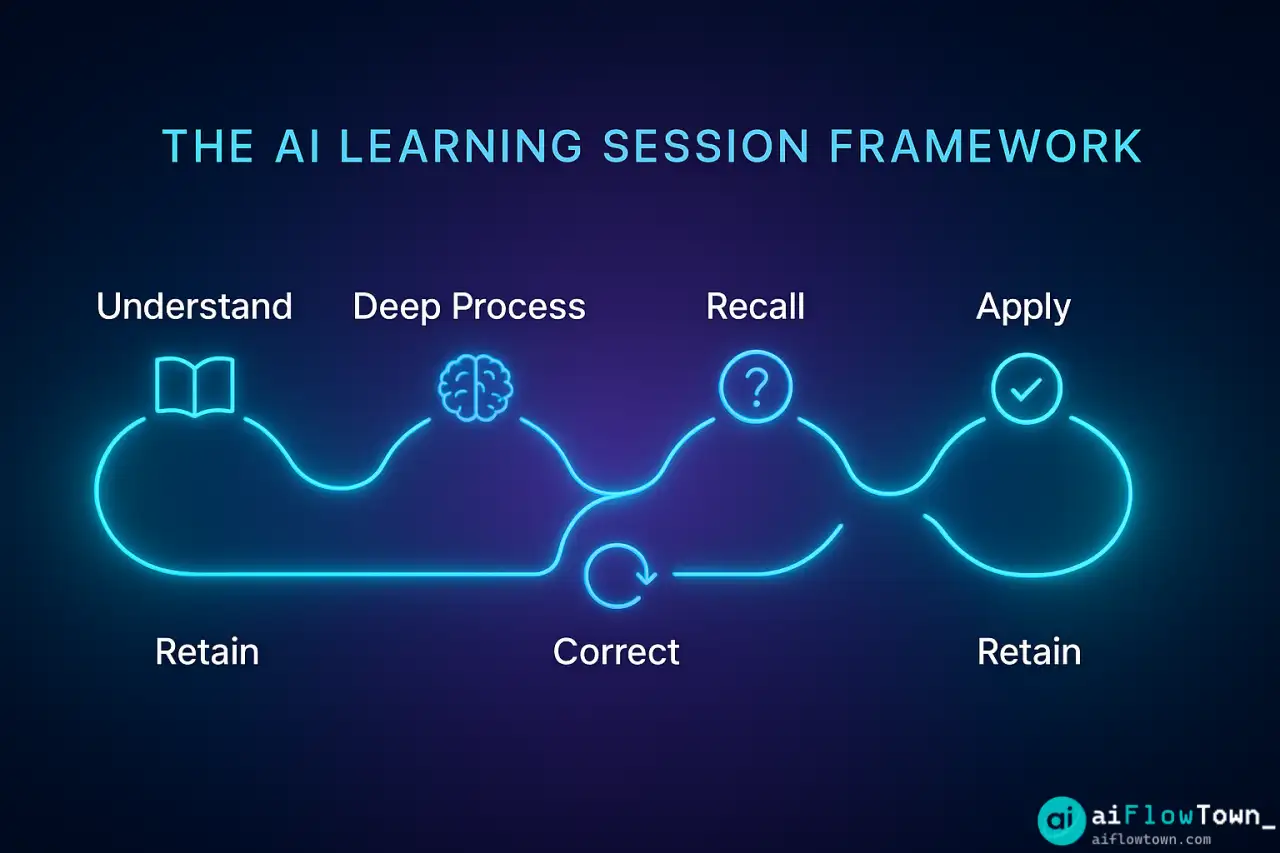
The Learning Session Framework
| Phase | Prompts to Use | Purpose |
|---|---|---|
| Initial Understanding | #1, #2, #3 | Make sure you grasp the basics |
| Deep Processing | #7, #8, #9, #10 | Build connections and mental models |
| Active Testing | #4, #5, #6 | Identify what you actually know vs think you know |
| Application | #13, #14, #15 | Use knowledge practically |
| Error Correction | #22, #23, #24 | Fix misconceptions before they solidify |
| Long-term Retention | #19, #20, #21 | Ensure you remember beyond this week |
Don’t Use All 25 at Once
Pick 3-4 prompts per learning session. Using all 25 creates prompt fatigue. Match prompts to your learning stage:
- Just starting: Use #1, #2, #7 (understanding and context)
- Solidifying knowledge: Use #4, #5, #6 (active recall)
- Ready to apply: Use #13, #14, #15 (practice)
- Before exam/presentation: Use #20, #21 (retention)
Real Example: Learning a New Programming Language
Week 1: Python Basics
Used Prompt #2 (Progressive Complexity):
“Explain Python list comprehensions at three levels: beginner, intermediate, advanced.”
Result: Understood not just syntax but when to use comprehensions vs loops. Saw how expert Pythonistas think about them.
Used Prompt #13 (Practice Problems):
“Generate 5 practice problems using list comprehensions, increasing difficulty.”
Result: Spent 1 hour solving problems, hit errors, learned from debugging. Active practice > passive tutorial watching.
Week 2: Object-Oriented Programming
Used Prompt #11 (Rubber Duck):
Explained inheritance to AI step-by-step. AI asked “Why?” after each step. Discovered I didn’t actually understand super() until explaining it three times.
Used Prompt #23 (Common Mistakes):
“What are common OOP mistakes in Python?”
Learned about mutable default arguments, shallow vs deep copy—mistakes I would’ve made without this pre-warning.
Result After 4 Weeks
Retained 70% of material (vs typical 20% from tutorial watching). Built 3 small projects. Could explain concepts to others. The difference: active engagement using learn new skills with ai assistance through targeted prompts vs passive consumption.
For more learning workflows, visit AI workflows.
❓ FAQ
Do I need ChatGPT Plus for these prompts?
No, free ChatGPT works fine for all these prompts. Plus gives you GPT-4 which is better at nuanced explanations and harder questions, but GPT-3.5 handles these learning prompts adequately. Claude (free tier) also works well.
⏰ How long should a learning session take?
45-90 minutes optimal. Use 3-4 prompts per session, not all 25. Structure: 20 min understanding, 30 min active recall/practice, 20 min application or problem-solving. Quality over quantity—one deep session beats three shallow ones.
Which prompts are most effective?
Active recall prompts (#4, #5, #6) show biggest retention gains. But effectiveness depends on learning stage. Early: use comprehension prompts. Middle: active recall. Late: application prompts. Match prompt to what you need right now.
Should I take notes during AI conversations?
Yes, but don’t transcribe everything. Note: key insights you didn’t know, questions that revealed gaps, analogies that clicked, practice problems you struggled with. The act of selective note-taking reinforces learning. Copy-pasting everything defeats the purpose.
Can AI replace studying entirely?
No. AI facilitates active learning, but you still need: primary source material (textbooks, videos, docs), practice with real problems, and application in projects. Think of AI as a tireless study partner who asks good questions, not a replacement for actual learning.
Final Thoughts
These 25 study prompts work because they force active engagement. Instead of passively highlighting text, you’re explaining concepts, testing recall, identifying gaps, and applying knowledge. This is cognitively harder—which is exactly why it creates lasting learning.
Start with 3 prompts that address your current learning challenge. Struggling to understand? Use comprehension prompts. Understand but can’t remember? Use retention prompts. Remember but can’t apply? Use practice prompts. Let your learning needs guide prompt selection.
The goal isn’t using all 25 prompts on every topic. It’s having a toolkit of active learning prompts for students and professionals that transform passive consumption into deep, retained understanding. Pick the right tool for your current learning stage and watch retention improve dramatically.
Next: Need more ready-to-use prompts for different scenarios? Download our complete AI productivity prompt library with 100+ templates for learning, work, and creativity.
⚠️ Reminder: Even the smartest tools / AI can miss small details or make mistakes. Always double-check your work before presenting or publishing it - a quick review can save hours later.