Why Task Management Needs Better Prompts
Most people don’t have a task completion problem. They have a task clarification problem. Your list is vague: “work on proposal,” “plan Q2,” “follow up.” What does that even mean?
Good task management prompts force specificity. They turn “work on proposal” into “draft introduction and first two sections of client proposal.” They break overwhelming projects into actions you can actually start.
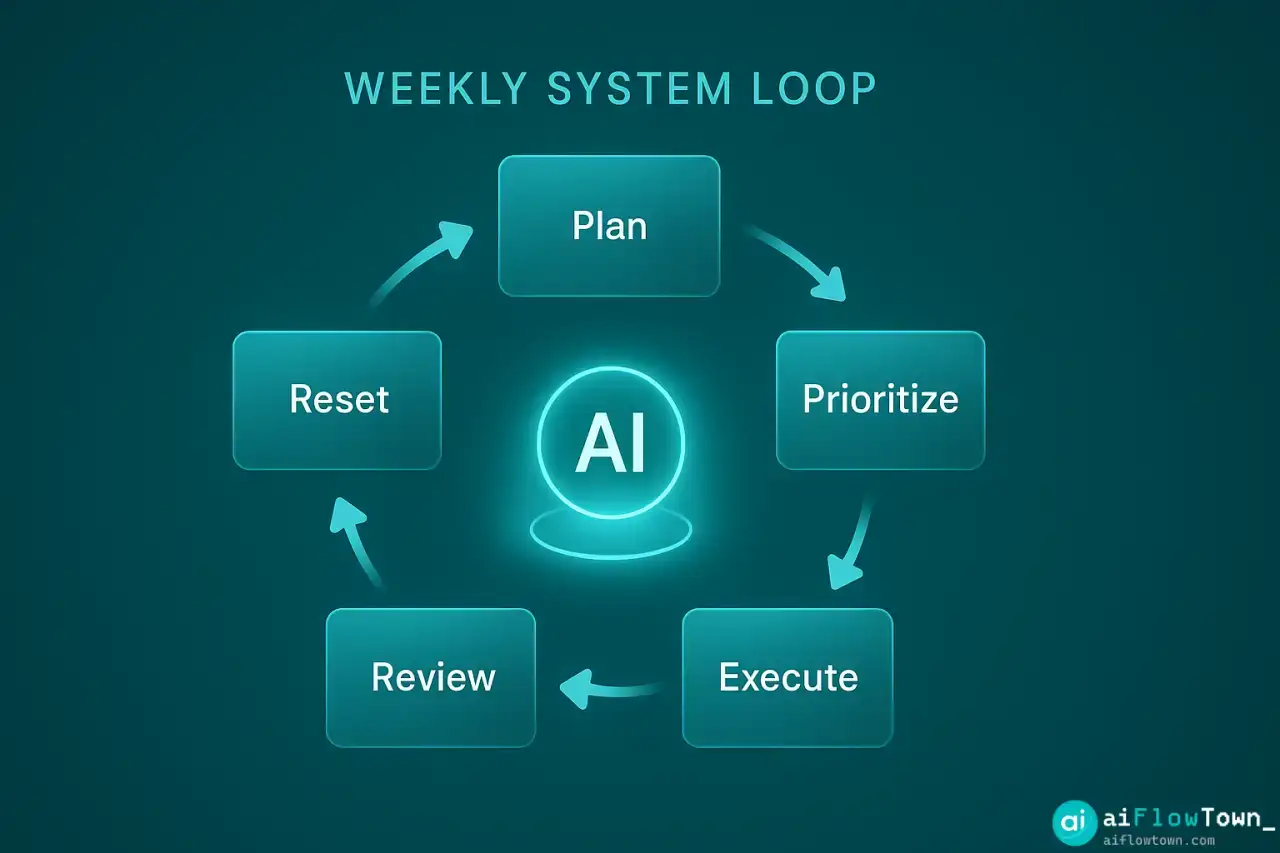
These 75 prompts cover the complete task management cycle: planning, prioritizing, executing, reviewing, and resetting. Use them with ChatGPT, Claude, or any AI tool.
Task Planning Prompts (15 Prompts)
Weekly Planning
1. Weekly Overview
I have these tasks this week: [paste task list]
My main goals: [list 2-3 priorities]
Available time: [hours per day]
Help me create a realistic weekly plan with daily focus areas.
2. Time Block Schedule
Create a time-blocked schedule for this week:
Tasks: [list tasks with estimated time]
Meetings: [list existing commitments]
Energy peaks: [when you're most productive]
Include buffer time between blocks.
3. Daily Theme Days
I have these recurring task types: [creative work, admin, meetings, deep work]
Suggest a theme for each day of the week that batches similar tasks together.
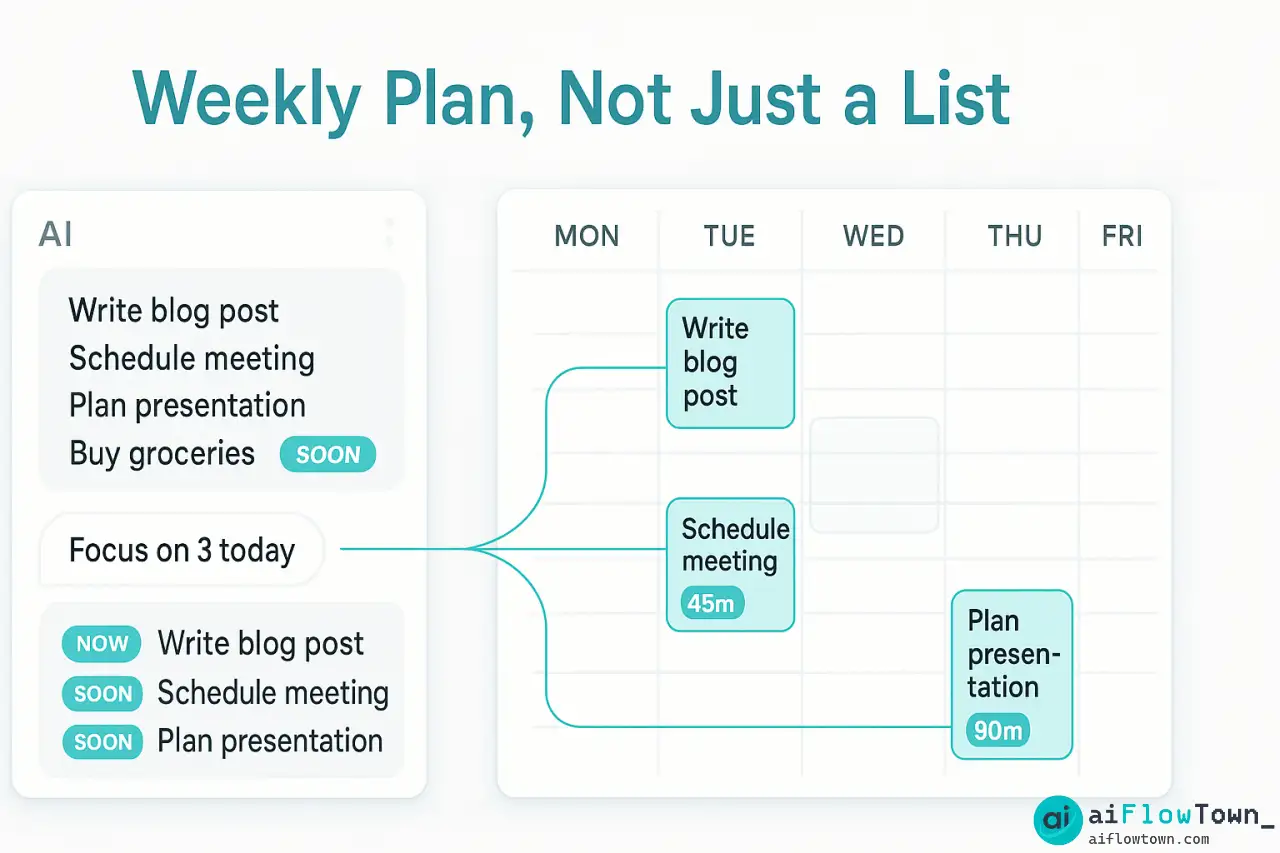
4. Backlog Breakdown
My backlog: [list all pending tasks]
Break this into: Now (this week), Soon (next 2 weeks), Later (future), Never (drop these)
Explain reasoning for each categorization.
5. Project Chunking
Large project: [describe project]
Deadline: [date]
Break this into weekly milestones with specific deliverables for each week.
Daily Planning
6. Morning Plan
Today's tasks: [list]
Meetings: [times]
Energy level: [high/medium/low]
Create a prioritized plan for today. Which 3 tasks matter most?
7. Task Sequencing
I need to complete: [list 5-10 tasks]
Some have dependencies, some are independent.
Create the optimal sequence to minimize context switching and respect dependencies.
8. Energy Matching
High-energy tasks: [creative work, complex problem-solving]
Medium-energy: [emails, routine work]
Low-energy: [admin, filing, simple tasks]
I'm most productive: [time of day]
Match these tasks to appropriate time slots today.
9. Realistic Capacity
My task list for today: [list with time estimates]
Available working hours: [number]
Tell me if this is realistic and what to cut if it's not.
10. Quick Wins First
From this list: [paste tasks]
Identify 3 quick wins (under 15 minutes each) I can complete first to build momentum.
Project Planning
11. Reverse Planning
Final deadline: [date]
Final deliverable: [what needs to be done]
Work backward to create a timeline with milestones, dependencies, and buffer time.
12. Task Dependencies
Project tasks: [list all tasks]
Identify which tasks depend on others and create a dependency map with recommended order of completion.
13. Resource Check
Tasks: [list]
For each task, identify: what resources needed, who needs to be involved, what information required before starting.
14. Parallel Processing
These tasks: [list]
Which can run in parallel? Which must be sequential? Create a plan that maximizes parallel work.
15. Scope Reality Check
Planned tasks for [timeframe]: [list]
Given typical interruptions and realistic work pace, is this achievable? What should be moved or cut?
For more planning strategies, check our AI workflows guide.
Task Prioritization Prompts (15 Prompts)
Urgency vs Importance
16. Eisenhower Matrix
Sort these tasks into: Urgent+Important, Important Not Urgent, Urgent Not Important, Neither
Tasks: [list]
Recommend what to do with each category.
17. Impact Assessment
Rate each task by potential impact (high/medium/low):
Tasks: [list]
Consider: revenue impact, team productivity, customer satisfaction, strategic value.
18. Effort vs Value
For each task, estimate effort (hours) and value (1-10 score):
Tasks: [list with estimates]
Create a prioritized list optimizing for high value, low effort first.
19. Deadline Pressure
Tasks with deadlines: [list with dates]
Which deadlines are hard (consequences if missed) vs soft (flexible)?
Prioritize accordingly.
20. Stakeholder Priority
Tasks: [list]
Stakeholder for each: [who requested/benefits]
Prioritize based on stakeholder importance and relationship impact.
Strategic Prioritization
21. Goal Alignment
My quarterly goals: [list 3-5 goals]
Current task list: [list tasks]
Which tasks directly support these goals? Which don't? Should I cut the misaligned ones?
22. Bottleneck Finder
My projects: [list]
Which tasks are blocking other work? Prioritize these bottleneck tasks.
23. ROI Ranking
For each task estimate: time required, potential return (money/growth/learning)
Tasks: [list]
Rank by ROI from highest to lowest.
24. Regret Minimization
If I could only complete 3 tasks this week, which ones would I regret NOT doing most?
Task list: [list]
25. Energy Drain Check
Which of these tasks drain energy vs create energy?
Tasks: [list]
Suggest prioritizing energy-creating tasks when motivation is low.
Decision Frameworks
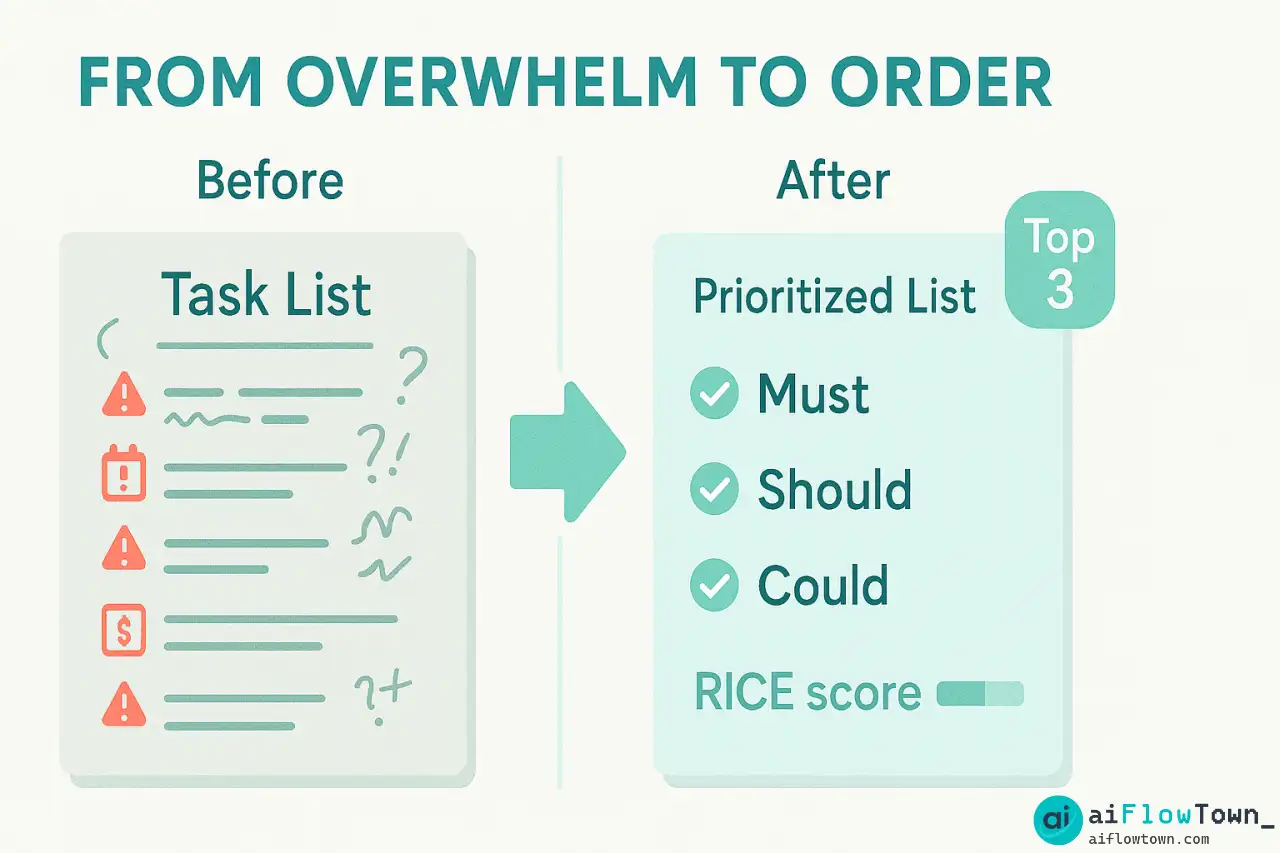
26. RICE Score
Rate each task: Reach (people impacted), Impact (1-3), Confidence (%), Effort (hours)
Tasks: [list with estimates]
Calculate RICE scores and prioritize.
27. Must/Should/Could
Categorize: Must do (serious consequences if not), Should do (important but flexible), Could do (nice to have)
Tasks: [list]
28. One Thing Rule
From this list: [tasks]
If I could only complete ONE task today that would make everything else easier or unnecessary, which would it be?
29. Pareto Principle
Which 20% of these tasks will produce 80% of the results?
Task list: [list]
Focus recommendations on these high-leverage tasks.
30. Time-Boxing Priority
I have [X] hours today.
From this list [tasks], which ones deserve time boxes and how long for each?
For prioritization workflows, explore our AI productivity prompts guide.
Task Execution Prompts (15 Prompts)
Getting Started
31. First Step Finder
Task: [describe vague or overwhelming task]
What is the smallest, most concrete first step I can take in the next 15 minutes?
32. Preparation Checklist
Before starting [task], what do I need: information, tools, people, decisions?
Create a pre-task checklist.
33. Context Setup
I'm about to work on: [task]
What should I have open/closed? What environment setup maximizes focus?
34. Time Estimate Reality
I estimated [task] would take [X hours].
Based on similar tasks: [list past examples with actual time], is this realistic?
35. Momentum Builder
I'm stuck on [task]. Suggest 3 micro-actions (under 5 min each) to rebuild momentum.
Staying Focused
36. Distraction Defense
During [task], I typically get distracted by: [list distractions]
Create a plan to prevent each distraction before starting.
37. Progress Checkpoint
Halfway through [task]. My goal was [X]. Where am I actually? Should I adjust approach or finish as planned?
38. Scope Creep Detector
Original task: [description]
Current work: [what I'm actually doing]
Have I drifted from the original goal? Should I refocus or is this expansion valuable?
39. Energy Slump Recovery
I'm 2 hours into [task] and energy is dropping. Should I: push through, take a break, switch tasks, or stop for today?
Current state: [describe how you feel]
40. Decision Paralysis Break
I'm stuck deciding between: [options]
Criteria that matter: [list what's important]
Make the decision for me with reasoning.
Completion Tactics
41. Good Enough Check
Task: [what I'm working on]
Is this at "good enough" quality to ship? Or am I perfectionism-stalling?
42. Finishing Sprint
Task is 80% done: [current state]
What are the exact steps to reach 100% and mark complete?
43. Handoff Prep
I'm handing [task] to [person].
What information/context do they need? Create a clean handoff brief.
44. Documentation Quick
I just completed [task]. Generate quick documentation: what I did, decisions made, what's next.
45. Celebration Moment
I completed [task]. This matters because [impact].
Acknowledge the win before moving to next task.
Task Delegation Prompts (10 Prompts)
Delegation Decisions
46. Delegation Filter
From this list: [tasks]
Which should I delegate vs do myself? Consider: who else could do this, is it learning opportunity for them, is it best use of my time?
47. Team Capacity Match
Team members: [list with current workload]
Tasks to delegate: [list]
Match tasks to people based on capacity, skills, and development goals.
48. Clear Instructions
I'm delegating [task] to [person].
Generate clear instructions including: goal, constraints, deadline, success criteria, who to ask for help.
49. Context Provision
Background for delegated task [name]:
Why this matters, who it impacts, previous attempts, known challenges.
Package this for the person taking it on.
50. Authority Level
For delegated task [name], define decision authority:
What decisions can they make independently? What needs approval? When to check in?
Delegation Follow-Up
51. Check-In Schedule
Delegated task: [name]
Timeline: [duration]
Create appropriate check-in schedule that provides support without micromanaging.
52. Unblock Request
Team member stuck on [delegated task] because: [blocker]
Suggest 3 ways to unblock them without taking the task back.
53. Progress Assessment
Delegated task status: [current state]
Expected progress: [where it should be]
Is intervention needed or should I let them work through it?
54. Feedback Template
Task [name] completed by [person].
What went well: [observations]
What could improve: [observations]
Generate constructive feedback.
55. Delegation Lessons
Review this completed delegated task: [describe outcome]
What would I delegate differently next time? What worked well to repeat?
Task Review Prompts (10 Prompts)
Daily Review
56. End-of-Day Review
Completed today: [list]
Started but not finished: [list]
Didn't touch: [list]
What went well? What blocked progress? What to adjust tomorrow?
57. Time Audit
Planned time allocation: [list tasks with estimates]
Actual time spent: [list tasks with actual hours]
Where did time go differently than planned? Why?
58. Energy Pattern
Track for a week: what tasks I did at what times, energy level for each.
Identify my peak performance windows and task types that match them.
59. Distraction Log
Today's interruptions: [list with duration]
Which were valuable? Which were avoidable? How to prevent the avoidable ones tomorrow?
60. Win Recognition
Even on rough days, identify 3 things that moved forward. Small wins count.
Today: [briefly describe day]
Weekly Review
61. Weekly Completion Rate
Planned this week: [list]
Actually completed: [list]
Completion rate: [X]%
Is this sustainable? Too ambitious? About right?
62. Pattern Analysis
Tasks that consistently get postponed: [list]
Why? Are they actually important? Should I delegate, delete, or just do them?
63. System Tuning
My current task management system: [describe]
What worked this week? What caused friction? What one thing should I adjust?
64. Bottleneck Review
What slowed me down most this week? People dependencies? Information gaps? Energy management?
How to address top bottleneck next week?
65. Goal Progress
My goals: [list]
This week's tasks: [list]
How much did I actually advance my goals vs just stay busy?
For weekly review workflows, explore our ultimate AI prompt library.
Task Reset Prompts (10 Prompts)
Backlog Cleanup
66. Ruthless Cut
My full backlog: [list everything]
Force me to cut 50%. Which tasks would cause least damage if I never did them?
67. Stale Task Audit
Tasks on my list for over [timeframe]: [list]
If they were important, I'd have done them by now. Delete or archive?
68. Fresh Start
Forget my current list. Based on my goals [list] and role [describe], what should actually be on my task list?
69. Commitment Inventory
All my commitments: [list projects, responsibilities, promises]
Which ones should I renegotiate, delegate, or exit to create capacity?
70. Energy Drain Removal
Tasks that drain energy more than value they provide: [list]
How can I eliminate, delegate, or automate each one?
System Reset
71. Simplification Pass
My current task management system has [X] tools and [Y] steps.
Design a simpler system that captures 80% of benefits with 20% of complexity.
72. Template Creation
I do [recurring task type] weekly.
Create a checklist template so I stop reinventing the wheel each time.
73. Automation Audit
Repetitive tasks I do regularly: [list]
Which could be automated, templated, or systematized? How?
74. Boundary Setting
I'm overcommitted. Draft responses to decline new requests that protect my capacity without burning relationships.
75. Capacity Recalibration
Based on last month's completion rate: [X]%
How many tasks should I realistically plan per week? What's my actual capacity?
How to Use These Task Management Prompts
Pick Prompts Based on Your Problem
| Your Problem | Start With These Prompts |
|---|---|
| Overwhelmed by backlog | #4, #16, #66, #68 |
| Can’t decide what to do first | #16, #17, #28, #29 |
| Tasks too vague to start | #31, #32, #34 |
| Constantly distracted | #36, #38, #59 |
| Never finish what I start | #41, #42, #45 |
| Poor delegation | #46, #48, #50 |
| Don’t know what’s working | #56, #61, #63 |
Build a Weekly Workflow
Monday morning: Use prompts #4, #6, #16 to plan and prioritize the week.
Daily start: Prompt #6 or #7 to sequence today’s work.
Mid-task stuck: Prompts #35, #38, #40 to get unstuck.
Daily end: Prompt #56 to review progress.
Friday afternoon: Prompts #61, #62, #63 for weekly review.
Monthly: Prompts #66, #68, #75 to reset and recalibrate.
This creates a rhythm where prompts support your workflow instead of adding complexity.
Customize Prompts for Your Context
These prompts are templates. Make them yours:
Add your specifics: Replace [task] with actual task names. Real details get better responses.
Include constraints: “I have 4 hours today” or “I work best in 90-minute blocks” helps AI give relevant advice.
Provide context: Your role, team size, industry—more context means better recommendations.
Iterate on outputs: First response not perfect? Ask follow-ups: “Make this more specific” or “Consider this constraint…”
Save what works: When a prompt gives great results, save that exact version. Build your personal library.
Common Task Management Prompt Mistakes
Using prompts without customization. Generic inputs get generic outputs. Add your specific context.
Asking for too much at once. “Plan my entire month” overwhelms AI. Break into smaller requests.
Not testing recommendations. AI suggests, you decide. Try the advice for a day before committing to it.
Ignoring your own patterns. If certain advice consistently doesn’t work for you, stop following it. Customize to your reality.
Prompt hopping. Trying a new prompt every day prevents any system from working. Pick 5-7 prompts, use them consistently for 2 weeks.
Forgetting to review. Prompts help you plan. Review prompts (#56-65) help you learn. Skip review and you repeat mistakes.
❓ FAQ
⏱️ How many prompts should I use regularly?
Start with 5-7: one for weekly planning, one for daily prioritization, one for getting unstuck, one for daily review, one for weekly review. Master these before adding more. Most people need fewer than 10 regular prompts.
Do I need different prompts for different AI tools?
These work across ChatGPT, Claude, Gemini, and other AI tools. You might get slightly different styles, but the core prompts function the same. Stick with one tool for consistency.
Should I pay for AI to use these prompts?
Free tiers work fine for task management. Upgrade to paid only if you’re using prompts heavily (10+ times daily) and hitting rate limits. Most people don’t need paid versions for this use case.
How do I know if these prompts are working?
Track completion rate (% of planned tasks actually done), time to clarity (how fast you start tasks), and weekly backlog trend (growing or shrinking). If these improve over 2-3 weeks, prompts are working.
What if AI gives bad advice for my situation?
AI doesn’t know your full context. If advice seems off, add more details to the prompt or override it. You’re using AI as an advisor, not a manager. Final decisions are always yours.
Final Thoughts
These 75 task management prompts won’t magically clear your backlog. But they will force the clarity that makes completion possible. Vague tasks stay undone. Specific tasks get finished.
Start with the planning prompts this Monday. Use prioritization prompts when you’re overwhelmed. Pull out execution prompts when you’re stuck. Run review prompts Friday afternoon.
The goal isn’t using all 75 prompts. It’s finding the 5-10 that solve your specific task management problems. Test, iterate, keep what works, drop what doesn’t.
Your backlog clears when you stop adding faster than you complete. These prompts help you complete faster and add more selectively. That combination changes everything.
Ready to build a complete task management system? Discover how these prompts integrate with your workflow in our guide to the 15 best AI productivity tools that work together.
⚠️ Reminder: Even the smartest tools / AI can miss small details or make mistakes. Always double-check your work before presenting or publishing it - a quick review can save hours later.