When Slack Becomes a Full-Time Job
You’re supposed to be writing a proposal. Instead, you’re scrolling through Slack trying to figure out if anything important happened in the last two hours. Most channels are just chatter—GIFs, jokes, tangential debates. But you can’t ignore them completely because occasionally someone drops a critical decision in the middle of a 50-message thread about lunch options.
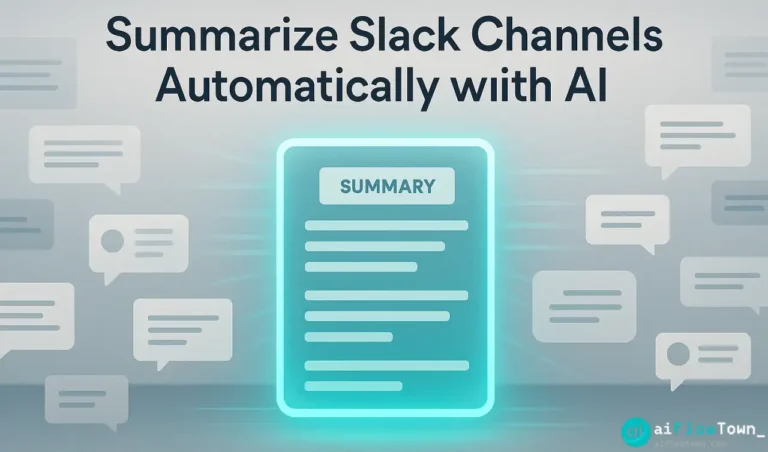
This is the Slack paradox: staying updated requires constant attention, but constant attention means you never get deep work done. You’re either missing important updates or you’re perpetually distracted by unimportant ones. Using ai slack summary tools breaks this trap by letting AI monitor channels while you actually work.
The real cost isn’t just time reading messages—it’s context switching. Every time you check Slack to “see if anything important happened,” you’re pulling yourself out of focus. Even if nothing important is there, you’ve already lost 15 minutes of momentum. AI summaries reduce this from 20 checks per day to one digest you read when you choose.
What Makes Slack Overwhelming
High-Volume Channels with Low Signal
Your team’s main channel has 200 messages per day. Of those, maybe 15 contain actual information you need. The rest is coordination chatter, questions answered by others, or social banter. Manually filtering signal from noise takes mental energy you’d rather spend on actual work.
Multiple Channels with Partial Relevance
You’re in 15 channels. Three are highly relevant to your work. Five are somewhat relevant. Seven are “just in case” channels you joined months ago. You can’t mute them all because occasionally something critical pops up in an unexpected place. So you leave notifications on and suffer the constant interruption.
The FOMO Effect
You step away for three hours. Come back to 89 unread messages. You know 90% is irrelevant, but you can’t shake the feeling you might miss something important if you just mark all as read. So you skim through everything, which takes 20 minutes and leaves you with decision fatigue.
This is where automate slack digest with ai tools becomes essential—AI reads everything, extracts the important parts, and lets you mark the rest as read without guilt.
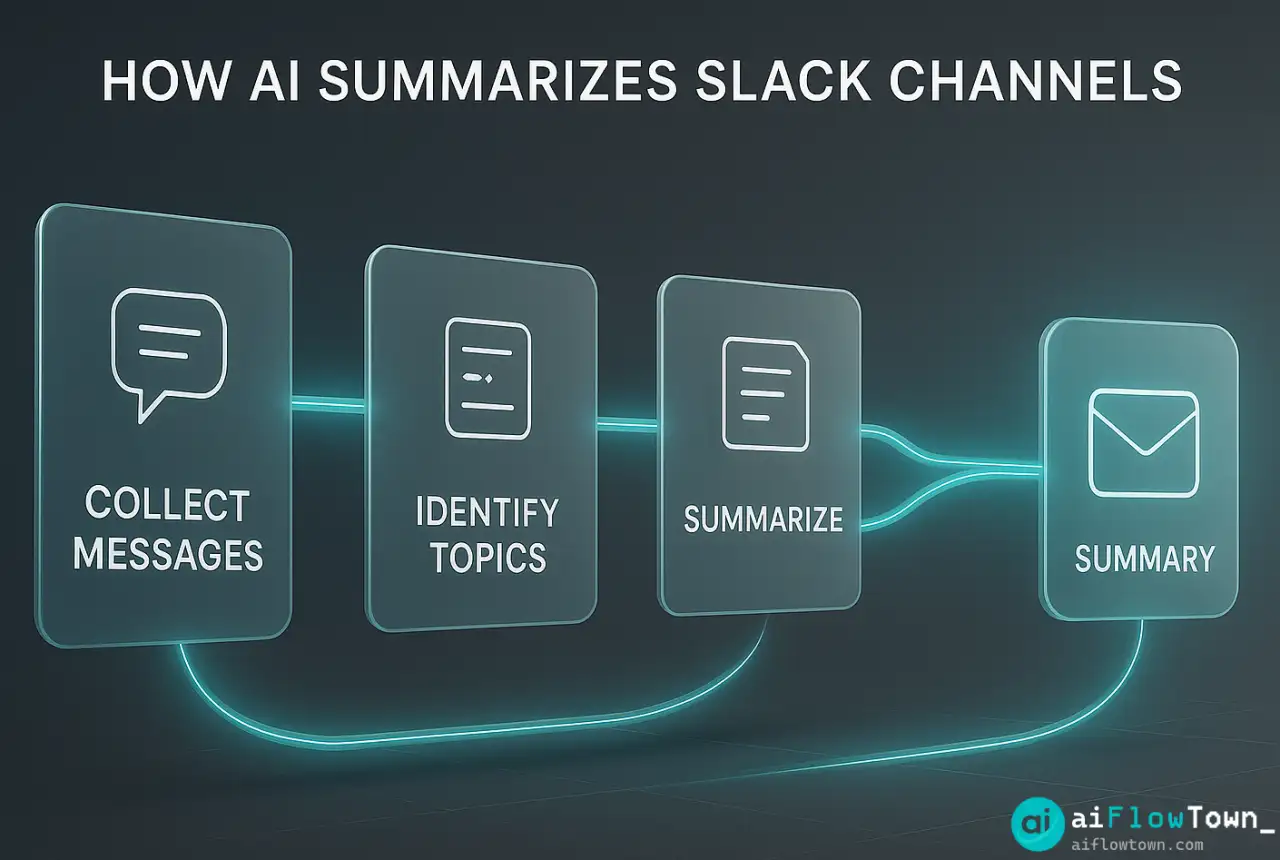
How AI Actually Summarizes Slack Channels
AI isn’t just condensing text—it’s understanding context, importance, and relevance to your specific role.
Message Analysis and Categorization
AI reads every message in your channels and categorizes them: decisions made, action items assigned, questions asked, information shared, casual conversation. It recognizes patterns like “we’re going with option B” as a decision, or “can someone handle X by Friday?” as an action item.
Relevance Filtering Based on Your Role
Not every message matters to everyone. AI learns what’s relevant to you specifically. If you’re in marketing, it prioritizes campaign discussions and customer feedback. If you’re in engineering, it surfaces bug reports and deployment updates. Same channels, different summaries based on who’s reading using smart slack recap for busy teams logic.
Thread Context Preservation
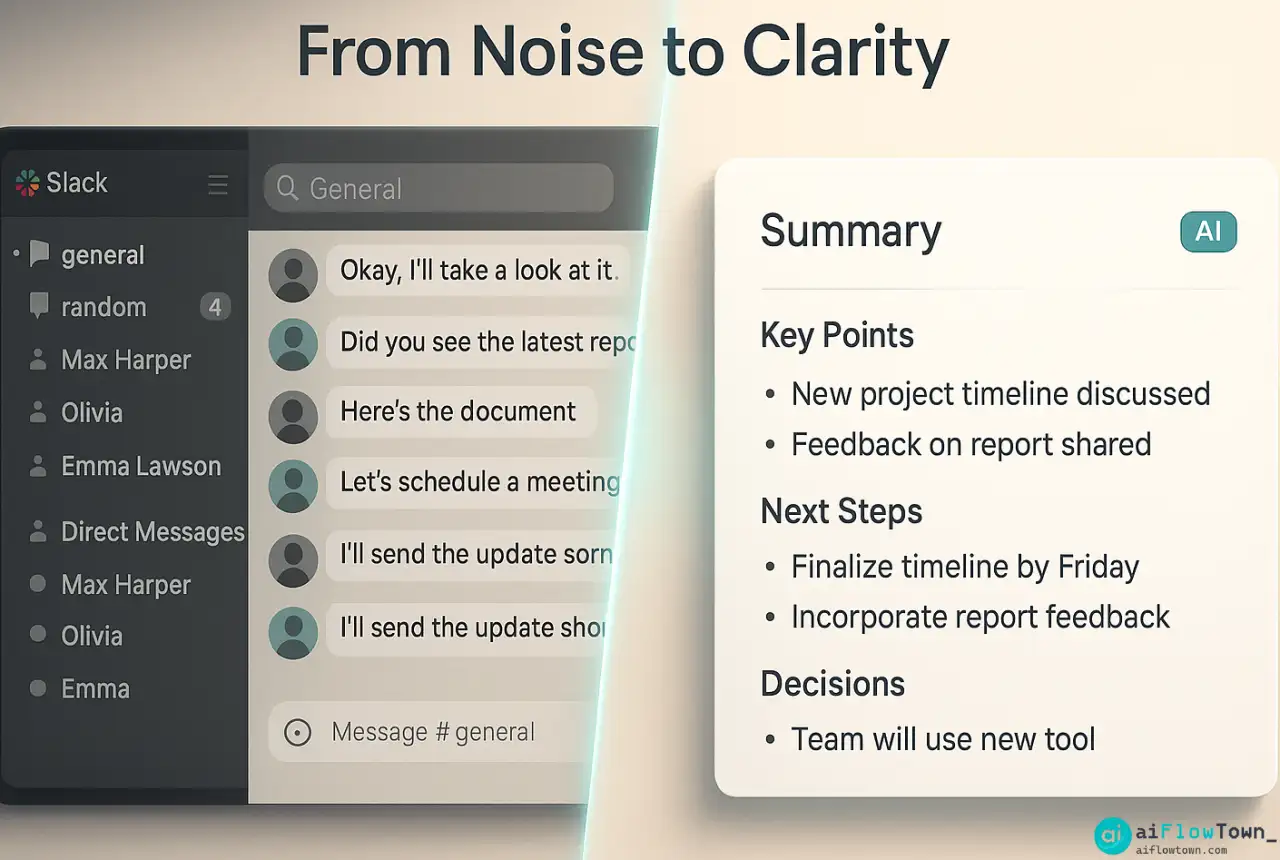
A 30-message thread about a client issue gets summarized as: “Client reported login bug, Sarah identified the cause, fix deployed by Tom, issue resolved.” You get the outcome without reading 30 messages. But if you need more context, AI links to the original thread.
For broader automation strategies, check out AI workflow examples.
Setting Up Your AI Slack Summary System
Let’s build a working system that delivers daily digests of what actually matters.
Choose Your Approach
| Method | Best For | Setup Complexity |
|---|---|---|
| Zapier + ChatGPT | Custom workflows | Medium |
| Slackbot + API | Developer teams | High |
| Digest apps | Quick setup | Low |
| Claude/GPT integration | Manual but flexible | Low |
For this guide, I’ll walk through a Zapier + ChatGPT setup because it’s accessible and customizable.
Initial Configuration
Connect Zapier to your Slack workspace and ChatGPT. Set up a daily trigger that runs at your preferred time—typically end of workday or first thing in the morning. Configure which channels to monitor. Start with 3-5 high-volume channels where you’re most likely to miss important updates.
Build Your Summary Prompt
This is where the quality happens. Tell AI exactly what kind of summary you want:
"Read all messages from these Slack channels in the last 24 hours:

#general, #project-alpha, #customer-feedback

Create a summary with these sections:

1. Critical Updates - decisions made, deadlines announced, urgent issues
2. Action Items - tasks assigned with who and when
3. Discussions Worth Knowing - important conversations without conclusions yet
4. FYI - information shared that might be useful context

Skip: casual chatter, resolved questions, social banter

Keep it under 400 words. Include links to key threads."
This prompt tells AI what to prioritize and what to ignore. You’re training it to be your information filter and helps reduce slack overwhelm with ai summaries effectively.
Set Delivery Preferences
Choose how you want to receive summaries:
- Email digest every morning at 8am
- DM in Slack at end of workday
- Push notification to phone
- Posted in a private summary channel
Most people prefer morning email—you review it with coffee before diving into work. You know what happened yesterday and what needs attention today.
Learn more about AI integration at AI automation for beginners.
Test and Refine
Your first summary will be imperfect. AI might include too much detail or miss nuances. Adjust your prompt based on results. Add instructions like “ignore messages about office snacks” or “always flag messages from CEO” or “prioritize anything related to customer complaints.” The summary improves as your prompt gets more specific.
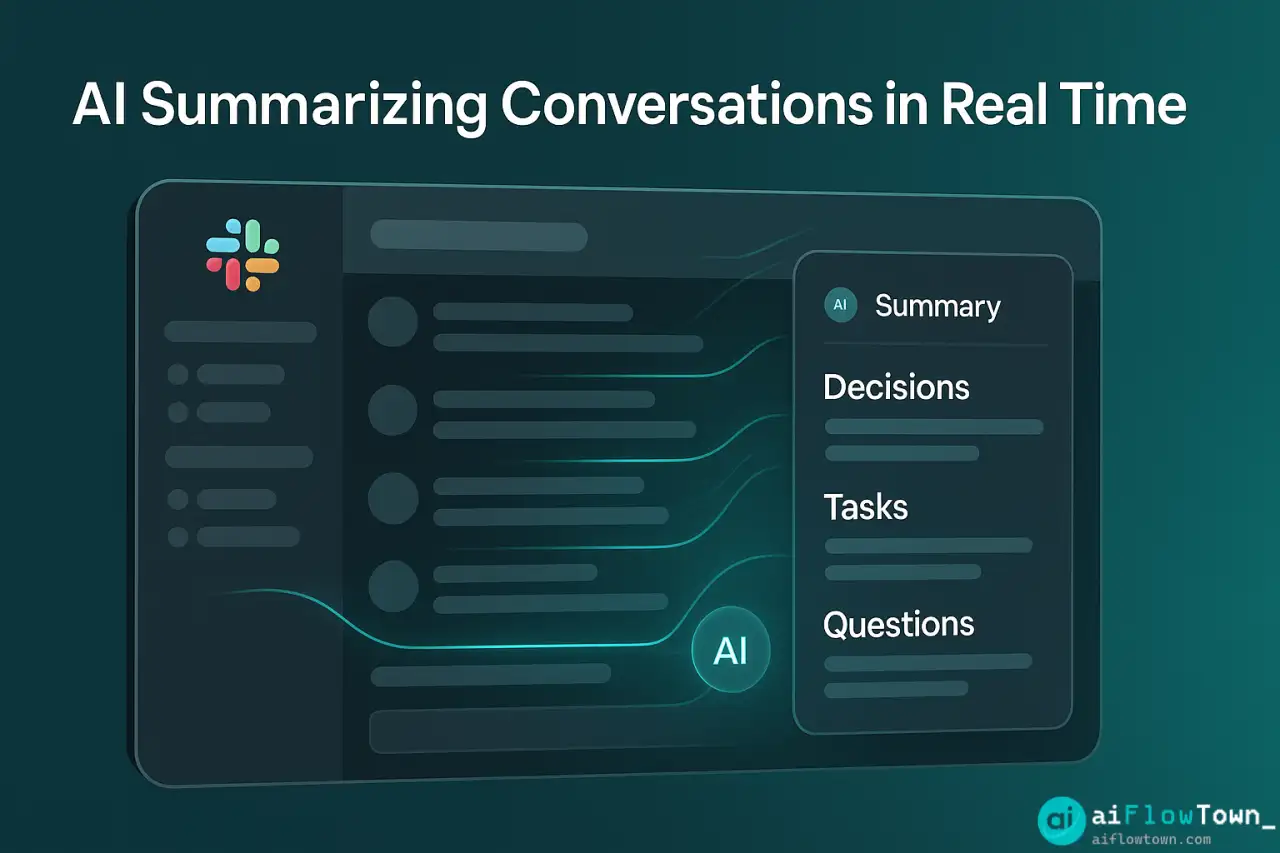
Real Example: A Product Team’s Slack Transformation
Here’s what happened when a 15-person product team implemented AI Slack summaries.
The Before State
Before AI, team members checked Slack constantly. Engineers interrupted coding to check if design files were ready. Designers checked for feedback on mockups. PMs checked for customer issues or stakeholder requests. Everyone was context-switching 15-20 times per day. Total time in Slack: 90-120 minutes daily per person.
The AI Implementation
They set up daily summaries for their five main channels. Every morning at 9am, each team member received a personalized digest: engineers got summaries focused on technical issues and deployment updates, designers got feedback and design requests, PMs got customer issues and stakeholder asks. Same channels, different summaries based on role using daily slack summary using chatgpt integration approach.
Results After 30 Days
- ✅ Time in Slack reduced from 2 hours to 30 minutes daily
- ✅ Context switching decreased by 70%
- ✅ Important updates missed: dropped from 3-4 per week to near zero
- ✅ Team reported feeling less anxious about “missing something”
- ✅ Focus time quality improved significantly
The key insight: they didn’t need to read 1,200 messages daily. They needed to know about the 40 messages that mattered. AI filtered the other 1,160 automatically.
Privacy and Security Considerations
Before implementing AI Slack summaries, understand what data you’re sharing. Third-party AI services will read your Slack messages. For sensitive channels, use enterprise AI tools with proper data protection agreements, or exclude those channels from summarization.
What AI Sees
When you connect AI to Slack, it reads message content, user names, timestamps, and channel information. For public tools like ChatGPT, this data may be used to improve their models. Enterprise versions like Microsoft 365 Copilot or Google Workspace AI keep data within your organization’s control.
Channels to Exclude
Don’t summarize channels containing:
- ❌ HR discussions or personnel issues
- ❌ Financial information or business strategy
- ❌ Customer data or confidential agreements
- ❌ Security incidents or vulnerability reports
Stick to general project channels, team coordination, and public information. When in doubt, check your company’s AI usage policy.
Advanced Optimization Techniques
Once basic summaries work, you can refine further.
Priority Alerts for Urgent Messages
Configure AI to send immediate notifications for critical keywords. If anyone mentions “production down” or “customer escalation” or “legal issue,” you get alerted instantly instead of waiting for the daily digest. Everything else waits for the scheduled summary.
Weekly Rollups for Low-Priority Channels
Some channels don’t need daily summaries. Industry news channels, general announcements, or social channels can be summarized weekly. AI compiles “here’s what happened this week” so you stay loosely informed without daily noise.
Team-Wide Summary Channels
Create a dedicated channel where AI posts summaries visible to everyone. Useful for transparency—junior team members can see what senior leadership discussed without attending every meeting. Also prevents “I missed that update” excuses since summaries are public and searchable.
Explore more productivity techniques at best AI productivity tools.
❓ FAQ
Can AI summarize threads and not just individual messages?
Yes, good AI tools follow conversation threads and summarize the entire discussion rather than isolated messages. You get “the team decided to use approach B after discussing three options” instead of seeing each individual message.
Is this safe for confidential Slack workspaces?
Depends on your implementation. Consumer AI tools may store data. Enterprise solutions with data residency guarantees are safer. For highly sensitive workspaces, use AI that runs within your organization’s infrastructure or exclude confidential channels.
⏰ How long does it take to generate a summary?
Usually 1-3 minutes to process a day’s worth of messages across multiple channels. Some tools generate in real-time throughout the day. Others batch process at your scheduled time. Either way, it’s faster than manually reading hundreds of messages.
Can I get summaries for specific people’s messages?
Yes, you can configure AI to track specific users. For example, “always include messages from our CEO or project leads” or “flag when the design team mentions my name.” AI filters by sender as easily as by channel or keyword.
Do I need a paid Slack plan for this?
No, most AI summary tools work with free Slack workspaces. However, you’ll need to pay for the AI service doing the summarization—Zapier, ChatGPT API, or similar. Costs typically run $10-30 monthly depending on message volume.
Final Thoughts
You don’t need to read every Slack message to stay informed. AI handles the monitoring while you focus on work that requires actual thinking. The ai to summarize slack channels automatically approach transforms Slack from a constant distraction into a tool you check once daily on your terms.
Start with your highest-volume channel. Set up a daily summary. See what you’ve been missing versus what you’re happy to have filtered out. Then expand to more channels.
Your focus time will improve. Your anxiety about “missing important updates” will decrease. And you’ll reclaim hours per week that used to disappear into endless Slack scrolling.
⚠️ Reminder: Even the smartest tools / AI can miss small details or make mistakes. Always double-check your work before presenting or publishing it - a quick review can save hours later.