10 ChatGPT Hacks That Multiply Your Productivity
You probably already use ChatGPT to write an email, fix a sentence, or clarify a concept. But that’s just scratching the surface. The real power lies in how you use it — and the right chatgpt hacks can multiply your output, save hours every week, and make your workflow feel frictionless.
We’re not talking about gimmicks. These are ten practical, field-tested techniques that blend automation, reasoning, and creativity. You don’t need a developer background or expensive tools — just the habit of giving ChatGPT better instructions. Let’s turn your everyday chats into productivity systems.
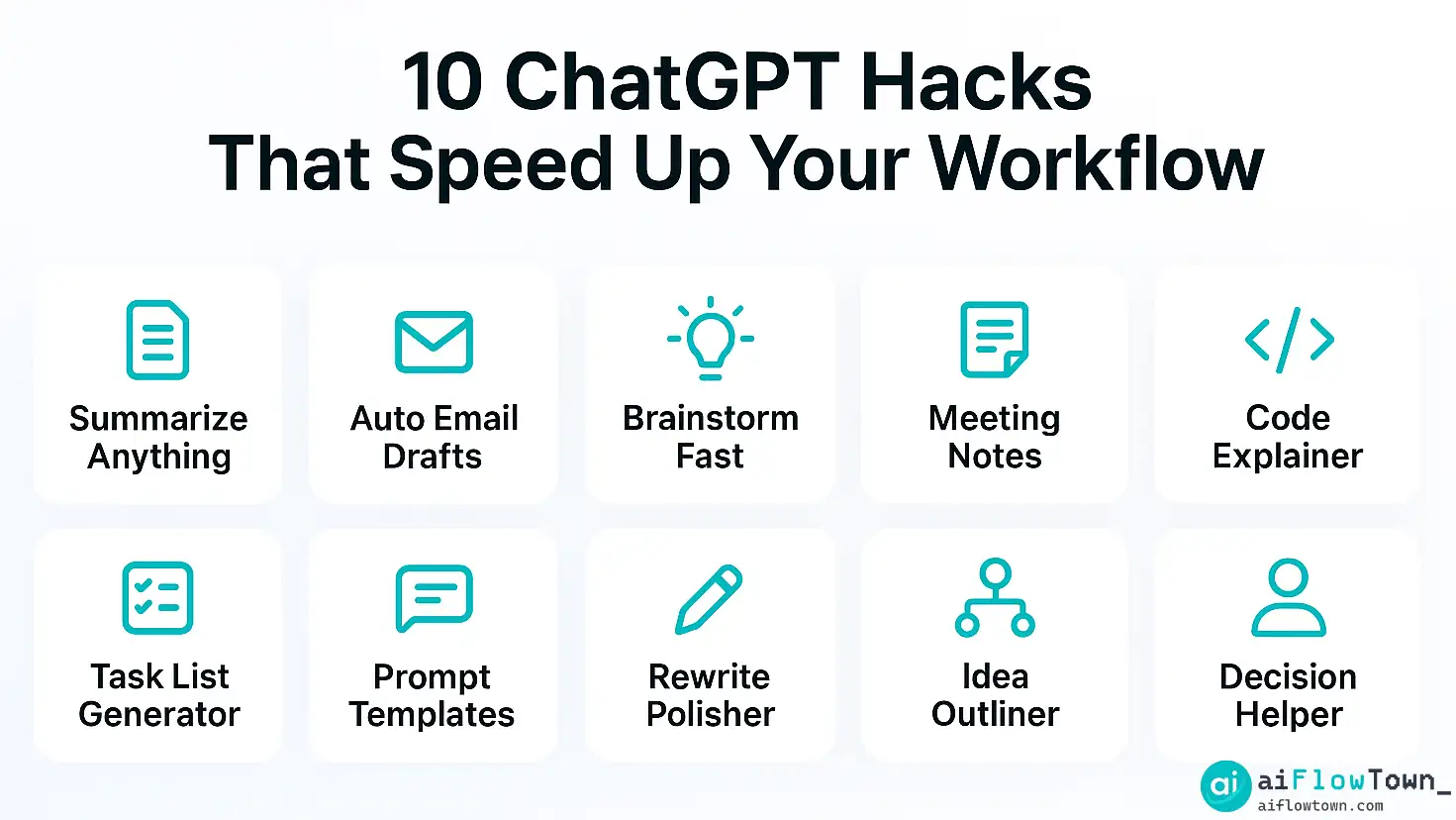
1. The “Summary Engine” Hack
Information overload is the silent killer of modern work. From PDFs to meeting transcripts, we swim in text. Here’s how to make ChatGPT your personal summarizer. Paste any document and say:
“Summarize this in 5 bullet points (max 12 words each) + one key insight.”
This structured prompt forces clarity and saves you from shallow summaries. For long reports, ask it to label sections by importance: “critical, useful, optional.” When paired with Chrome extensions or API automations, this turns ChatGPT into a real-time information filter — the first of many chatgpt productivity tips that actually scale.
2. Daily Task Extraction Hack
Instead of rewriting your notes into tasks, just paste everything you did yesterday and say:
“Extract tasks with due dates and group by project.”
ChatGPT detects patterns, deadlines, and even recurring to-dos. Add context like “assume a 9–5 schedule” or “prioritize deadlines before meetings.” Pair it with Google Tasks or Notion through Zapier, and your random notes become a structured action plan. This single trick removes mental clutter and builds a bridge between thought and execution — making chatgpt for work not a helper, but a partner.
3. The Prompt Template Hack
Most people waste time retyping similar instructions. Save your best prompts and build a personal library. Create three folders: Writing, Thinking, and Building. Inside each, keep 5–10 high-performing templates.
- ✅ Writing — “Rewrite this in a friendly tone for LinkedIn.”
- ✅ Thinking — “Summarize both sides of this argument in 3 bullets each.”
- ✅ Building — “Write a Google Sheets formula that matches these rules.”
Over time, this becomes your internal operating system — reusable shortcuts that reduce cognitive friction. For teams, share it in Notion or Slack threads. The difference between amateurs and pros is not creativity — it’s reuse.
4. The Email Autopilot Hack
Emails drain hours because we overthink tone. Teach ChatGPT your style. Copy a few past replies and say:
“Learn my writing tone from these samples. From now on, write replies in the same style.”
Then use: “Reply briefly confirming schedule and asking for agenda.” It adapts instantly. Combine this with Gmail automation tools to generate drafts automatically. With a bit of fine-tuning, your inbox becomes an assistant, not an anxiety trigger.
5. The Meeting Memory Hack
Meetings end, and half the decisions vanish. Drop your notes or transcript into ChatGPT and say:
“List all key decisions, owners, and next actions in bullet format.”
Ask for clarity: “Tag each action as high, medium, or low impact.” The AI turns talk into accountability. Integrated with Notion or Trello, this workflow ensures nothing gets lost. This small automation might save more time than any productivity app you’ve ever used.
6. The “Bounded Brainstorm” Hack
Creativity loves structure. Instead of saying “Give me ideas,” try:
“Generate 10 marketing ideas for a SaaS startup. Each idea: 8 words max, must include emotion.”
By limiting format and tone, you force the AI to deliver sharper results. This is one of those ai prompt shortcuts where constraints actually boost creativity. You’ll get better answers not by asking “more,” but by asking “clearer.”
7. The Code & Formula Explainer Hack
You don’t have to guess what a formula does ever again. Paste it and ask:
“Explain this code to a beginner. Use plain language and short steps.”
ChatGPT acts like a friendly tutor. It can rephrase, debug, or even compare logic between two snippets. Perfect for data analysts or marketers who work across spreadsheets and automation tools but aren’t coders.
8. The Outline Generator Hack
Blank pages are terrifying. When starting content or presentations, say:
“Outline a 1,500-word guide about hybrid teams. Include section titles and key questions.”
ChatGPT produces an instant map. You can refine, reorder, and expand. In team workflows, it’s one of the top chatgpt workflow hacks — turning random brainstorms into concrete deliverables in minutes.
9. The Decision-Mirror Hack
We make dozens of choices daily, often emotional. ChatGPT acts as a mirror. Ask:
“List 3 benefits and 3 risks of choosing option A over B.”
It outlines rational pros and cons without bias. Combine this with a follow-up: “Rank them by long-term impact.” Suddenly, AI becomes a calm consultant helping you think — not just compute.
10. The Automation Bridge Hack
This is where everything connects. Using Zapier, Make, or Reclaim, you can feed ChatGPT data from forms, emails, or calendars and let it process context before acting. For example:
- ✅ New support ticket → ChatGPT summarizes and classifies severity → Slack alert.
- ✅ New lead → ChatGPT drafts personalized outreach → auto-sends via CRM.
- ✅ End-of-day → ChatGPT compiles your logs → Notion report.
These chatgpt automation ideas transform ChatGPT from a chat tool into a backend automation layer — the invisible engine of your productivity stack.
The 3 Mindset Shifts That Multiply These Hacks
1. Don’t Ask — Instruct
ChatGPT is not Google. Stop asking; start commanding. “Generate,” “List,” “Rephrase,” “Summarize.” The verb defines quality. When you speak with clarity, ChatGPT becomes a collaborator that understands intent.
2. Save and Systemize
Don’t treat each chat as disposable. Save useful outputs. Copy them into a Notion “Prompt Vault.” Label by theme and rate their usefulness. After a month, you’ll have your own AI assistant trained on your way of thinking.
3. Review and Improve Prompts
Prompts are code. Test them. Reword. Add examples. The smallest tweak often doubles quality. Keep an improvement log — it’s how professionals turn casual use into mastery.
Stacking Hacks: Build Your Personal Workflow Engine
Once you know these ten hacks, the next step is stacking them. Imagine this daily loop:
- Morning — ChatGPT summarizes overnight emails.
- Midday — It drafts replies in your tone.
- Afternoon — It turns meeting notes into tasks.
- Evening — It summarizes your progress into a daily log.
You’re not “using” ChatGPT — you’re orchestrating it. This compounding effect is what separates casual users from power users. The output gap grows every week you systemize your flow.
Real Stories: How Professionals Use These Hacks
Maria, a marketing strategist: She built a “prompt chain” where ChatGPT brainstorms ideas, picks the top 3, then expands the best one into a LinkedIn post draft. Her output tripled without more hours.
Dev, a project manager: Every Friday, ChatGPT summarizes his Asana board and generates a 3-bullet “Team Pulse” for Slack. Now, his updates take two minutes instead of twenty.
Leah, a freelancer: She automated client onboarding using Zapier + ChatGPT. New form → AI creates a welcome email + task checklist. No manual typing. Pure flow. These are not tech geniuses — they’re people who decided to stop treating ChatGPT as a chat box and start treating it as infrastructure.
Designing Your Own ChatGPT Stack
| Goal | Tool Combo | Result |
|---|---|---|
| Summaries | ChatGPT + Notion | Instant structured notes after every meeting |
| Inbox Management | ChatGPT + Gmail | Auto-drafts and tone-matched replies |
| Scheduling | ChatGPT + Reclaim.ai | AI auto-blocks focus hours |
| Reporting | ChatGPT + Sheets | Weekly summaries and anomaly alerts |
| Writing | ChatGPT + Notion | Outlines, rewrites, and creative drafts in one place |
Start with one workflow per week. By week five, you’ll have a custom automation system that grows while you sleep.
Common Mistakes (and How to Avoid Them)
- ❌ Asking vague prompts like “Help me with work.” → ✅ Use specific verbs and formats.
- ❌ Expecting perfect results in one go. → ✅ Refine iteratively, add examples.
- ❌ Using ChatGPT for everything. → ✅ Use it for structure, not execution.
- ❌ Copy-pasting without editing. → ✅ Always add your human tone at the end.

From Prompt to Productivity
How to Measure Your ChatGPT ROI
Time is the new currency. Track what you gain:
- ✅ Hours saved per week (sum across tasks automated).
- ✅ Tasks completed per day before vs. after ChatGPT use.
- ✅ Stress level — subjective, but measurable by calmness of your day.
Within two weeks, you’ll see the pattern: more done, less drag.
Scaling Beyond Personal Productivity
Teams can multiply the effect by sharing prompt stacks and standardizing patterns. Imagine if every marketing team used the same outline prompt or every HR team used the same “summarize candidate notes” template. Suddenly, consistency meets speed.
This is where time-saving ai hacks evolve into cultural habits — AI doesn’t replace teamwork; it amplifies it.
The Real Hack: Intentionality
All hacks fail if you chase novelty. The goal isn’t to use ChatGPT everywhere — it’s to use it where thinking hurts most: repetitive writing, decision fatigue, and translation between messy thoughts and structured output. Use it where your brain sighs. That’s the point of flow.
Final Thoughts
Productivity isn’t about speed — it’s about ease. The best chatgpt hacks don’t make you robotic; they make you more human by removing friction between idea and action. Whether you use it to write, organize, or decide, ChatGPT’s true gift is cognitive relief. Start small, save your best prompts, and refine them weekly. In a month, you’ll realize you’ve built something rare — a system that thinks with you, not for you. Want to go deeper? Explore AI Productivity Prompts — a free library of real-world prompt stacks to build your own automation layer today.
❓ FAQ
What’s the fastest ChatGPT hack for beginners?
Use the summary prompt: “Summarize this into 5 short points + one key takeaway.” It works on any content and gives instant clarity.
⚙️ How do I connect ChatGPT with my work apps?
Use Zapier or Make to send content from emails, notes, or forms into ChatGPT. It processes, classifies, and sends results back automatically.
How do I make ChatGPT match my voice?
Feed it 2–3 samples of your writing and instruct it: “Use this tone for future replies.” It learns context dynamically.
How can I use ChatGPT for team collaboration?
Share prompt stacks, standardize naming, and document best responses. Treat ChatGPT as shared infrastructure, not a private tool.
Where can I learn more structured prompt systems?
Check AI Productivity Prompts — organized templates for writing, planning, and automation tasks.
⚠️ Reminder: Even the smartest tools / AI can miss small details or make mistakes. Always double-check your work before presenting or publishing it - a quick review can save hours later.