Introduction
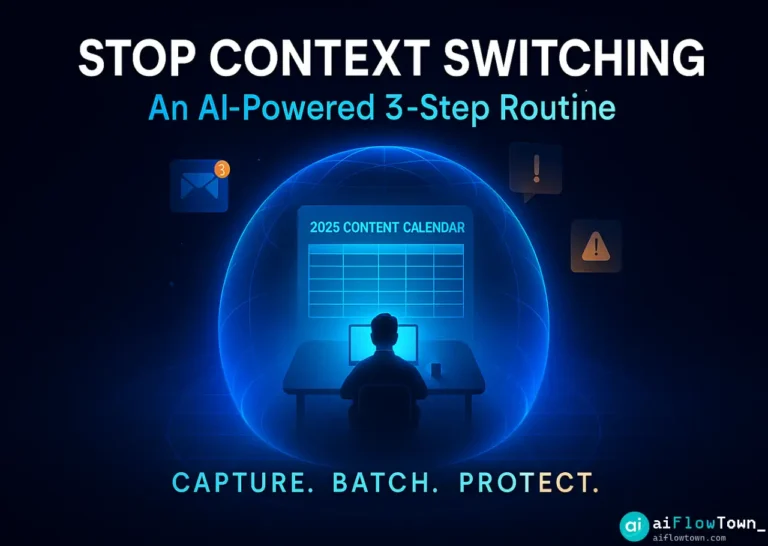
Six months ago, I worked 10-hour days and accomplished maybe 3 hours of real work. The rest was meetings, interruptions, email, context-switching, and pretending to work while actually distracted. I couldn’t focus for more than 12 minutes. This isn’t a productivity guru’s theoretical system—it’s the actual workflow I built and refined over 90 days that recovered 3+ hours of deep work daily. No willpower required. AI and automation do the heavy lifting; I just show up and execute.
The Problem: Death by a Thousand Cuts
My typical day before this focus workflow:
- ⚠️ 8am: Start work, immediately check email (30 min lost)
- ⚠️ 8:30am: Begin deep work, Slack message interrupts (10 min lost)
- ⚠️ 8:45am: Refocus, phone notification (5 min lost + 10 min to refocus)
- ⚠️ 9am: Just getting focused, surprise meeting (1 hour gone)
- ⚠️ 10am: Try to resume work, forgot context (15 min remembering)
- ⚠️ 10:15am: Work for 20 min, colleague stops by (15 min lost)
- ⚠️ 11am: Another meeting…
Sound familiar? I wasn’t lazy. I was reacting instead of focusing. Every interruption cost not just the interruption time, but 10-15 minutes of refocusing. This deep work workflow with ai tools eliminated the interruptions systematically.
The Core Principle: Automate Protection, Not Willpower
Willpower fails. You can’t “just focus better” when your environment actively sabotages focus. Instead, I automated focus protection so I don’t have to decide to avoid distractions—the system prevents them automatically.
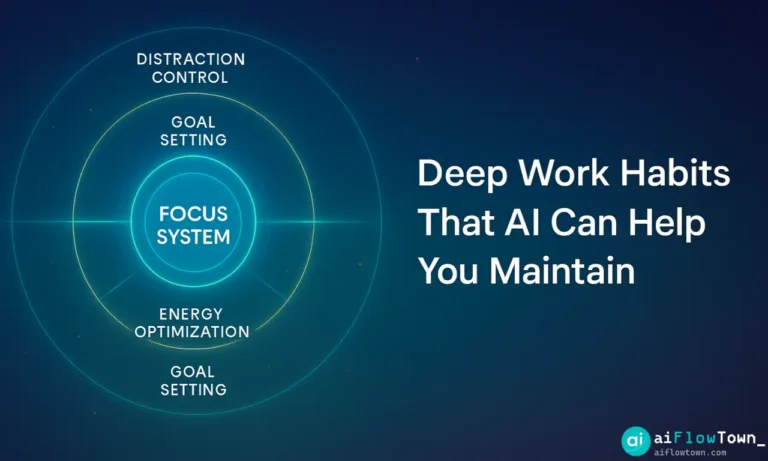
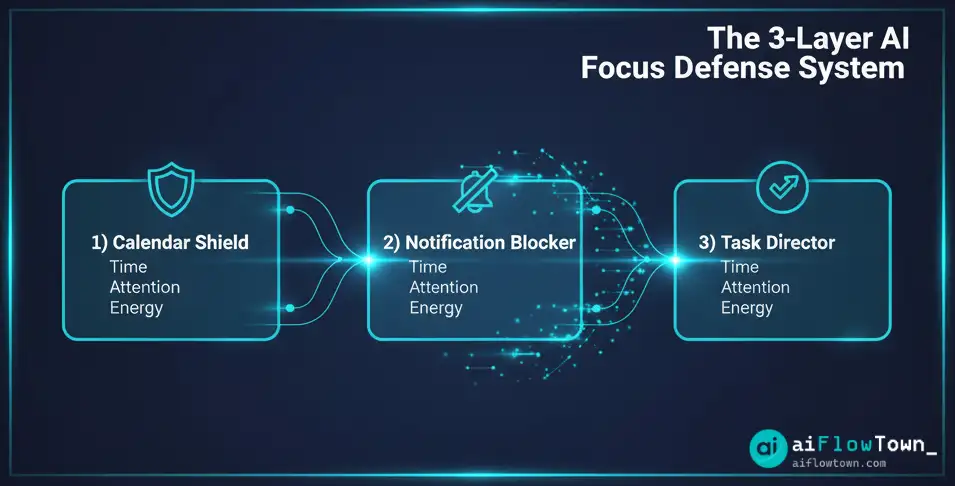
The Three-Layer Defense System
| Layer | What It Protects | Tools Used |
|---|---|---|
| Calendar Shield | Blocks focus time from meetings | Reclaim.ai |
| Notification Blocker | Silences all interruptions | Focus modes + Zapier |
| Task Director | Eliminates “what should I work on?” | Motion AI + ChatGPT |
Layer 1: Calendar Shield (Protects Time)
The Setup
I use Reclaim.ai (free tier) to automatically defend my calendar:
Monday-Friday Schedule:

9:00am - 11:30am: DEEP WORK BLOCK 1
- Automatically marked as "Busy" on calendar
- Reclaim blocks this time from all meeting requests
- If urgent meeting appears, Reclaim reschedules this block automatically

11:30am - 12:30pm: Meeting Window
- Available for scheduling
- All meeting requests funnel here

1:00pm - 3:00pm: DEEP WORK BLOCK 2
- Same protection as morning block

3:00pm - 5:00pm: Reactive Work / Meetings
- Email, Slack, calls, admin tasks
- Available for scheduling

Total protected focus time: 5 hours daily
Why This Works
Before Reclaim, people scheduled meetings whenever my calendar showed “free.” Now, my calendar shows “busy” during deep work. Meeting requests automatically suggest times during my designated meeting windows. I never have to decline or negotiate—the system does it.
Setup time: 15 minutes
Maintenance: Zero—runs automatically
Time recovered: ~2 hours daily (meetings no longer fragment my day)
This demonstrates reclaim focus time using automation without constant vigilance. For more on calendar management, visit AI workflows.
Layer 2: Notification Blocker (Protects Attention)
The Nuclear Option for Distractions
During deep work blocks, ALL notifications die. Not silence—completely blocked. I use three automated triggers:
Trigger 1: Phone Do Not Disturb
iOS Focus Mode (automated via calendar):

When calendar shows "Deep Work" block:
- All notifications blocked except emergencies
- Calls allowed only from favorited contacts (spouse, parents)
- Apps blocked: Email, Slack, Twitter, Instagram, all news
- Home screen shows only: Notes, Music, Podcasts
- Lock screen blank—no notification indicators

When block ends at 11:30am:
- Everything unblocks automatically
- Accumulated notifications appear (I batch process during reactive time)
Trigger 2: Desktop Distraction Blocking
Freedom app (automated via schedule):

9:00am trigger:
- Blocks: Gmail, Slack, Twitter, Reddit, YouTube, all news sites
- Allows: Work tools (Figma, VSCode, Notion), research sites
- Blocks remain until 11:30am

Attempt to access blocked site:
- Shows: "Deep work in progress. Available at 11:30am."
- No willpower battle—physically can't access distractions
Trigger 3: Communication Auto-Responders
Zapier automation:

When deep work block starts:
- Slack status → " Deep Work (available at 11:30am)"
- Slack notifications → paused
- Email auto-responder → "In focused work session. Will respond after 11:30am for urgent matters, email [colleague] at [email]"

When block ends:
- Everything resets automatically
- I process accumulated messages in batch
Key insight: Batch processing 20 messages at 11:30am takes 15 minutes. Processing them one-by-one as they arrive takes 2+ hours (with context-switching cost). Batching is 8x more efficient using distraction-free work routine setup principles.
Layer 3: Task Director (Protects Mental Energy)
Eliminating “What Should I Work On?”
Every decision drains focus capacity. The biggest decision drain: “What task should I tackle during this focus block?” I automated this decision completely.
The Night-Before Planning Ritual
Every evening at 5pm (15 minutes):

Step 1: Brain dump to ChatGPT
"Here's everything on my plate: [list all tasks]
Tomorrow I have two focus blocks (9-11:30am, 1-3pm).
My meetings tomorrow: [paste calendar]

What should I work on in each block, and why?"

Step 2: ChatGPT analyzes and decides
Returns:
- 9am block: "Work on [specific task] because [reasoning]"
- 1pm block: "Work on [specific task] because [reasoning]"
- Backup task if first finishes early

Step 3: I add to tomorrow's calendar
Create events:
- "9:00am - DEEP WORK: [Task from ChatGPT]"
- "1:00pm - DEEP WORK: [Task from ChatGPT]"

Result: Tomorrow morning, I just show up and execute. Zero decision fatigue.
The Morning Execution
9:00am: Phone and desktop enter DND automatically
9:01am: Open calendar, see exactly what to work on
9:02am: Start working (no “let me figure out what to do”)
11:30am: Block ends, notifications resume, I take breakTotal decision-making: Zero
Total focus achieved: 2.5 hours of uninterrupted deep work
– Execution Without Decisions –
This enables ai-powered focus system that works by removing all friction points. For more planning strategies, check mindset and focus.
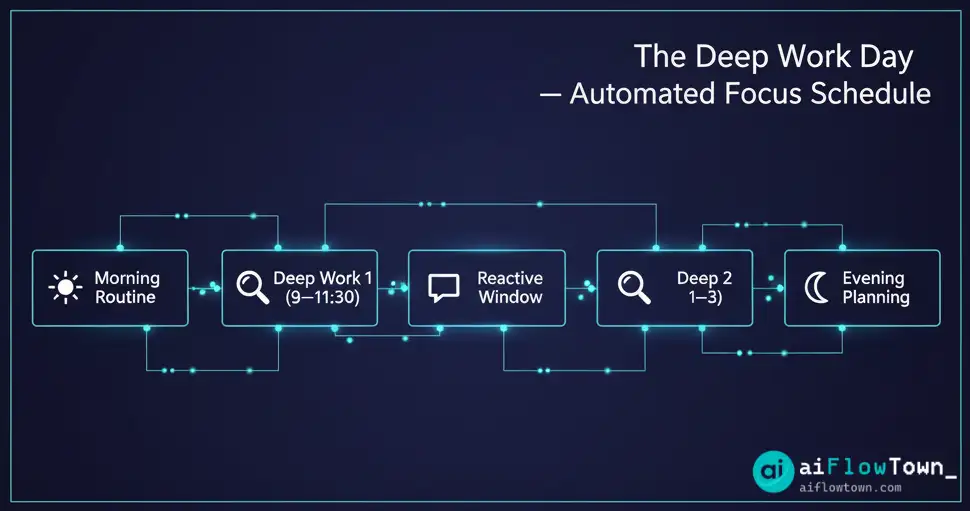
The Full Daily Timeline
Morning Routine (5:45am – 9:00am)
- 5:45am: Wake, exercise (no phone)
- 6:30am: Breakfast, light reading (still no work checking)
- 7:00am: Shower, dress
- 7:30am: Review calendar (see what ChatGPT assigned yesterday)
- 8:00am: Quick email scan (15 min max, just to catch fires)
- 8:30am: Prep workspace, gather materials for 9am deep work
- 9:00am: DEEP WORK BLOCK 1 begins (automated protections activate)
Deep Work Block 1 (9:00am – 11:30am)
- ✅ All distractions blocked automatically
- ✅ Work on single task assigned by yesterday’s planning
- ✅ No context switching, no interruptions
- ✅ 2.5 hours of pure, focused execution
Reactive Window (11:30am – 1:00pm)
- 11:30am: Notifications resume, batch process all messages
- 11:45am: Quick meetings if scheduled
- 12:00pm: Lunch
- 12:30pm: Walk outside (screen break)
- 12:45pm: Final message checks, prep for afternoon block
Deep Work Block 2 (1:00pm – 3:00pm)
- ✅ Automated protections reactivate
- ✅ Work on second assigned task
- ✅ Another 2 hours of focused work
Reactive Window 2 (3:00pm – 5:00pm)
- Meetings, emails, Slack, admin tasks
- “Available” time for colleagues to reach me
- 5:00pm: Tomorrow’s planning ritual (15 min)
- 5:15pm: Work ends
The Results After 90 Days
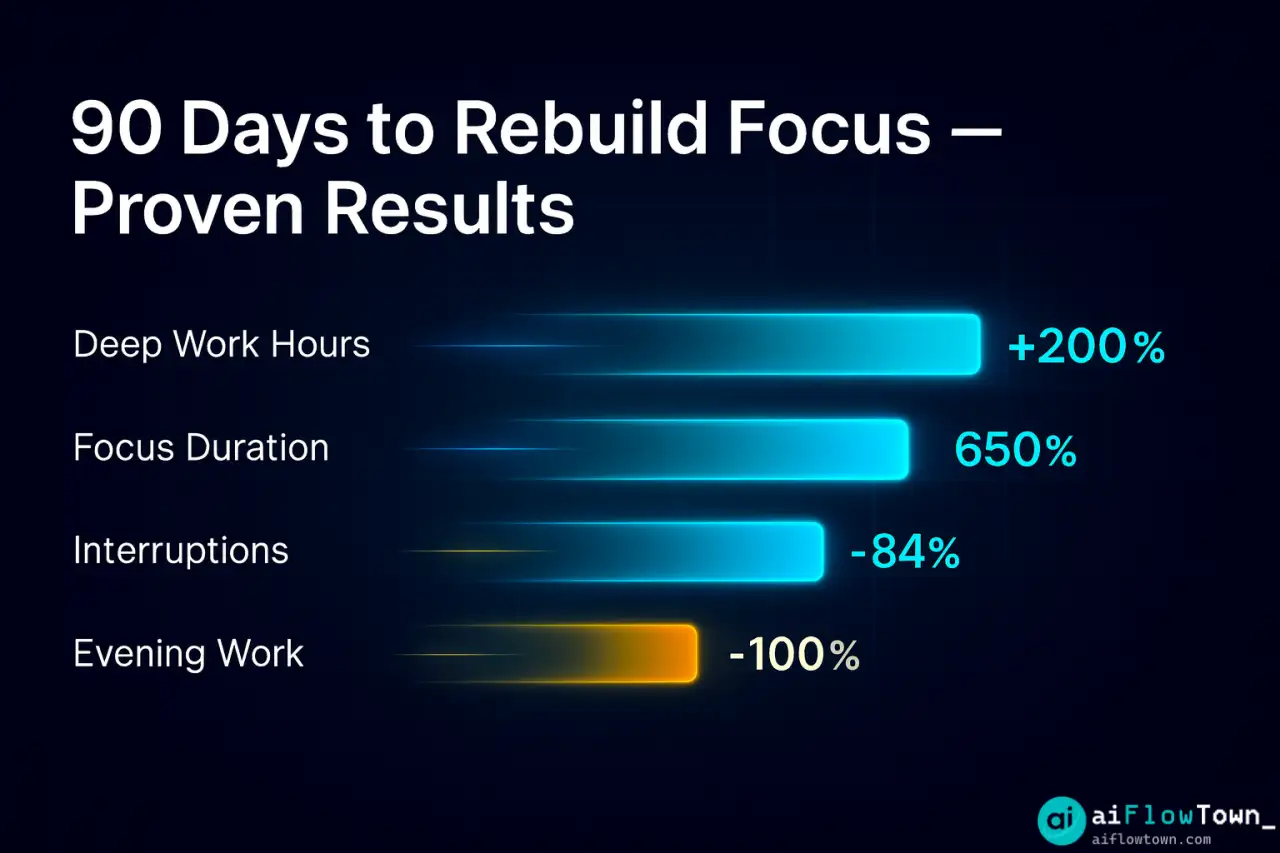
Quantitative Improvements
| Metric | Before | After | Change |
|---|---|---|---|
| Deep work hours daily | 1-2 hours | 4-5 hours | +200% |
| Average focus duration | 12 minutes | 90+ minutes | +650% |
| Daily interruptions | 40-50 | 5-8 | -84% |
| Email processing time | 2+ hours (scattered) | 30 min (batched) | -75% |
| Evening work hours | 2-3 hours (catching up) | 0 hours | -100% |
Qualitative Improvements
- ✨ Energy levels: End workday with energy left, not depleted
- ✨ Work quality: Produce thoughtful work, not rushed patches
- ✨ Stress reduction: No anxiety about what to work on—already decided
- ✨ Evening freedom: Work stays at work, evenings are mine
- ✨ Career progress: Actually complete important projects, not just urgent tasks
Common Objections (And Responses)
“My job requires constant availability”
Start with just one 90-minute focus block daily. Tell your team: “I’ll be unreachable 9-10:30am for deep work, fully available rest of day.” Most managers approve when you explain productivity impact. For true emergencies, keep phone calls enabled from key contacts.
“What if someone really needs me during deep work?”
In 90 days, I had zero actual emergencies during focus blocks. What people called “urgent” could wait 2 hours. For the 1% true emergencies, phone calls from favorites break through DND. Everything else can wait.
“I can’t block my calendar—too many meetings”
That’s exactly why you need this system. Start with two 60-minute blocks weekly. Gradually increase as you prove value. Show your manager: “I completed X in my focus time, which usually takes a full day.” They’ll support more.
“This seems rigid and inflexible”
Paradox: The rigid structure creates flexibility. When urgent work appears, I know exactly what to defer (the pre-planned task). Without structure, everything feels urgent. With structure, I can flexibly adjust while maintaining core focus time using protect concentration with productivity tools systematically.
How to Implement This Workflow
Week 1: Calendar Shield Only
- Install Reclaim.ai (free)
- Block just one 90-minute focus slot daily
- Observe: Do meetings still invade that time?
- Adjust: Ensure calendar actually shows “Busy”
Week 2: Add Notification Blocking
- Set up phone Focus Mode (iOS) or DND (Android)
- Try Freedom app (free trial) or manually close distracting tabs
- During focus block: phone away, distractions blocked
- Notice: How much more you accomplish
Week 3: Add Task Planning
- Night before: Use ChatGPT to plan tomorrow’s focus work
- Morning of: Just execute the plan, no deciding
- Evening: Evaluate if AI’s task choice was right
- Refine: Give ChatGPT better context for tomorrow
Week 4: Full System Integration
- Run all three layers together
- Extend to two daily focus blocks
- Add automation (Zapier for status updates)
- Track results: Time focused, work completed
For more implementation guides, visit AI automation tools for beginners.
❓ FAQ
What’s the total cost?
Minimal setup: Free (Reclaim.ai free tier, phone Focus Mode, ChatGPT free). Premium setup: Reclaim Pro $12/mo + Freedom $7/mo = $19/mo. ROI immediate: Recovering 3 hours daily at $30/hr value = $90 daily or ~$2,000 monthly value for $19 cost.
⏰ How long until this feels natural?
Week 1-2: Feels restrictive, you’ll want to check notifications. Week 3-4: Starts feeling normal. Week 6+: You’ll hate working without it. By 90 days, checking messages during focus time feels as wrong as checking phone while driving. Your brain adapts to the new normal.
What about collaborative work?
Schedule collaboration during “Reactive Windows” (11:30am-1pm, 3-5pm). Deep work blocks are for solo execution. If your job is 100% collaborative, you probably don’t need deep work blocks—but most jobs claiming to be 100% collaborative actually aren’t. Try it and see.
What if I need to check something during focus time?
Write it down, check during break. 95% of “need to check now” thoughts can wait 90 minutes. For the 5% that can’t: take 2-minute interruption, then resume. The system isn’t prison—it’s default protection with intentional overrides available.
Does this work for creative vs analytical work?
Yes for both. Creative work (writing, design) needs uninterrupted flow even more than analytical work. Analytical work (coding, analysis) requires holding complex state in memory—interruptions destroy this. Both benefit massively from 90+ minute uninterrupted blocks.
Final Thoughts
This focus workflow isn’t about superhuman discipline. It’s about engineering an environment where focus is the default and distraction requires effort. Six months ago, I fought my environment all day. Now, my environment fights for my focus automatically.
The transformation isn’t overnight, but it’s systematic. Start with one protected focus block weekly. Prove it works. Expand gradually. Within 90 days, you’ll wonder how you ever worked in the constant-interruption chaos that most people still accept as normal.
Three hours of regained deep work daily isn’t just productivity—it’s career advancement, it’s better work quality, it’s actually having a life after work. Build this system. Your future self will thank you.
Next: Combine this focus workflow with other productivity systems in our guide to complete flow optimization strategies.
⚠️ Reminder: Even the smartest tools / AI can miss small details or make mistakes. Always double-check your work before presenting or publishing it - a quick review can save hours later.