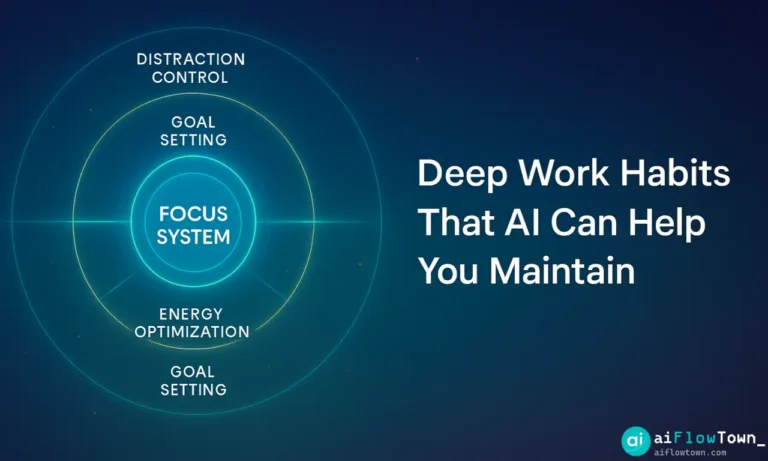
Why Deep Work Habits Break Down
The problem isn’t commitment. It’s friction. Deep work requires consistent conditions: protected time, minimal interruptions, clear goals, and energy management. Any one of these fails and the habit collapses.
Traditional approaches rely on willpower. Block time manually. Turn off notifications yourself. Remember to focus. It works until it doesn’t—usually within a week.
Deep work habits stick when the environment automatically supports them. That’s where AI helps. Not by doing the work for you, but by maintaining the conditions that make deep work possible.
The Core Deep Work Habits
1. Time Blocking for Focus Sessions
Schedule specific blocks for deep work. Not “I’ll focus when I have time” but “Tuesday 9-11am is writing time, Thursday 2-4pm is strategy work.”
AI scheduling tools like Reclaim or Motion automatically protect these blocks. When someone requests a meeting during your deep work time, the AI suggests alternatives. Your focus time defends itself.
2. Distraction Elimination
Deep work requires zero interruptions. Close Slack. Silence email. Put phone in another room. But remembering to do this every session creates friction.
AI can automate the setup. Focus apps like Freedom or RescueTime activate automatically during scheduled deep work blocks. Notifications pause. Distracting websites block. Your environment shifts without manual intervention.
3. Energy-Based Scheduling
Your brain has peak hours. Mine are 8am-noon. Yours might be different. Deep work during high-energy windows produces better results faster.
AI analyzes your calendar data and task completion patterns to identify when you’re most productive. It suggests scheduling deep work during these peaks and saving administrative tasks for energy valleys.
For more on AI-powered scheduling, check our AI workflows guide.
4. Clear Session Goals
“I’m going to focus for 2 hours” fails. “I’m writing the introduction and first section of this proposal” succeeds. Specific goals prevent drift.
AI project management tools break large projects into focused sessions. Instead of “work on presentation,” you get “create slide outline” or “draft speaker notes for slides 5-8.” Each deep work block has a defined outcome.
5. Recovery Between Sessions
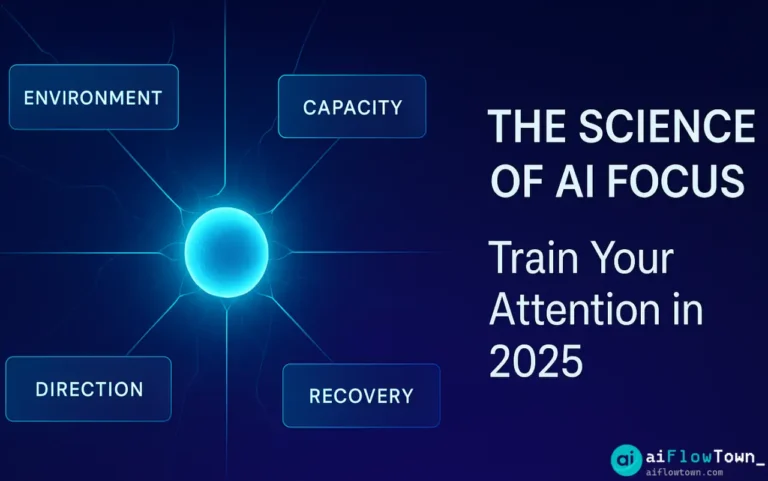
You can’t do 8 hours of deep work daily. Your brain needs breaks. Most people can sustain 3-4 hours of deep work per day, split into 90-minute sessions with recovery periods.
AI calendar tools automatically build recovery time between deep work blocks. No back-to-back focus sessions. Your schedule respects cognitive limits.
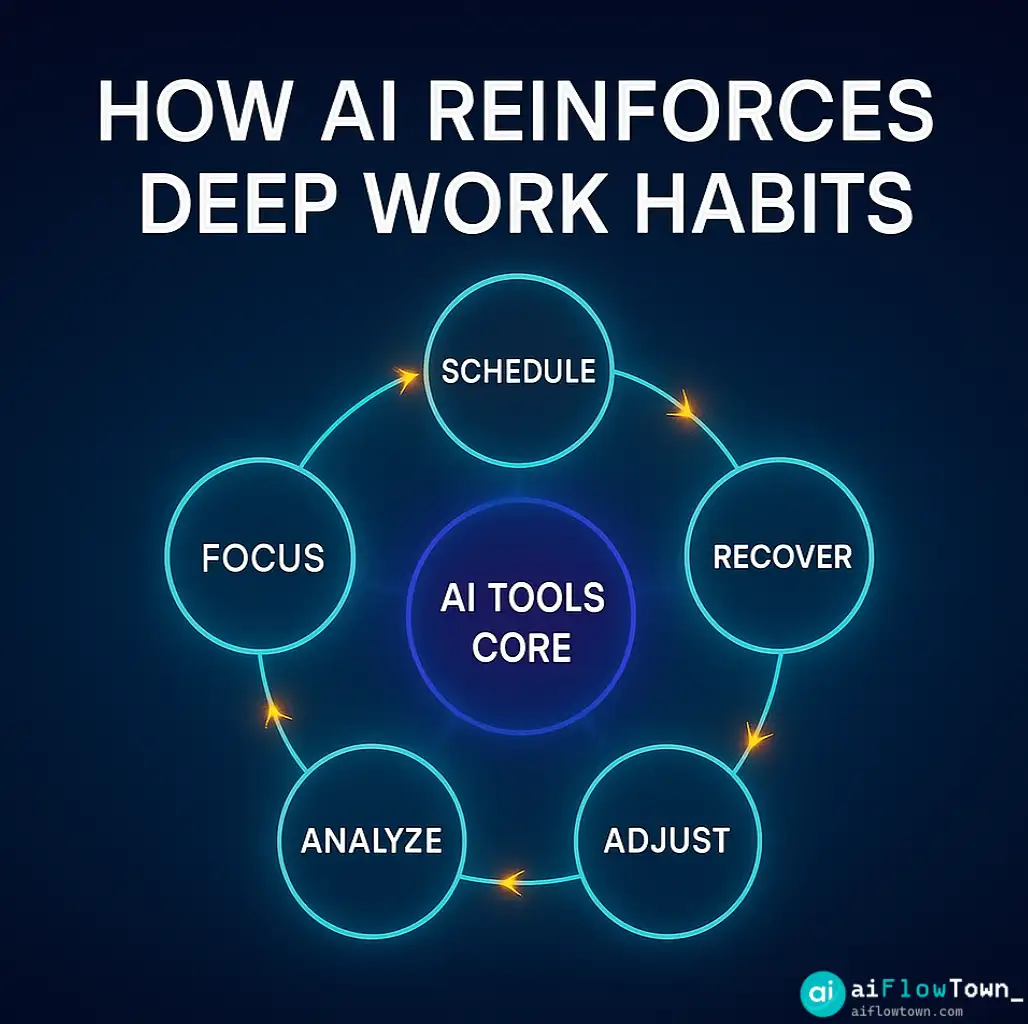
How AI Supports Each Deep Work Habit
AI vs. No-AI Support Table
| Deep Work Habit | Without AI | With AI Support |
|---|---|---|
| Time blocking | Manual calendar management | Auto-protects focus time from meetings |
| Distraction elimination | Remember to close apps each time | Auto-enables focus mode at scheduled times |
| Energy optimization | Schedule by availability | Schedule by peak cognitive performance |
| Session goals | Vague “work on project” | Specific tasks matched to session length |
| Recovery | Work until exhausted | Automatic breaks between deep work |
Building Your AI-Supported Deep Work System
Step 1: Identify Your Deep Work Needs
What work requires deep focus? For most knowledge workers: writing, strategic thinking, complex problem-solving, creative work, learning new skills.
List your deep work tasks. How much time does each need? How often do they recur? This becomes your baseline for scheduling.
Step 2: Choose Your AI Tools
You don’t need everything. Start with one tool per category:
Scheduling: Reclaim AI or Motion for calendar management
Distraction blocking: Freedom or Cold Turkey
Task breakdown: Motion, Sunsama, or Todoist
Analytics: RescueTime or Timing
Pick based on your existing workflow. If you live in Google Calendar, choose tools that integrate there.
Step 3: Set Up Automatic Deep Work Blocks
Define your ideal deep work schedule. Example:
- Monday, Wednesday, Friday: 9-11am writing
- Tuesday, Thursday: 2-4pm strategic work
- Daily: 30-minute learning session at 8am
Configure your AI scheduler to defend these blocks. Mark them as “do not schedule over” time. The AI will route meeting requests around them.
Step 4: Configure Focus Mode Triggers
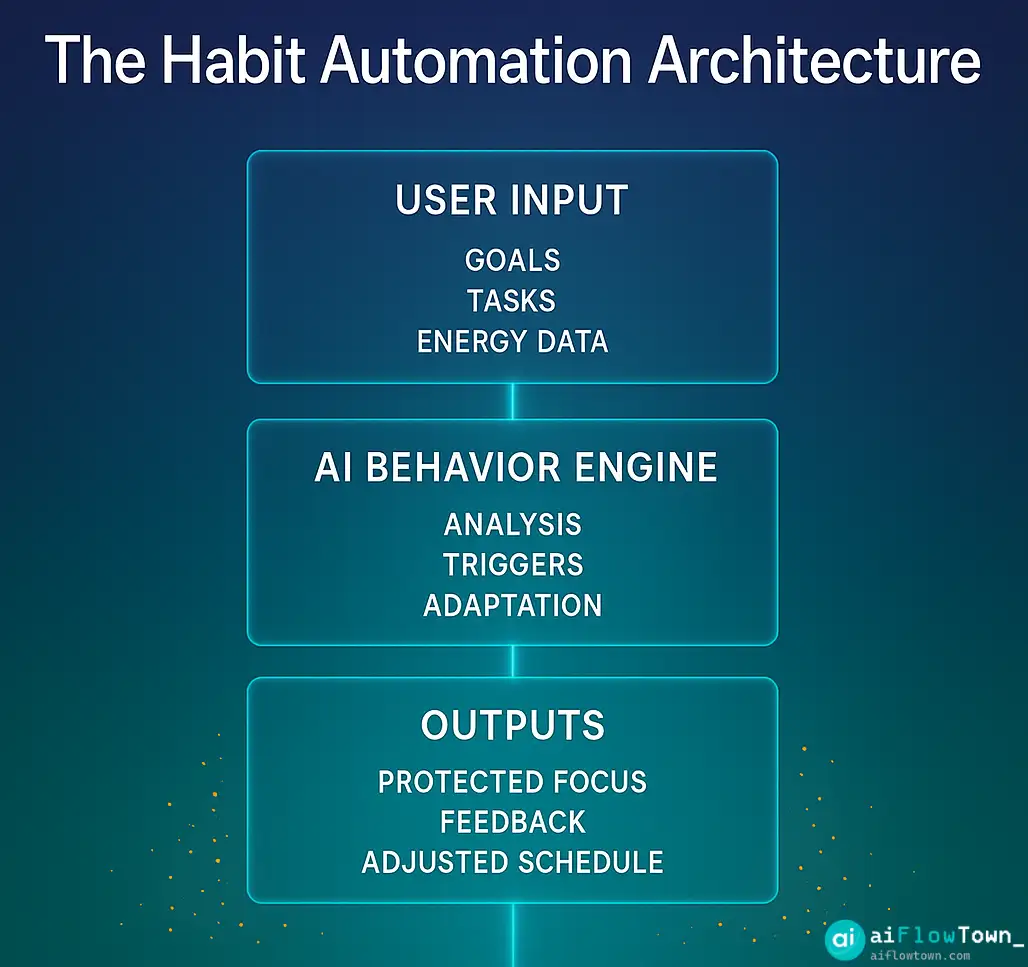
Link your distraction-blocking tool to your calendar. When a deep work block starts, the tool automatically:
- Closes email and Slack
- Blocks social media and news sites
- Silences notifications
- Opens relevant project files
You show up, the environment is ready. No decisions, no willpower drain.
For automation strategies, explore our AI automation tools for beginners guide.
Step 5: Review and Adjust Weekly
Check your deep work completion rate. Did you use the scheduled blocks? Did the work get done? What interrupted you?
AI analytics show exactly what disrupted your deep work. Unexpected meetings? Urgent requests? Low energy timing? Adjust your system based on data, not guesses.
Common Deep Work Challenges AI Solves
Problem: Meetings Eat Your Focus Time
AI solution: Smart schedulers automatically suggest meeting times around your deep work blocks. When someone books time with you, they see availability that doesn’t conflict with focus sessions.
Problem: You Forget to Eliminate Distractions
AI solution: Focus modes activate automatically at scheduled times. No remembering required. Your environment shifts into deep work mode without manual setup.
Problem: You Don’t Know When You’re Most Productive
AI solution: Time-tracking AI analyzes months of data to identify your peak performance hours. Schedule deep work during peaks, meetings during valleys.
Problem: Tasks Are Too Big to Complete in One Session
AI solution: Project management AI breaks large projects into session-sized chunks. Each deep work block has a specific, achievable goal.
Problem: You Work Until Exhausted
AI solution: Calendar AI enforces recovery time between deep work sessions. You can’t book back-to-back focus time. The system prevents cognitive burnout.
Real Deep Work Results
Software developer using Motion: Increased coding deep work from 8 hours/week to 18 hours/week by protecting morning blocks from meetings. Shipped 40% more features per sprint.
Writer using Reclaim + Freedom: Published 3 articles weekly (up from 1) by automating distraction blocking during 9-11am writing sessions. Completion rate: 85% of scheduled blocks.
Consultant using RescueTime insights: Identified 2-4pm as personal productivity peak. Shifted all client strategy work to that window. Client work quality improved measurably—fewer revision requests.
Academic using Sunsama: Broke dissertation writing into 90-minute daily sessions with AI-suggested tasks. Completed first draft 3 months faster than previous students in program.
Advanced Deep Work Tactics
Batch Similar Deep Work
Group similar cognitive tasks together. All writing on one day, all strategic thinking on another. Context switching has cognitive cost—batching reduces it.
AI schedulers can identify task types and suggest batching patterns. “You have 3 writing tasks this week—schedule them together on Tuesday morning?”
Gradual Ramp-Up
Start with 60-minute deep work blocks, not 3-hour marathons. Build capacity over weeks. AI can gradually extend block length as your completion rate stays high.
Protect Transitions
The 15 minutes before and after deep work matter. You need time to settle in and decompress after. AI schedulers build this buffer automatically.
Seasonal Deep Work Patterns
Some weeks need more deep work (product launches, end-of-quarter). Others need more collaboration. AI tools learn your seasonal patterns and adjust automatically.
For more productivity strategies, explore our AI productivity prompts guide.
What AI Can’t Do for Deep Work
Make you care about the work. If the task doesn’t matter to you, no tool fixes that. Deep work requires intrinsic motivation.
Do the actual thinking. AI creates conditions for focus. You still have to show up and think hard. There’s no shortcut for cognitive effort.
Override poor sleep or health. Deep work demands mental energy. AI can optimize scheduling, but it can’t manufacture energy when you’re exhausted.
Eliminate all interruptions. True emergencies still interrupt. AI reduces routine disruptions, not genuine crises.
Maintaining Deep Work Habits Long-Term
Start Small and Specific
Don’t rebuild your entire schedule. Add one deep work block. Make it work for two weeks. Then add another.
Let AI Handle Enforcement
Your job is showing up. AI’s job is protecting the time and eliminating distractions. This division of responsibility reduces decision fatigue.
Track Completion, Not Perfection
You won’t use every deep work block perfectly. Target 70% completion rate. AI analytics show the trend—are you improving or declining?
Adjust Based on Data
Weekly review: What worked? What didn’t? AI provides the data. You make the adjustments. This feedback loop keeps the system relevant.
Celebrate Small Wins
Completed a full deep work week? Finished a project during scheduled focus time? Acknowledge progress. Deep work is a practice, not a destination.
Choosing the Right AI Tools for Deep Work
| Tool Type | Best Option | Key Feature | Price |
|---|---|---|---|
| Calendar AI | Reclaim AI | Auto-defends focus time | Free-$18/mo |
| Distraction blocking | Freedom | Scheduled website blocking | $40/year |
| Time analytics | RescueTime | Productivity pattern analysis | Free-$12/mo |
| Task management | Motion | AI task scheduling | $34/mo |
| Focus timer | Centered | Flow state detection | $10/mo |
Building Your Deep Work Tech Stack
Minimal Setup ($0-10/month)
– Reclaim AI free tier for calendar protection
– Freedom free trial for distraction blocking
– Google Calendar for scheduling
– Manual task breakdown
Good for testing whether AI-supported deep work fits your style.
Professional Setup ($30-50/month)
– Reclaim AI paid for advanced scheduling
– Freedom annual subscription
– RescueTime for analytics
– Notion or Todoist for task management
Covers everything needed for consistent deep work practice.
Power User Setup ($80-100/month)
– Motion for AI task scheduling and calendar
– Freedom for distraction elimination
– RescueTime for detailed analytics
– Centered for flow state tracking
– Superhuman for email management
Maximum automation and insight. Worth it if deep work generates significant value for you.
Common Mistakes in AI-Assisted Deep Work
Over-scheduling. Four hours of deep work daily is the realistic maximum for most people. AI will schedule more if you let it. Don’t.
Ignoring energy patterns. AI suggests optimal times based on data. People ignore them and schedule based on availability. Use the insights.
No recovery time. Deep work drains cognitive resources. Build in breaks. Let AI enforce them.
Tool hopping. Trying a new deep work tool every week prevents any from working. Pick a stack, commit for 6 weeks, then evaluate.
Expecting immediate results. Deep work is a practice. The first week feels awkward. Benefits compound over months.
Measuring Deep Work Success
Track these metrics:
Block utilization rate: Percentage of scheduled deep work time actually used for focused work. Target: 70%+
Output per session: Concrete work completed during each block. Are you finishing what you planned?
Weekly deep work hours: Total focused time per week. Is it increasing, stable, or declining?
Meeting encroachment: How often do meetings get scheduled over deep work time? Should decrease as AI learns to protect it.
Distraction frequency: How many times are you pulled out of focus? Should approach zero with proper AI setup.
AI tools track most of these automatically. Weekly review takes 10 minutes.
Pros and Cons of AI for Deep Work
| Pros | Cons |
|---|---|
| ✅ Automatic distraction elimination | ❌ Initial setup takes time |
| ✅ Calendar protection from meetings | ❌ Monthly costs for best tools |
| ✅ Energy-optimized scheduling | ❌ Can feel restrictive at first |
| ✅ Data-driven insights on patterns | ❌ Requires consistent schedule |
| ✅ Reduced decision fatigue | ❌ Doesn’t work for highly variable work |
| ✅ Built-in recovery time | ❌ Tools work best with Google/Outlook |
When AI-Assisted Deep Work Works Best
You have recurring deep work needs. Weekly writing, daily coding, regular strategy sessions. Patterns let AI optimize.
Your calendar is flexible. You can move meetings to protect focus time. If your schedule is 100% dictated by others, AI helps less.
You want systems over willpower. AI removes decisions. If you prefer managing everything manually, traditional methods work fine.
You value data. AI provides insights into your actual work patterns. If you don’t check analytics, some value is lost.
Deep work creates measurable value. The time and cost investment pays off when focused work directly impacts your results.
❓ FAQ
⏱️ How many hours of deep work should I aim for daily?
Most people can sustain 3-4 hours split into 90-minute sessions. Start with one 60-90 minute block daily and build from there. Quality matters more than quantity.
Do I need paid AI tools for deep work?
Free tools work for testing. Paid tools ($30-50/month) become worth it when deep work directly impacts your income or results. Start free, upgrade when you see clear value.
What if I can’t control my calendar?
Focus on morning deep work before meetings start, or evening blocks after they end. AI can still protect these edges even if midday is meeting-heavy.
How long before AI deep work habits feel natural?
2-3 weeks for the routine to feel automatic. 6-8 weeks to see measurable improvements in output. First week feels awkward—that’s normal. Push through.
Can I do deep work with just my phone?
Some AI tools have mobile apps, but deep work is better on desktop with larger screen and better focus tools. Use mobile for reviewing schedules, not for actual deep work sessions.
Final Thoughts
Deep work habits don’t require superhuman discipline. They require consistent conditions—and that’s where AI excels. The tools handle scheduling, distraction elimination, and pattern analysis. You handle the actual thinking.
Start with one protected deep work block per day. Let AI defend that time from meetings and distractions. Show up, do the work, review the data weekly. Build from there.
Deep work isn’t about finding time. It’s about protecting time. AI makes protection automatic instead of requiring constant vigilance. Your focus becomes a system, not a daily battle.
The compound effect is real. One focused hour daily becomes 250 hours yearly. That’s 6+ weeks of uninterrupted thinking time most people never get. AI doesn’t create those hours—it helps you keep them.
Ready to build a complete focus system? Discover how deep work integrates with your productivity workflow in our guide to the 15 best AI productivity tools that support sustained concentration.
⚠️ Reminder: Even the smartest tools / AI can miss small details or make mistakes. Always double-check your work before presenting or publishing it - a quick review can save hours later.