AI Meeting Notes That Turn Conversations Into Action
Meetings are essential for collaboration, decision-making, and project alignment. But they often suffer from a critical flaw: valuable information gets lost, key decisions become ambiguous, and crucial action items vanish into the ether moments after everyone disconnects. Trying to manually take comprehensive notes while actively participating is a recipe for divided attention. Reviewing lengthy recordings afterwards? Nobody has time for that. Fortunately, a powerful category of tools has emerged to solve this widespread problem: AI meeting notes assistants.
These intelligent applications act like automated scribes, joining your virtual meetings (and sometimes even in-person ones), accurately transcribing the entire conversation, and then applying artificial intelligence to generate concise summaries and, most importantly, extract clear, actionable tasks. This guide reviews and compares the best AI meeting notes apps 2025 has to offer, focusing on how they can help you finally stop missing those critical next steps and significantly improve meeting productivity.
We’ll dive into popular options like Otter.ai, Fireflies.ai, and Sembly AI, compare their core functionalities, and explain the underlying AI workflow that turns spoken words into actionable tasks. This is a game-changer for anyone who spends significant time in meetings.
Part 1: The Problem – Why Action Items Get Lost (Missing Actions)
Even the most well-intentioned teams struggle with capturing and following through on meeting action items. It’s a common pain point stemming from several factors inherent to the meeting format itself:
- ❌ Divided Attention: The primary note-taker often faces a dilemma: focus on capturing every word accurately, or actively participate in the discussion? Doing both effectively is incredibly difficult, leading to missed details or less valuable contributions.
- ❌ Information Overload & Noise: Meetings, especially longer ones, generate a vast amount of conversation. Identifying the specific sentences that constitute a decision or an action item amidst casual discussion, brainstorming, and status updates requires significant post-meeting effort when done manually.
- ❌ Ambiguity & Lack of Clarity: Action items are sometimes discussed without explicitly assigning an owner or a clear deadline (“Someone should look into that,” “We need to follow up soon”). This ambiguity makes tracking and accountability nearly impossible.
- ❌ Fragmentation of Information: Actions might be mentioned verbally, dropped in the meeting chat, noted in a shared document, or captured in individual notes. This lack of a single source of truth leads to confusion and tasks falling through the cracks.
- ❌ Human Memory Limitations: Simply put, people forget. Without an immediate, structured, and easily accessible record created during or immediately after the meeting, even clearly defined tasks can be forgotten amidst the daily deluge of other priorities.
AI meeting assistants are specifically designed to counteract these issues by providing an objective, complete transcript and leveraging AI to intelligently filter, structure, and highlight the most critical outputs – the decisions made and the actions required.
An AI meeting assistant acts as the perfect scribe: tireless, accurate, and capable of instantly identifying the signal (action items and decisions) from the noise (general discussion and filler words).
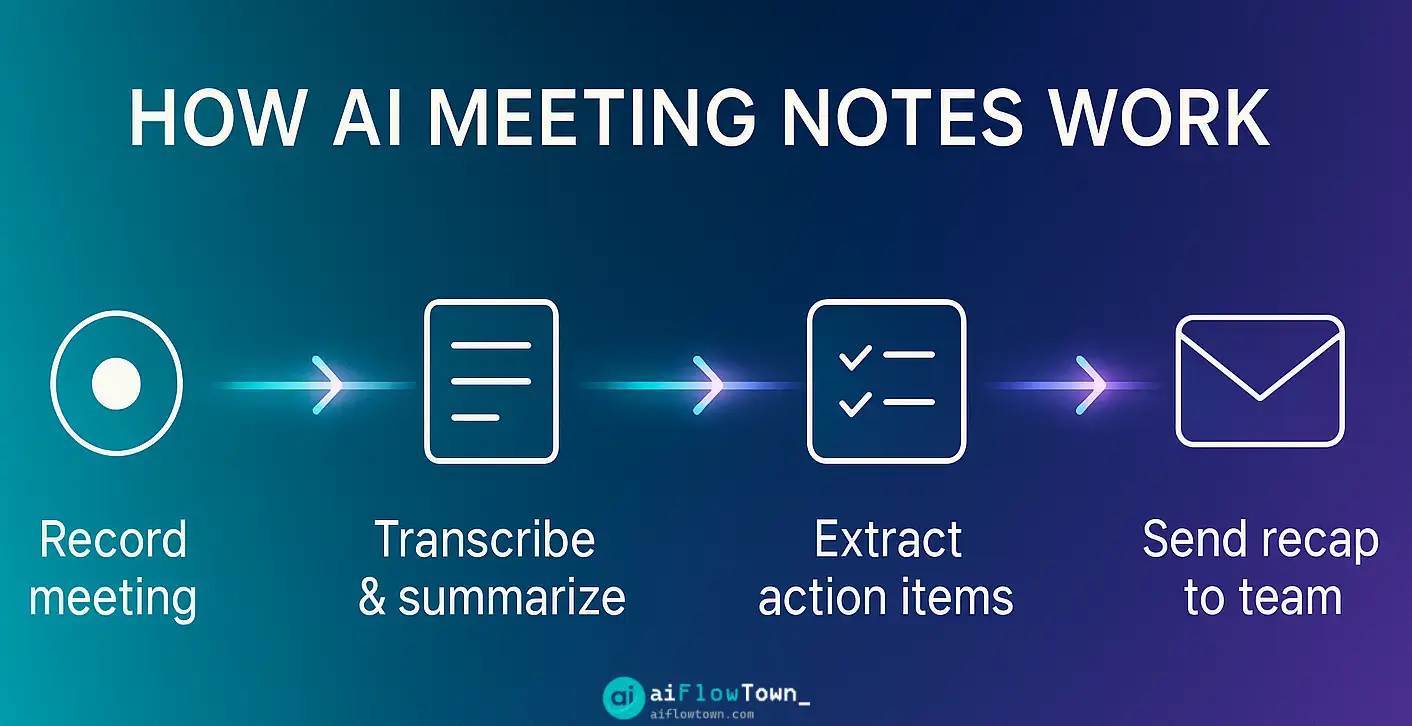
Part 2: How AI Meeting Notes Apps Work – The AI Summary Flow
Most leading AI meeting assistants operate on a sophisticated yet understandable workflow that transforms spoken conversation into structured, actionable data:
- Connection & Recording/Ingestion: The process usually starts by connecting the AI tool to your calendar (Google Calendar, Outlook Calendar). The AI bot can then automatically identify scheduled meetings and join them on supported platforms (Zoom, Google Meet, Microsoft Teams). It typically announces its presence and requests consent to record the audio (and sometimes video) feed. Some tools also allow uploading existing audio/video files.
- Real-Time Transcription & Diarization: As the meeting progresses, the core engine uses advanced Automatic Speech Recognition (ASR) technology to transcribe the spoken words into text in near real-time. Crucially, sophisticated algorithms also perform speaker diarization – identifying who said what and labeling the transcript accordingly. These are key features of modern ai transcription tools.
- AI Analysis & Enrichment (Post-Meeting): Once the meeting concludes, the AI processes the full, speaker-labeled transcript. This is where the Large Language Models (LLMs), similar to those powering ChatGPT, come into play. They perform several layers of analysis:
- Summarization: Identifying key themes and discussion points to generate concise summaries. These can range from simple bullet points to multi-paragraph abstracts or even structured formats specific to the tool. This provides automatic meeting summaries.
- Action Item Extraction: Scanning the transcript for linguistic patterns indicating tasks, commitments, or follow-ups (e.g., “I will send that report,” “Can someone schedule the follow-up?”, “The next step is to…”). The AI attempts to identify the assigned person and any mentioned deadline, enabling ai action item extraction.
- Topic Segmentation & Keyword Tagging: Breaking down the meeting into logical sections based on topic shifts and automatically identifying recurring keywords or concepts.
- Advanced Analytics (in some tools): Some platforms, particularly those focused on sales (like Fireflies.ai), perform additional analysis like sentiment tracking, talk-time ratio analysis, and identification of objections or key questions asked.
- Output Delivery & Integration: The final outputs – the searchable transcript, the AI-generated summary, the extracted action items, and any additional analytics – are presented within the tool’s web interface. Users typically receive email notifications. Furthermore, many tools offer integrations to push this data directly into other platforms like Slack (sharing summaries), project management tools (creating tasks from action items like Asana, Jira), CRMs (logging meeting notes like Salesforce, HubSpot), or knowledge bases (archiving summaries in Notion or Confluence). Check out various possibilities in our AI Workflows category.
This automated flow transforms a transient, hour-long conversation into a persistent, structured, and actionable asset within minutes.
Part 3: Comparing the Top AI Meeting Notes Apps for 2025
The market for AI meeting assistants is growing rapidly, but a few key players consistently lead the pack due to their feature sets, reliability, and AI capabilities. Let’s compare three of the most popular options: Otter.ai, Fireflies.ai, and Sembly AI. Choosing the right one depends heavily on your specific needs and workflow.
| Feature / Aspect | Otter.ai | Fireflies.ai | Sembly AI |
|---|---|---|---|
| Core Functionality | Excellent real-time transcription, speaker ID, collaborative notes (“OtterPilot”), basic AI summaries (“Automated Summary”), action item highlights. Strong mobile app. | Transcription, very detailed & customizable AI summaries (“AI Super Summaries”), action items, topic tracking, conversation intelligence analytics (sentiment, questions, talk time). Deep CRM focus. | Transcription, highly structured AI summaries (“Glance View”), action items, specific identification of Issues, Risks, and Requirements discussed. Broad integrations via Zapier. |
| Transcription Accuracy | Generally considered very high, especially in clear audio conditions. Good speaker identification. | High accuracy, also performs well. Speaker identification is reliable. | High accuracy, robust speaker identification. |
| AI Summary Quality | Provides good, concise summaries. Less structured compared to others, more like a condensed version of the transcript. | Excellent. Highly detailed, often broken down by topic with timestamps. Customizable summary length and format. | Excellent and Unique. The “Glance View” offers a highly structured breakdown: Topics, Decisions, Actions, Issues, Risks, Requirements – making it easy to scan for specific outcomes. |
| Action Item Extraction | Good. Highlights potential action items within the transcript and summary. May require some manual verification. | Very Good. Extracts action items and allows easy pushing to integrated PM tools (Asana, Jira, Monday) or CRMs. | Excellent. Specifically trained AI models focus on identifying not just tasks, but also potential issues and risks raised during the conversation. |
| Key Integrations | Zoom, Google Meet, MS Teams, Dropbox, Slack (basic). Fewer deep integrations compared to others. | Zoom, Meet, Teams, Webex, major CRMs (Salesforce, HubSpot – deep integration), Slack, Asana, Jira, Notion, Zapier. Extensive list, strong sales/CRM focus. | Zoom, Meet, Teams, Zapier (unlocks many possibilities), Slack, CRMs (basic native), project management tools. Relies heavily on Zapier for broad connectivity. |
| Free Tier Value | Generous free tier with significant monthly transcription minutes (e.g., 300 minutes), but limited meeting duration (30 min/meeting) and transcript history. Excellent for individual trial. | Less generous free tier, focused on limited transcription credits. Paid plans unlock core AI features. Better suited for evaluating the interface than heavy free use. | Offers a functional free tier with a limited number of meetings per month and basic AI features. Allows a good feel for the unique “Glance View.” |
| Pricing Philosophy | Competitive per-user pricing, tiers based mainly on transcription minutes, meeting duration limits, and collaboration features. | Tiered pricing, generally slightly higher. Value proposition includes advanced AI analytics (conversation intelligence) and deep CRM integrations. | Competitive tiered pricing. Value proposition centers around the structured AI insights (Glance View, risk identification) and broad integration potential via Zapier. |
| Ideal User | Individuals, students, journalists needing reliable real-time transcription and basic summaries. Those prioritizing mobile app usage. | Sales teams, customer success managers, anyone needing deep CRM integration and conversation analytics (Otter.ai vs Fireflies.ai often depends on this). | Project managers, team leads, consultants who need highly structured meeting insights, risk tracking, and broad integration flexibility (check any detailed Sembly AI review for insights). |
Note: Features, pricing tiers, and integration capabilities evolve rapidly. Always consult the official websites of each provider for the most current information before making a decision.
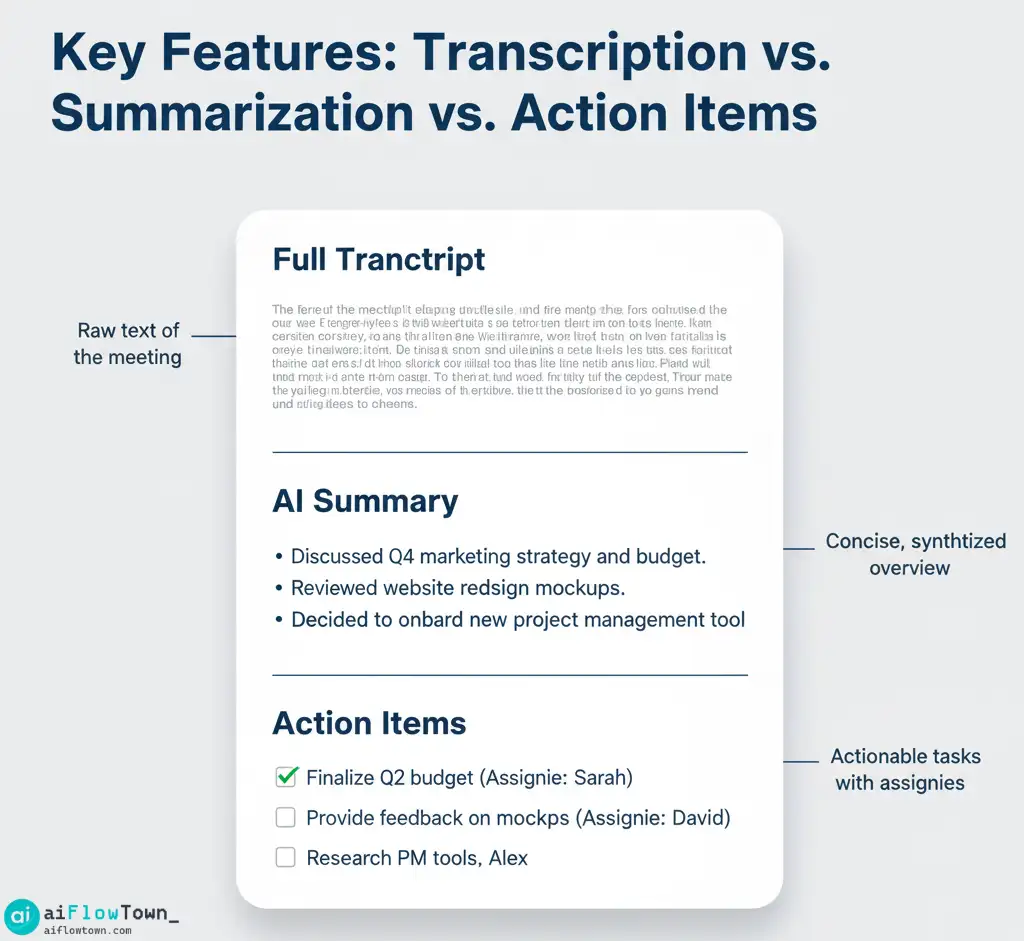
Part 4: Demo Example – The AI Summary & Action Item Flow in Practice
Let’s visualize how one of these tools transforms a standard meeting into actionable intelligence. Imagine a 30-minute virtual project check-in:
- The Meeting Setup: You’ve connected your AI assistant (let’s use Sembly AI for this example) to your Google Calendar.
- AI Joins: Sembly’s bot automatically joins your Google Meet call a minute before it starts, announcing itself.
- The Conversation:
You (Host): “Okay team, let’s sync on Project Alpha. Sarah, update on the landing page design?”
Sarah: “Designs are 90% done, but I’m blocked waiting for the final copy from Mark. Aiming to share by EOD Thursday if I get it today.”
You: “Thanks, Sarah. Mark, can you get Sarah the copy today?”
Mark: “Yes, apologies for the delay. I’ll send it over by 3 PM.”
You: “Great. John, any update on the user testing schedule?”
John: “We’re aiming to start next Monday, but need confirmation from the QA team on resource availability. I’ll check with them and confirm by tomorrow.”
You: “Perfect. Let’s aim to have a final review meeting next Friday then.”
- Post-Meeting Processing: Within minutes after the call ends, Sembly processes the recording and transcript.
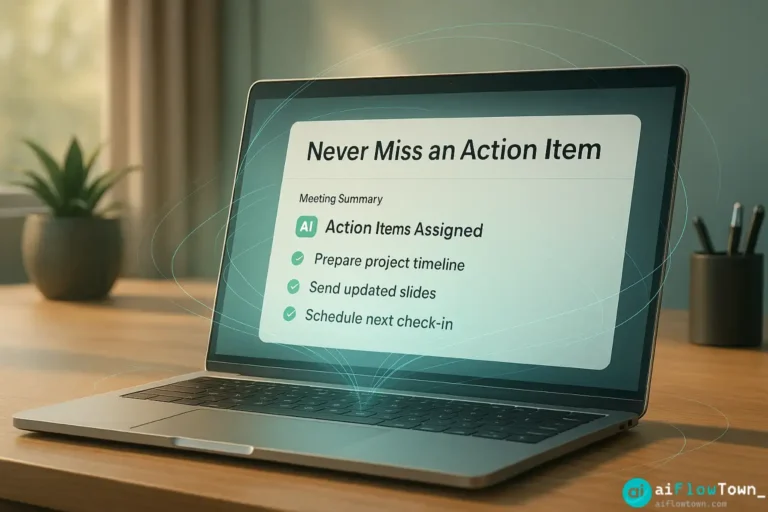
- The Output (Sembly’s Glance View): You receive an email notification and log in to see:
- AI Summary: A concise paragraph summarizing the discussion points (Project Alpha status, design block, copy deadline, user testing plan, next meeting).
- Action Items:
- Mark: Send final landing page copy to Sarah by 3 PM today.
- John: Check QA team availability for user testing and confirm schedule by tomorrow.
- You (Host): Schedule final review meeting for next Friday.
- Sarah (Implied/Follow-up): Share final designs by EOD Thursday (dependent on Mark).
- Issues/Risks: “Design completion blocked by delayed copy.” “User testing start date dependent on QA confirmation.”
- Integration (Optional): If configured, the action items assigned to Mark and John might automatically appear as tasks in your team’s Asana project.
This entire process, turning a dynamic conversation into structured notes and trackable tasks, happens automatically, demonstrating effective AI action item extraction and significantly reducing the post-meeting administrative burden.
Part 5: Pros and Cons of Using AI Meeting Notes Apps
While incredibly powerful, these tools aren’t without considerations.
Pros:
- ✅ Massive Time Savings: Automates transcription, summarization, and task extraction.
- ✅ Improved Accuracy: Captures details you might miss while manually note-taking.
- ✅ Increased Accountability: Clearly extracted action items with owners reduce ambiguity.
- ✅ Enhanced Participation: Frees you up to fully engage in the meeting discussion.
- ✅ Searchable Archive: Creates a searchable knowledge base of past meetings.
Cons:
- ❌ Privacy Concerns: Requires granting an AI bot access to record potentially sensitive conversations. Clear consent from all participants is essential.
- ❌ Transcription Imperfections: Accuracy is very high but not always 100%, especially with accents, jargon, or poor audio quality. Review is still necessary for critical details.
- ❌ Cost: While free tiers exist, unlocking the full potential (unlimited meetings, advanced AI features, integrations) requires a paid subscription.
- ❌ AI Interpretation Nuance: AI might occasionally misinterpret intent or miss subtle cues when extracting action items. Human oversight remains important.
- ❌ Over-Reliance Risk: Relying too heavily might slightly diminish personal note-taking skills or active listening if not used mindfully.
Conclusion: Choosing the Right AI Scribe for You
AI meeting notes apps are rapidly becoming essential tools for modern productivity. They solve the pervasive problem of lost information and missed action items by providing automated transcription, intelligent summarization, and task extraction. While tools like Otter.ai, Fireflies.ai, and Sembly AI offer slightly different strengths—Otter for transcription focus, Fireflies for sales intelligence, Sembly for structured insights—all provide immense value. You can find more options among the best AI productivity tools.
The best way to choose is to leverage their free trials. Connect your calendar, let them join a few of your typical meetings, and compare the quality of their summaries and action item extraction firsthand. Find the tool whose interface and AI output best match your workflow and needs. Whichever you choose, integrating one of these assistants is a powerful step towards more productive and actionable meetings. Explore other useful applications in our Tools & Apps category.
❓ FAQ
Do AI meeting assistants work for in-person meetings?
How do these tools handle privacy and consent?
How accurate are the transcriptions and AI summaries?
⚠️ Reminder: Even the smartest tools / AI can miss small details or make mistakes. Always double-check your work before presenting or publishing it - a quick review can save hours later.