A Smarter To-Do List Powered by AI
Is your to-do list a source of anxiety rather than clarity? Dozens, maybe hundreds, of tasks clamoring for attention, ranging from critical project milestones to minor errands? This feeling of task overload is a common struggle in modern work. Traditional methods like manual sorting or simple flagging often break down under pressure. But what if you could have an intelligent assistant automatically organize your tasks based on genuine priority? Welcome to the concept of the AI todo list.
This guide provides a practical, actionable approach using readily available AI tools like ChatGPT to bring order to your task chaos. We’ll show you how an ai tool to organize todo list automatically (even if that “tool” is a clever prompt) can save you time, reduce decision fatigue, and ensure you’re always focused on what matters most. We’ll provide a specific prompt you can use and discuss how to potentially integrate this with tools like Notion.
Stop drowning in tasks. Let’s build a smarter system for managing your workload.
Part 1: The Problem – Why Manual Prioritization Fails (Task Overload)
The sheer volume and variety of tasks we face daily make effective prioritization incredibly challenging:
- ❌ Decision Fatigue: Constantly deciding “What should I do next?” from a long list consumes significant mental energy before you even start working.
- ❌ The “Urgency Trap”: We often prioritize tasks that feel urgent (like responding to a notification) over tasks that are truly important but less immediately demanding.
- ❌ Inconsistent Methods: Switching between different prioritization techniques (Eisenhower Matrix, MoSCoW, gut feeling) leads to inconsistency and confusion.
- ❌ Time Consuming: Manually reviewing, sorting, and ranking a long list of tasks every day or week takes valuable time away from actual execution.
- ❌ Context Blindness: Simple lists lack the context of deadlines, dependencies, estimated effort, or strategic goals needed for truly effective prioritization.
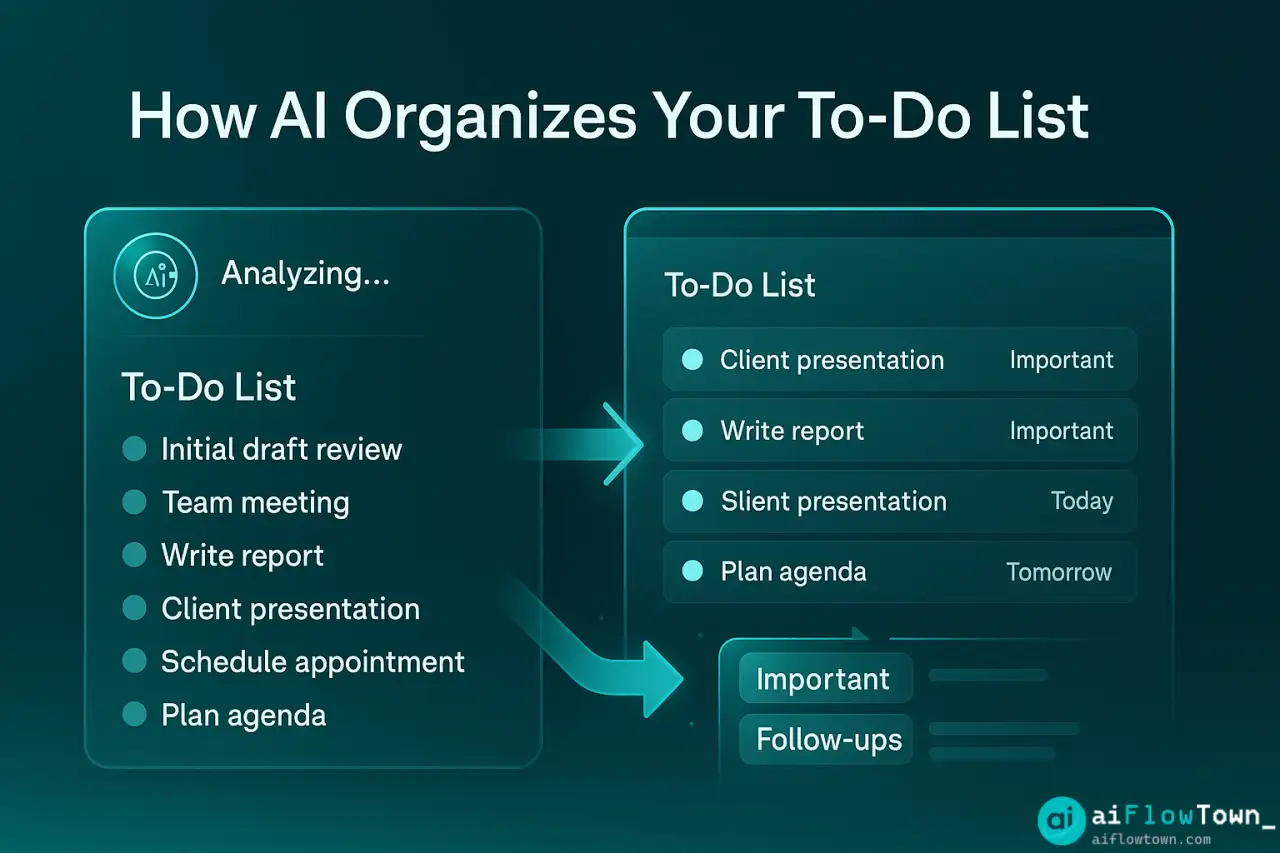
An AI approach, specifically using ChatGPT task prioritization, can help by applying a consistent logical framework to your list, based on criteria you define, significantly faster than manual sorting.
The goal isn’t just a sorted list; it’s freeing up your cognitive resources from the act of sorting so you can focus on doing.
Part 2: The Solution – Using ChatGPT to Sort by Priority
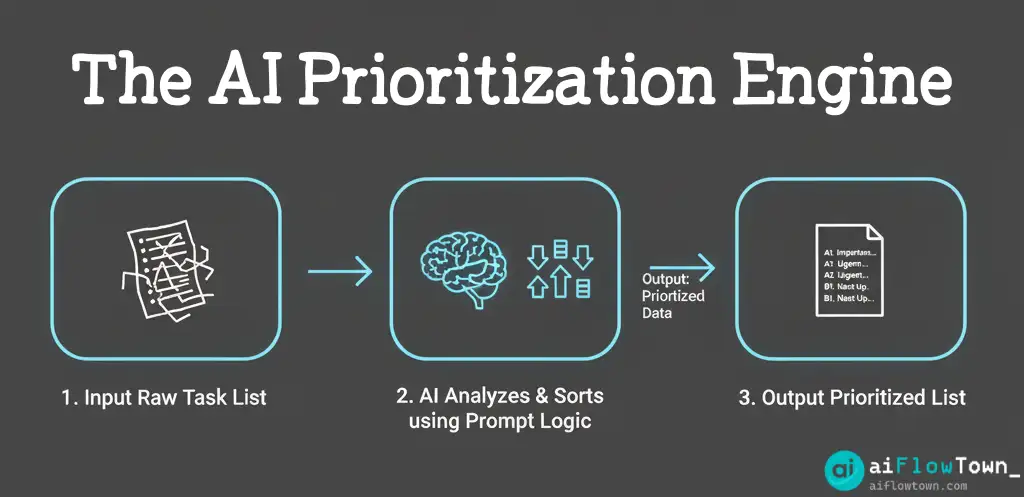
Large language models like ChatGPT are surprisingly adept at understanding context and applying logical rules, making them excellent candidates for prioritizing tasks based on criteria you provide. The core idea is simple: you give the AI your raw list of tasks along with your prioritization rules, and it returns a sorted list.
The Key: A Well-Defined Prioritization Prompt
The magic lies in the prompt. You need to tell the AI exactly how you want it to evaluate and rank your tasks. A common and effective method is a variation of the Impact/Effort matrix or assigning weighted scores.
Here’s a powerful prompt template you can adapt:
- AI Task Prioritization Prompt:
Act as an expert productivity assistant using a weighted scoring system to prioritize tasks. Your goal is to sort the following raw task list based on importance and urgency, assigning a clear priority code to each.

**Prioritization Criteria & Scoring:**
1.  **Impact (Scale 1-5):** How significant is the outcome of completing this task towards my main goals ([Briefly state your main goals, e.g., "launching Project X", "increasing sales Y%"])? (1 = Low Impact, 5 = High Impact) - Weight: Multiply score by 3.
2.  **Urgency (Scale 1-5):** How soon does this need to be done? Consider deadlines. (1 = Not Urgent/Flexible, 5 = Very Urgent/Imminent Deadline) - Weight: Multiply score by 2.
3.  **Effort (Scale 1-5):** How much time/energy will this task likely take? (1 = Quick/Easy, 5 = Long/Difficult) - Weight: Multiply score by -1 (Higher effort slightly reduces priority score).

**Calculation:** Total Score = (Impact * 3) + (Urgency * 2) - (Effort * 1)

**Your Task:**
1.  For each task in the list below, estimate the Impact, Urgency, and Effort scores based on the task description and any context provided (like deadlines).
2.  Calculate the Total Score for each task using the formula above.
3.  Sort the tasks in descending order based on their Total Score (highest score first).
4.  Assign a Priority Code based on the sorted order (e.g., A1, A2, A3 for top tier; B1, B2, B3 for middle tier; C1, C2, C3 for lower tier). You can define the tiers (e.g., Top 3 = A, Next 5 = B, Rest = C).
5.  Format the final output as a clean, numbered list showing only the Priority Code and the original Task Name.

**Raw Task List:**
[Paste your raw, unsorted list of tasks here. Include deadlines or brief context where possible, e.g.,
- Write blog post draft (Due Friday)
- Schedule team meeting
- Respond to client email (Urgent)
- Research competitor pricing
- Fix bug in login flow (High Impact)
- Prepare slides for presentation (Takes ~3 hours)
- Pay monthly invoice]
How it Works:
- You define clear criteria (Impact, Urgency, Effort) and their importance (Weights).
- You provide your raw task list, including any relevant context like deadlines.
- The AI estimates scores, calculates a total priority score, sorts the list, and assigns clear codes (A1, A2, B1…).
This process transforms a jumbled list into an actionable, prioritized plan in seconds, forming the core of an effective ai task management system.
Part 3: Integrating with Notion (The Notion AI Todo List Concept)
While you can manually copy-paste your task list from Notion (or any app) into ChatGPT and back, a more seamless integration is possible, though it requires some setup.
Method 1: Manual Copy-Paste (Simple & Effective)
This is the easiest way to start.
- Maintain your master task list in a Notion database. Ensure you have properties for ‘Deadline’ and perhaps rough ‘Effort’ estimates.
- Each morning or week, filter your Notion database to show relevant tasks (e.g., tasks due this week, tasks assigned to you).
- Select and copy the task names (and deadlines/context) from Notion.
- Paste them into the AI Task Prioritization Prompt (#1) in ChatGPT.
- Copy the prioritized list (A1, A2…) returned by ChatGPT.
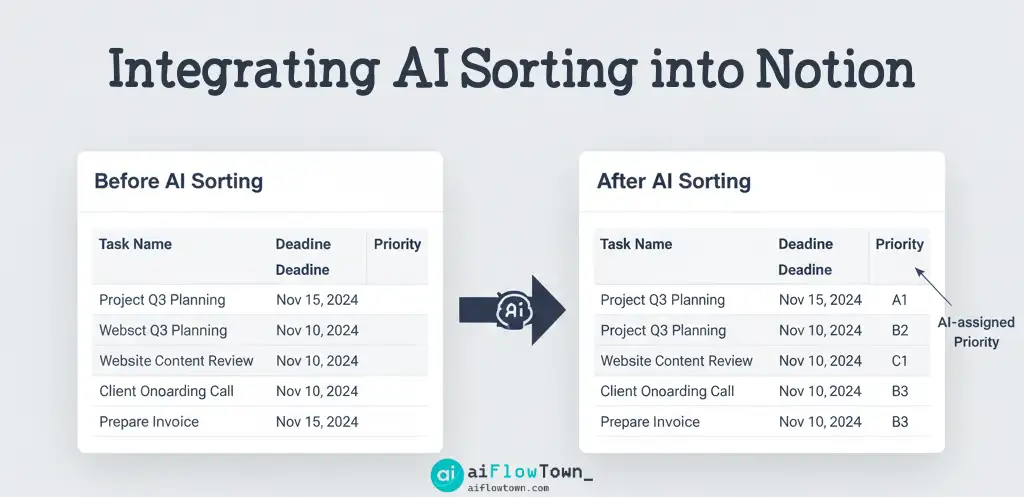
- Go back to Notion and create a new “Priority” property (Select or Text type). Manually enter the AI-generated priority codes (A1, A2…) for each corresponding task.
- You can now sort or filter your Notion database by this “Priority” property to see your most important tasks first.
This method provides the core benefit of AI prioritization with minimal technical setup, creating a functional Notion AI todo list.
Method 2: Using Notion AI (If Available & Applicable)
If you have a paid Notion AI subscription, you might be able to achieve some level of prioritization directly within Notion, although it might be less structured than the ChatGPT method.
- Select multiple task pages/blocks in your Notion database.
- Click “Ask AI” and try a prompt like: “Based on the deadlines and task names, sort these tasks by urgency and importance.”
- Notion AI might provide a sorted list or summary, but creating custom properties like “Priority Code” automatically is currently more challenging directly within Notion AI compared to using an external tool like ChatGPT with a structured prompt.
Method 3: Automation with Zapier/Make.com (Advanced)
For a fully automated system:
- Set up a Zapier/Make trigger for “New Database Item in Notion” (or updated item).
- Send the task details to ChatGPT using the prioritization prompt.
- Receive the Priority Code back from ChatGPT.
- Use a Zapier/Make action to “Update Database Item in Notion,” writing the Priority Code back into the correct task’s “Priority” property.
This creates a truly automate task list sorting system but requires paid plans and more complex setup. Explore options in our guide to AI automation tools for beginners.
Prioritization Approaches: AI vs. Manual
Comparing the AI-driven approach to traditional methods:
| Aspect | Manual Prioritization | AI-Assisted Prioritization |
|---|---|---|
| Speed | Slow, especially with long lists. | Very Fast (seconds for dozens of tasks). |
| Consistency | Can vary based on mood, energy, or changing methods. | Highly Consistent (applies the same logic every time). |
| Objectivity | Susceptible to urgency bias and emotional factors. | More Objective (based purely on the criteria you define). |
| Effort Required | High cognitive load, time-consuming. | Low cognitive load (requires good prompt setup initially). |
| Context Handling | Relies on human memory and understanding of context. | Relies on context provided in the prompt and task list. |
Part 4: Tips for Success with Your AI Todo List System
- Refine Your Criteria: The quality of the prioritization depends entirely on how well your prompt’s criteria (Impact, Urgency, Effort) reflect your actual goals. Adjust the weights and definitions as needed.
- Provide Context: When pasting your task list, include relevant deadlines, project names, or a brief note about why a task is important. More context leads to better AI estimations.
- Keep it Simple Initially: Start with the manual copy-paste method. Master the prompt and process before attempting full automation with Zapier/Make.
- Trust but Verify: Especially when starting, quickly review the AI’s prioritized list. Does it generally make sense? If not, tweak your prompt criteria or the context you provide for your tasks.
- Combine with Time Blocking: Once you have your prioritized list (A1, A2…), use those priorities to inform your time blocking for the day or week. Tackle the “A” tasks first during your peak energy times. This combines AI sorting with effective execution, a key part of leveraging mindset and focus techniques.

Conclusion: From Task Overload to Focused Action
An endless to-do list is demotivating. An intelligently prioritized one is empowering. By using a simple but powerful AI todo list prompt with ChatGPT, you can quickly transform task chaos into an actionable plan. This approach saves significant time and mental energy previously spent on manual sorting, allowing you to dive straight into your most important work.
Whether you use the manual copy-paste method with Notion or eventually build a fully automated workflow, leveraging AI for task prioritization is one of the most impactful ai productivity tips you can implement today. Try the prompt, adapt it to your goals, and experience the clarity of knowing exactly what to focus on next.
❓ FAQ
Can the AI automatically know the Impact/Urgency/Effort?
The AI makes educated guesses based on the task description and any context you provide (like deadlines or keywords like “Urgent,” “Fix bug,” “Prepare presentation”). It’s surprisingly good, but its accuracy depends heavily on the quality of your input. You might need to refine task descriptions or the prompt criteria if the estimations seem off.
Do I need a paid ChatGPT account for this?
No, the prioritization prompt provided works well with the free version of ChatGPT (GPT-3.5). While paid versions like GPT-4 might offer slightly more nuanced understanding, the core logic relies on the clear instructions in the prompt, which GPT-3.5 can handle effectively for this task.
✨ What if I use a different task manager like Asana or Todoist?
The process remains the same! You can still copy your tasks from Asana, Todoist, or any other list, paste them into the ChatGPT prompt, get the prioritized list back, and then manually update a “Priority” custom field in your chosen tool. Full automation via Zapier/Make might also be possible depending on the tool’s integration capabilities.
⚠️ Reminder: Even the smartest tools / AI can miss small details or make mistakes. Always double-check your work before presenting or publishing it - a quick review can save hours later.