Why We Panic After Making Mistakes
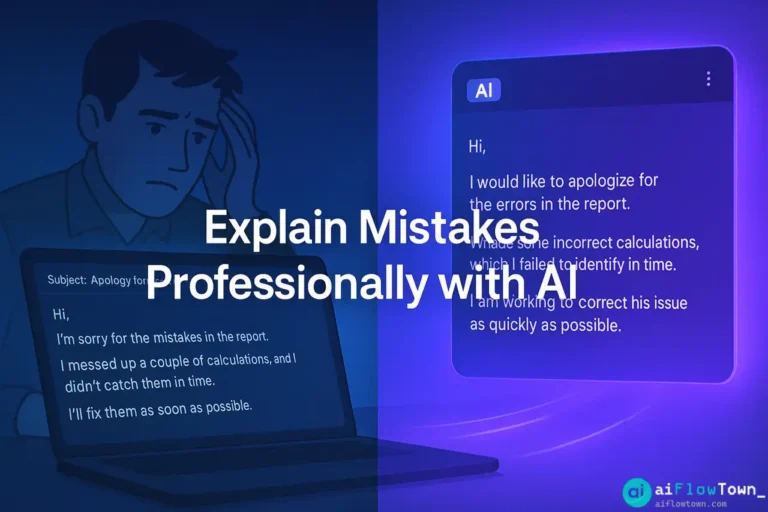
The moment you realize you made a mistake, your brain goes into panic mode. Heart races. Stomach drops. You immediately start composing the explanation in your head. “I should tell them right away. But what do I say? Should I explain why it happened? Will that sound like excuses? Should I just apologize repeatedly?”
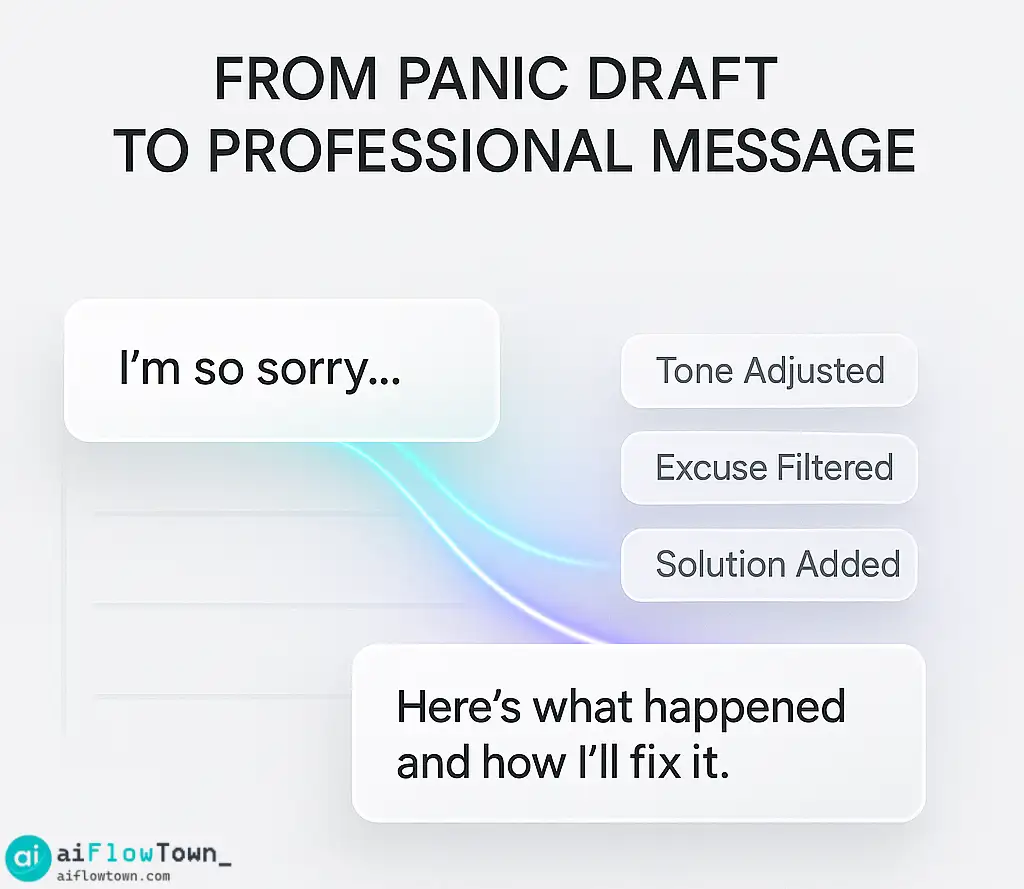
You sit down to write the email. First draft is too apologetic: “I’m so sorry, this is completely my fault, I feel terrible…” You sound unprofessional. Second draft swings the other way: “This happened because X, Y, and Z factors…” Now you sound defensive. Third draft tries to split the difference and ends up confusing.
This struggle to explain mistake to boss professionally is universal. The challenge isn’t that you don’t know what happened—it’s finding the language that conveys accountability without either groveling or deflecting. That’s where AI writing help makes a real difference.
The Anatomy of a Good Mistake Explanation
Before we get to AI prompts, let’s understand what makes an explanation work.
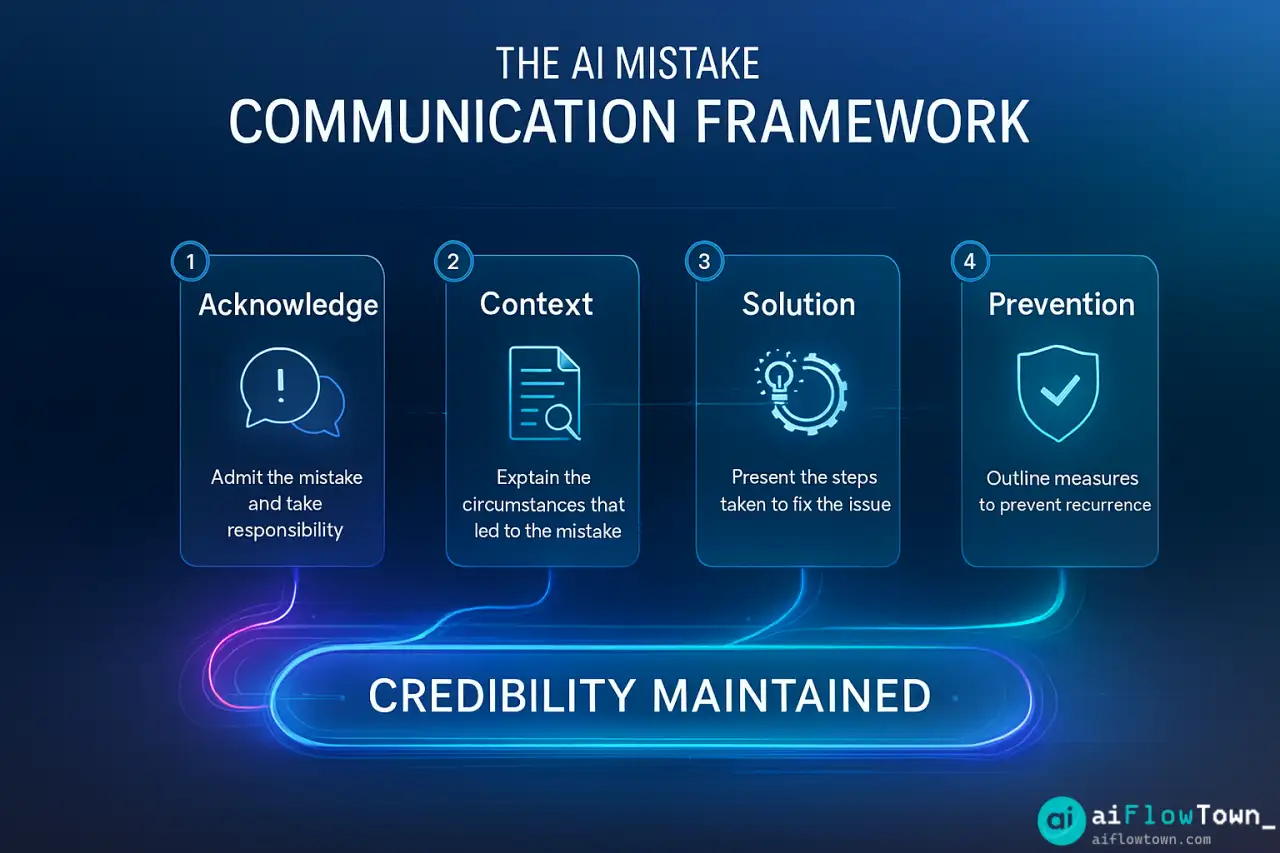
The Four Essential Elements
| Element | What It Does | What It Avoids |
|---|---|---|
| Clear acknowledgment | States what went wrong directly | Avoiding, minimizing, or sugar-coating |
| Appropriate ownership | Takes responsibility for your part | Over-apologizing or deflecting blame |
| Brief context | Explains how it happened (not why it’s okay) | Long defensive narratives or excuses |
| Solution focus | Shows how you’ll fix it and prevent recurrence | Leaving boss to figure out next steps |
Most people get one or two of these right but struggle with the balance. AI helps you hit all four elements without over-indexing on any one. This is the foundation of how to explain mistakes to your boss professionally.
The Tone Tightrope
You’re walking a line between two extremes:
- ❌ Too apologetic: “I’m so incredibly sorry, I know I completely failed, I understand if you lose confidence in me…”
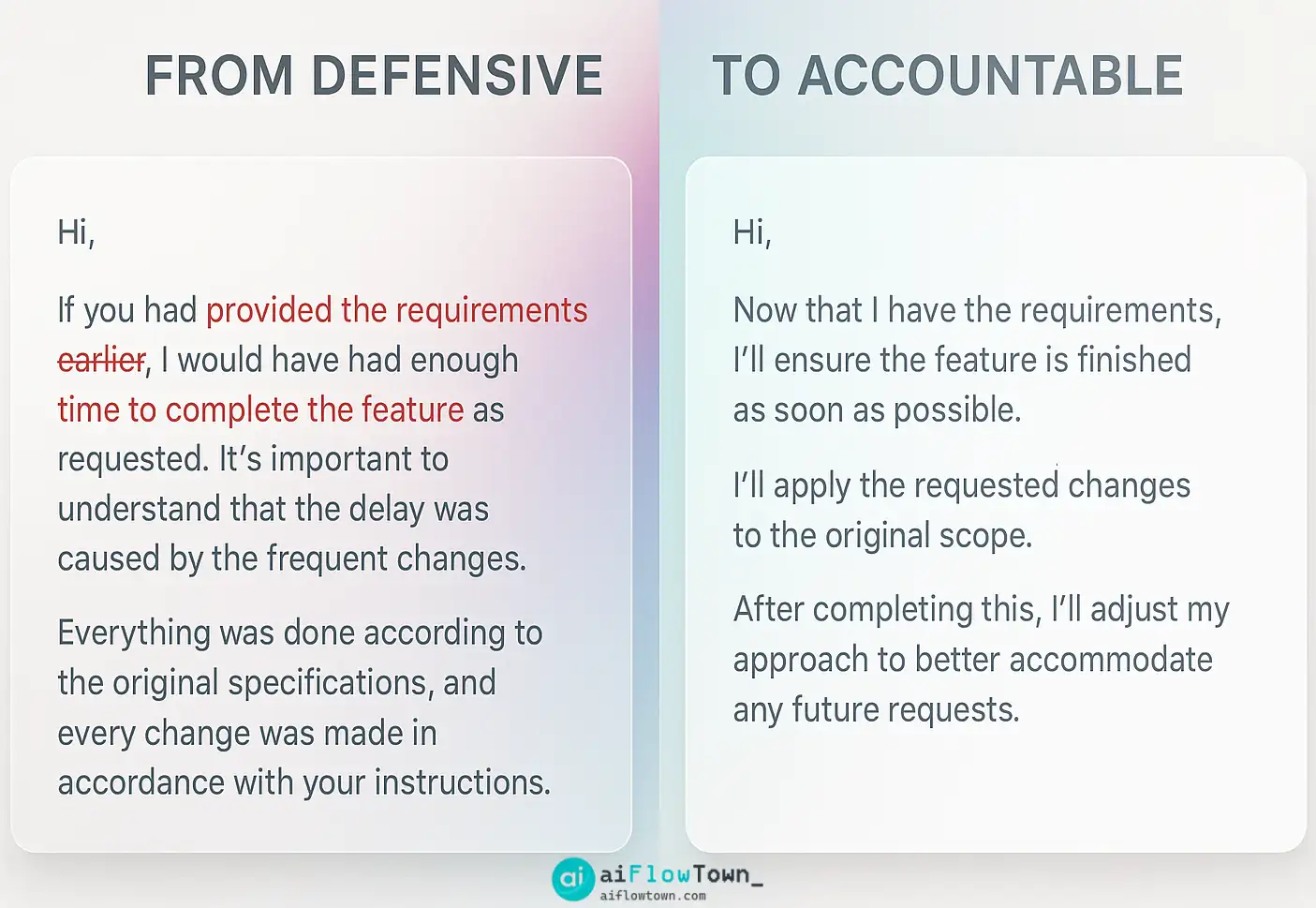
- ❌ Too defensive: “This happened because the system didn’t alert me and the team didn’t follow protocol…”
- ✅ Right balance: “I made an error in the report. Here’s what happened, here’s how I’m fixing it, and here’s my plan to prevent this going forward.”
That middle ground—accountable but not self-flagellating, contextual but not excuse-making—is hard to hit when you’re emotional about the mistake.
Using AI to Find the Right Tone
Here’s the AI workflow for craft accountability message with ai help that actually works.
The Brain Dump First
Don’t try to craft the perfect message from scratch. Start by telling AI everything, including your emotional reaction:
"I made a mistake at work and need to explain it to my boss. Here's what happened:

[Describe the mistake clearly]

My initial reaction: [How you feel - panicked, embarrassed, frustrated]

Contributing factors: [What led to this - but I don't want to sound like I'm making excuses]

What I'm doing about it: [Your plan to fix it]

Help me write a professional explanation that takes ownership without groveling, provides context without making excuses, and focuses on solutions. Tone: Accountable, calm, solution-oriented."
This prompt gives AI everything it needs: the facts, your emotional state (so it can correct for it), and the exact tone balance you want. For more communication strategies, visit AI productivity prompts.
The Rewrite Process
AI will produce a draft that removes emotional language while keeping accountability. But don’t just copy-paste. Review it and adjust:
Read the AI version. Does it sound like you? If it’s too formal or robotic, ask AI: “Make this sound more like natural workplace communication, less like a corporate press release.” If it’s too casual, ask for adjustment the other way.
The goal is a message that’s authentically you, just at your most professional and composed—not you at your most panicked.
Real Examples: Before and After
Let’s look at actual scenarios showing how AI transforms panic-drafted explanations.
Scenario 1: Missed Deadline
Your panicked first draft:
“I’m so sorry, I know the report was due yesterday and I completely dropped the ball. I feel terrible about this. I was working on other projects and lost track of time. I know that’s not an excuse and I should have managed my time better. I promise this won’t happen again. I’m working on it now and will have it to you by end of day. Again, I’m really sorry for letting you down.”
Problems: Over-apologetic (sorry appears 3 times), somewhat defensive (“working on other projects”), vague solution (“won’t happen again” without specifics).
AI-refined version:
“The Q3 report I owed you yesterday is delayed—my mistake. I misjudged the time required for the analysis section and didn’t flag this early enough. The report will be complete by 5pm today. Going forward, I’m building in buffer time for complex analysis tasks and will alert you immediately if a deadline looks at risk. The delay doesn’t affect the data quality, just the timing.”
– Professional Accountability –
Better because: Clear acknowledgment, brief context without excuses, specific solution and prevention plan, maintains professional composure. This is write professional apology email to manager done right.
Scenario 2: Client Communication Error
Your defensive first draft:
“About the client email issue—I sent the message thinking I had approval based on our last meeting, but apparently there was a miscommunication about whether we were ready to share that information. The client is now asking questions we’re not prepared to answer yet. I was just trying to be proactive and keep them updated like you always say we should do.”
Problems: Blames miscommunication, deflects responsibility, ends with subtle accusation (“like you always say”).
AI-refined version:
“I sent the client an update on the project timeline before confirming it was ready to share. The client is now asking follow-up questions we hadn’t prepared for. I should have checked with you first rather than assuming approval from our earlier discussion. I’ve scheduled a call with the client for tomorrow to address their questions—can we sync this afternoon to align on talking points? This reminded me I need clearer criteria for when client communications need pre-approval.”
– Taking Ownership –
Better because: Owns the decision, explains context neutrally, immediately moves to solution, draws constructive lesson without being defensive. Learn more at AI workflow examples.
The Prompt Formula That Works
Here’s the template you can adapt for any mistake scenario:
"I need to explain a work mistake to my manager. Help me write this professionally.

Situation: [What happened - be specific]
My role: [What you did or didn't do]
Impact: [Who/what this affects]
Current status: [What you've already done to address it]
Plan: [What you'll do next]

Write this as:
1. One paragraph acknowledging the issue
2. One paragraph with brief context (not excuses)
3. One paragraph focused on solution and prevention

Tone requirements:
- Accountable but not groveling
- Contextual but not defensive
- Solution-focused
- Professional but not robotic
- Natural for workplace email

Length: 150-200 words max. I want to be clear and complete, not write a novel."
This structure ensures you cover all necessary elements using ai prompts for workplace mistake communication that maintains professionalism.
When Context Matters vs When It Sounds Like Excuses
The hardest part: knowing when to explain context and when it sounds like excuse-making.
Context That Helps
- ✅ “I misunderstood the scope requirement in the brief” – Explains how it happened
- ✅ “The data source I used was outdated” – Relevant information about error cause
- ✅ “I prioritized Project A thinking it was more time-sensitive” – Shows reasoning, even if wrong
Context That Sounds Like Excuses
- ❌ “I was dealing with personal issues” – Generally irrelevant unless directly asked
- ❌ “Everyone else was making the same mistake” – Deflecting responsibility
- ❌ “The instructions weren’t clear enough” – Blames others
Ask AI specifically: “Review this explanation. Does any part sound like excuse-making rather than helpful context? Suggest edits to remove defensive language.”
The Ethics of Using AI for Mistake Explanations
Let’s address the elephant in the room: Is using AI to explain your mistake somehow dishonest?
What’s Ethical
Using AI to help you communicate clearly and professionally is like using spell-check or grammar tools. You’re improving the delivery of your message, not changing the facts. The mistake is still yours. The responsibility is still yours. AI just helps you explain it without emotional interference. For more on explain work errors without being defensive, this approach ensures clarity.
What Crosses the Line
- ❌ Using AI to minimize or hide the severity of the mistake
- ❌ Asking AI to generate plausible-sounding excuses that aren’t true
- ❌ Using AI to craft a story that shifts blame inappropriately
AI should help you communicate the truth professionally, not help you lie professionally. There’s a clear distinction. For more ethical considerations, visit mindset and focus strategies.
Maintaining Credibility Through Accountability
Your goal isn’t just to survive this mistake—it’s to maintain your professional credibility. Here’s how:
Follow Through Matters More Than Perfect Words
The best-written explanation means nothing if you don’t deliver on your solution plan. AI can help you write a great message, but you have to execute the fix you promised. Credibility comes from matching words with actions.
Don’t Over-Explain to Everyone
You explained to your boss. That might be enough. You don’t need to send explanation emails to the entire team or over-communicate about the mistake. That can make a small issue seem bigger than it is.
Learn Visibly
Weeks later, when a similar situation arises and you handle it correctly, mention it: “After that Q3 report delay, I adjusted my project timeline estimation. This quarter’s report is ahead of schedule.” Shows you actually learned from the mistake.
❓ FAQ
⏰ Should I explain mistakes immediately or take time to prepare?
Balance urgency with preparation. For serious mistakes, alert your boss immediately—even if brief—then follow up with a full explanation once you’ve gathered facts and solution. For minor issues, taking 30 minutes to craft a good explanation is fine.
Is email the right format or should I talk in person?
Depends on severity and relationship. Major mistakes: in-person conversation first, then email summary. Minor mistakes: email is fine. If unsure, ask: “I need to explain [issue]. Would you prefer to discuss this in person or via email?”
How much detail should I include?
Enough to be clear, not so much you write a novel. Aim for 150-250 words covering: what happened, your role, impact, solution. If your boss needs more detail, they’ll ask. Start concise; you can always elaborate.
What if my boss already knows about the mistake?
Still send the explanation. Even if they know what happened, they don’t know your solution plan or what you learned. Frame it as: “Following up on [issue] – here’s my plan to address it and prevent recurrence.”
Should I mention if others were involved in the mistake?
Focus on your part. If others were genuinely involved and it’s relevant to understanding what happened, mention it factually without throwing them under the bus. “The process broke down at the handoff between departments” is better than “Sarah didn’t send me the file.”
Final Thoughts
Everyone makes mistakes at work. What separates professionals who maintain credibility from those who lose it isn’t perfection—it’s how they handle the inevitable errors. Using AI to help explain mistake to boss professionally isn’t about hiding or minimizing. It’s about communicating clearly when emotions might otherwise cloud your judgment.
Next time you make a mistake, don’t panic-draft three versions and hate them all. Take 10 minutes with AI. Get help finding the tone that takes ownership without groveling, provides context without excusing, and focuses on solutions. Your boss doesn’t need perfection—they need accountability and competence in fixing problems.
The AI draft is your starting point. Edit it to sound like you. Then send it and focus your energy on delivering the solution you promised. That’s how you turn mistakes into demonstrations of professional maturity.
⚠️ Reminder: Even the smartest tools / AI can miss small details or make mistakes. Always double-check your work before presenting or publishing it - a quick review can save hours later.