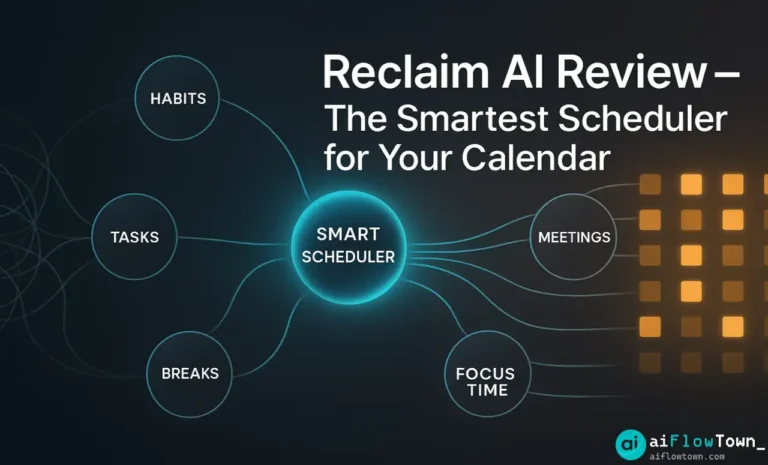
Your calendar is a battlefield. Meetings eat your focus time, tasks never get scheduled, and you’re constantly juggling priorities manually. Reclaim AI promises to fix this with smart scheduling that adapts in real-time. After weeks of testing, here’s my honest reclaim ai review—what works, what doesn’t, and whether it’s worth the investment.
What Is Reclaim AI?
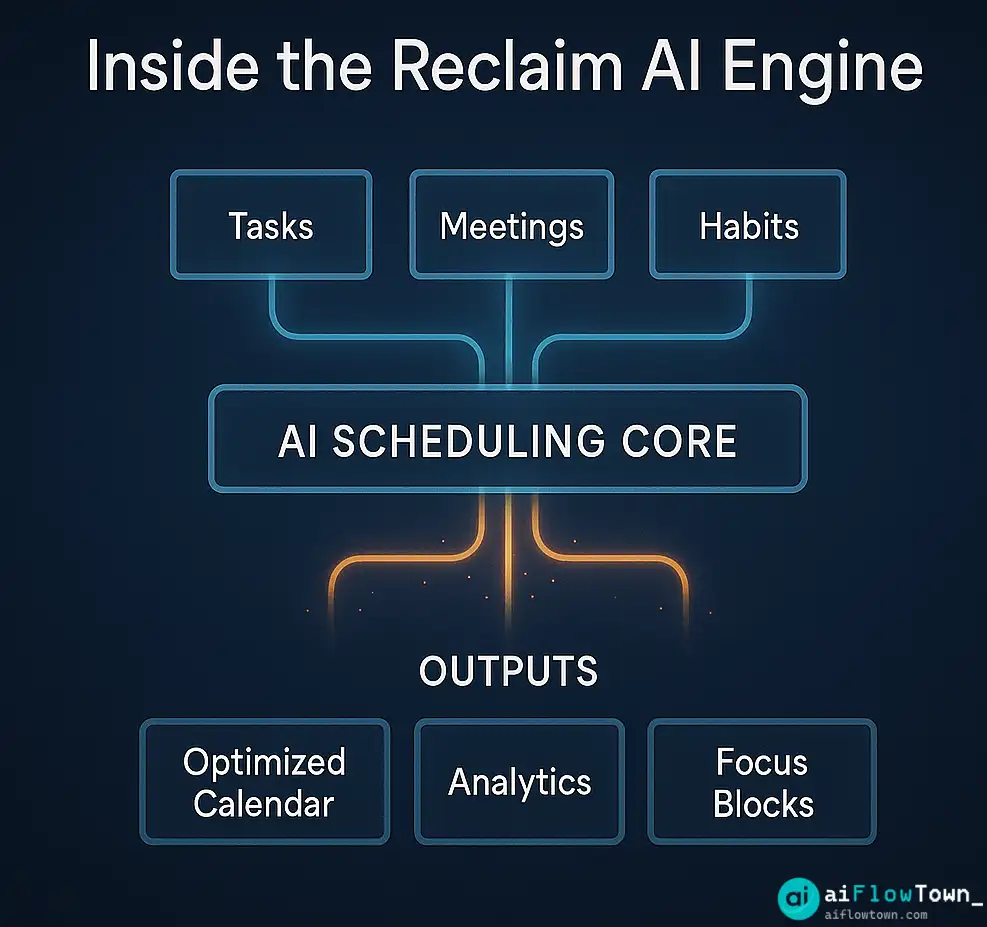
Reclaim AI is an intelligent calendar assistant that automatically schedules your tasks, habits, and breaks around meetings. Unlike static schedulers, it constantly adjusts your calendar as priorities shift and new meetings appear.
The reclaim ai review boils down to this: it’s a dynamic scheduling engine that treats your calendar like a living system, not a fixed grid. Tasks reschedule themselves, focus time protects itself, and habits find slots automatically.
Key Features That Matter
Smart Habits
Schedule recurring activities like exercise, lunch breaks, or deep work sessions. Reclaim finds open slots automatically and moves them when conflicts arise. You set priorities, it handles logistics.
Task Scheduling
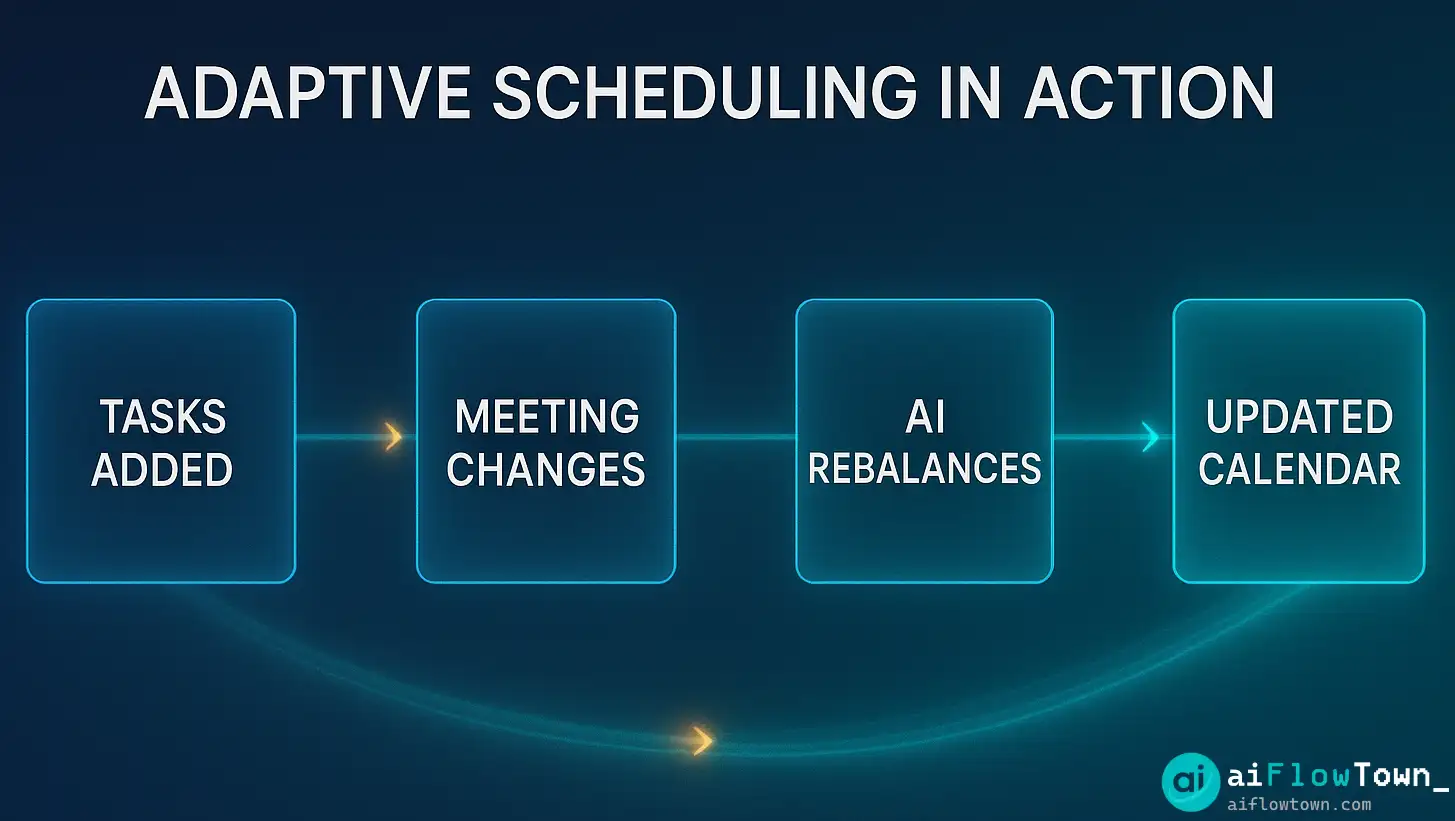
Integrate with Asana, Todoist, ClickUp, or Linear. Reclaim pulls your tasks and schedules them based on deadlines and your available time. As meetings get added, tasks automatically reschedule.
Calendar Sync for Teams
Team members using Reclaim see each other’s flexible time blocks. It prevents double-booking focus time while showing true availability for meetings.
Buffer Time
Automatically adds padding between meetings so you’re not jumping from call to call with zero breathing room. Customizable by meeting type.
One-on-One Scheduling
Creates smart booking links that respect both calendars, avoids focus time, and finds optimal meeting slots based on your preferences.
For more calendar automation strategies, explore our AI workflows guide.
How Reclaim AI Works in Practice
| Scenario | Without Reclaim | With Reclaim |
|---|---|---|
| New urgent meeting added | Manually reschedule 3 tasks | Tasks auto-reschedule instantly |
| Daily planning | 15 min reviewing and adjusting | 2 min review, calendar pre-optimized |
| Finding focus time | Scan calendar, block manually | Habits auto-defend focus blocks |
| Team scheduling | Back-and-forth email chains | Find mutual free time instantly |
Setup and Learning Curve
Initial Setup: 15 Minutes
Connect your Google Calendar or Outlook. Grant permissions. Set your working hours and time zones. The interface is clean—no overwhelming feature dump.
Configuring Habits: 10 Minutes
Add your recurring activities: morning focus block, workout, lunch, admin time. Set priorities (low, medium, high) and ideal time ranges. Reclaim starts scheduling immediately.
Task Integration: 5 Minutes
Link your project management tool. Reclaim syncs tasks and asks about deadlines and priorities. From there, it’s automatic.
Total time from signup to working system: 30 minutes. For comparison with other tools, check our guide to the 15 best AI productivity tools.
What Reclaim Does Really Well
Adaptive rescheduling. When meetings move, your entire day reorganizes automatically. No manual shuffling required.
Priority enforcement. High-priority tasks actually get scheduled. Low-priority work fills gaps without blocking important time.
Focus time protection. Once you mark time as “do not schedule,” Reclaim defends it. External booking links won’t offer those slots.
Team coordination. Seeing when teammates have flexible vs. fixed time eliminates the “when are you free?” Slack messages.
Honest time tracking. It shows you where your time actually goes—meetings vs. tasks vs. free time. The data is enlightening and sometimes uncomfortable.
Where Reclaim Falls Short
Overwhelming at first. The calendar suddenly fills with auto-scheduled blocks. It takes a few days to trust the system and stop manually micromanaging.
Limited customization for habits. You can’t set complex rules like “only schedule this habit on days with fewer than 3 meetings.” The logic is smart but not infinitely flexible.
Requires consistent input. If you don’t update task deadlines or priorities, Reclaim schedules based on stale information. Garbage in, garbage out.
Not great for highly variable schedules. If your availability changes dramatically day-to-day, Reclaim struggles more than it helps. It’s built for consistent weekly patterns.
Pricing Breakdown
| Plan | Price | Key Features | Best For |
|---|---|---|---|
| Free | $0 | Basic habits, task sync, 1 calendar | Individual users testing |
| Starter | $8/mo | Unlimited habits, priority support | Solo professionals |
| Business | $12/mo | Team scheduling, analytics | Small teams |
| Enterprise | Custom | Advanced integrations, admin controls | Large organizations |
The free tier is surprisingly capable. You can test core features before committing. Most individuals are fine with Starter. Teams need Business for coordination features.
Pros and Cons
| Pros | Cons |
|---|---|
| ✅ Automatically reschedules when plans change | ❌ Initial setup feels overwhelming |
| ✅ Protects focus time from meeting creep | ❌ Limited customization for complex rules |
| ✅ Integrates with major task management tools | ❌ Requires consistent task priority updates |
| ✅ Team features eliminate scheduling back-and-forth | ❌ Less useful for highly variable schedules |
| ✅ Free tier is genuinely useful | ❌ Mobile app is functional but not great |
| ✅ Saves 15-30 min daily on calendar management | ❌ Takes 1-2 weeks to fully trust the system |
Who Should Use Reclaim AI?
Perfect for:
- Knowledge workers with 10-20 meetings per week
- People who struggle to schedule deep work
- Teams that need better visibility into availability
- Anyone managing tasks across multiple projects
- Professionals tired of manual calendar Tetris
Skip if:
- Your schedule is extremely variable day-to-day
- You prefer manual control over every calendar slot
- You have fewer than 5 meetings per week (not enough complexity to justify)
- Your work doesn’t fit into schedulable blocks
For more tools that complement Reclaim, explore our tools & apps collection.
Reclaim vs. Competitors
vs. Calendly: Calendly is for external booking. Reclaim is for managing your entire schedule. Different use cases.
vs. Motion: Motion combines task management and scheduling. Reclaim integrates with existing task tools. Choose Motion if you want all-in-one, Reclaim if you want best-of-breed integrations.
vs. Manual Planning: Manual gives you control but costs 15-30 minutes daily. Reclaim trades some control for automatic optimization.
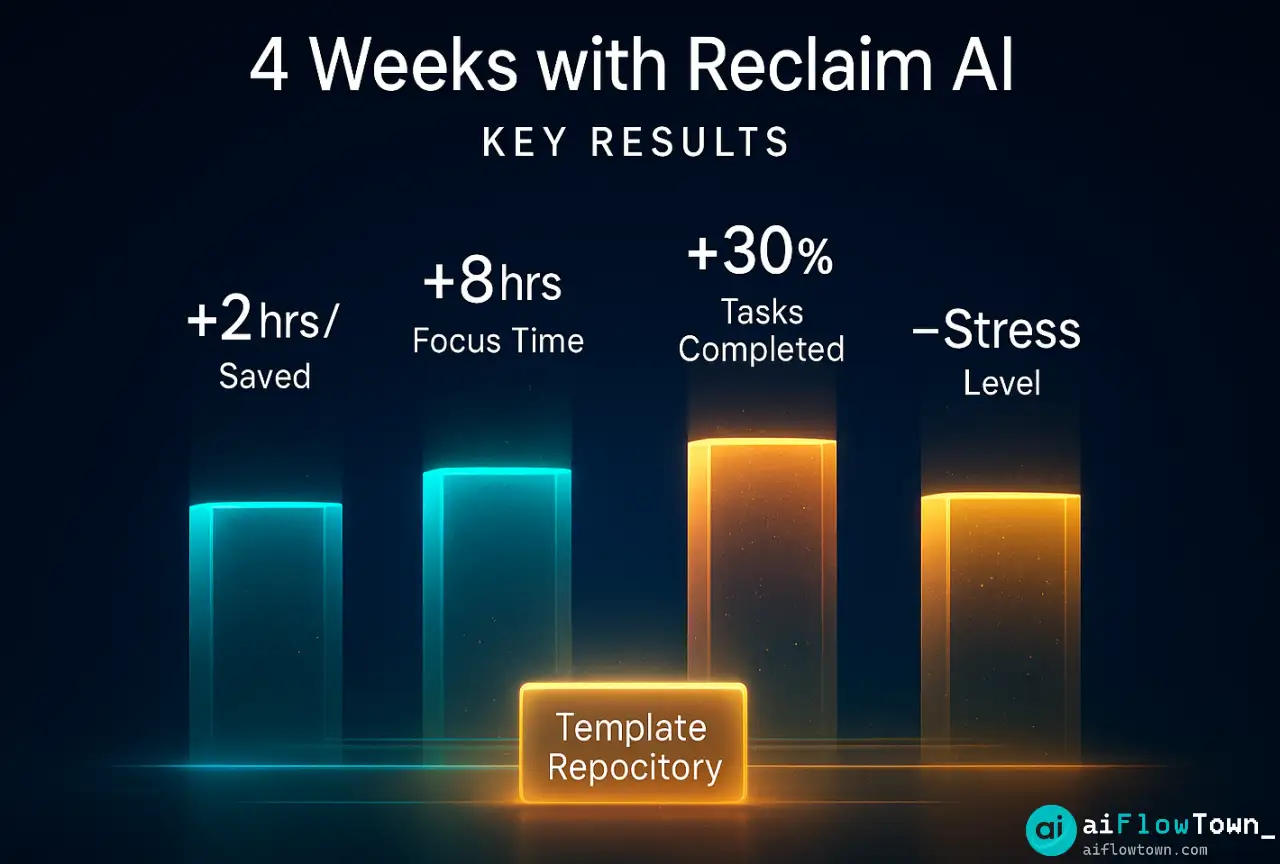
Real-World Results After 4 Weeks
Time saved: 2 hours per week on calendar management and task planning.
Focus time gained: Average of 8 hours per week actually protected and used for deep work.
Meeting efficiency: Buffer time reduced back-to-back fatigue by noticeable margin.
Task completion: 30% more tasks finished on time because they were actually scheduled, not just listed.
Stress reduction: Significant. Knowing the system will adjust when plans change removes constant mental load.
❓ FAQ
Is the free version of Reclaim AI enough?
For solo users just starting, yes. You get basic habits and task scheduling. Upgrade to Starter when you need unlimited habits or Business when coordinating with a team.
⏱️ How long before Reclaim starts working well?
Initial results within 24 hours. Full optimization takes 1-2 weeks as the system learns your patterns and you refine priorities. Give it time before judging.
Does it work with non-Google calendars?
Yes, Reclaim supports Google Calendar, Outlook, and Office 365. Full feature parity across platforms. No limitations based on calendar provider.
Can I use Reclaim on mobile?
Mobile app exists for iOS and Android. It’s functional for viewing your schedule and making quick adjustments, but setup and configuration are better on desktop.
What happens if I ignore a scheduled task?
Reclaim reschedules it based on deadline and priority. If you consistently skip certain tasks, adjust their priority or deadlines so the system schedules them more realistically.
Final Thoughts
This reclaim ai review comes down to a simple trade: you give up manual control, you gain automatic optimization. For most knowledge workers drowning in meetings and tasks, that’s a winning trade.
Reclaim isn’t perfect. The learning curve is real, and it requires trust in automation. But after the initial adjustment period, it delivers on its promise: more focus time, less calendar stress, and tasks that actually get scheduled instead of lingering on endless to-do lists.
Start with the free tier. Set up 2-3 habits and sync one task list. Give it a week. If your calendar feels less chaotic by Friday, upgrade. If not, you’ve lost nothing but 30 minutes of setup time.
The smartest scheduler isn’t the one with the most features—it’s the one that runs in the background while you focus on actual work. Reclaim nails that.
Ready to build a complete productivity system around smart scheduling? Discover how Reclaim fits into your workflow with our guide to AI automation tools for beginners that work seamlessly together.
⚠️ Reminder: Even the smartest tools / AI can miss small details or make mistakes. Always double-check your work before presenting or publishing it - a quick review can save hours later.