The Transcript Fatigue Problem
Meeting transcripts should be valuable—a permanent record of what was discussed and decided. In practice, they’re mostly ignored because extracting value requires re-reading the entire rambling conversation. Unlike written documents where information is organized, transcripts capture everything: tangents, jokes, “ums” and “uhs,” parallel conversations, and eventually somewhere buried within, the actual decisions.
What you actually need from meeting transcripts:
- Decisions made and rationale
- Action items with clear owners
- Open questions that need follow-up
- Disagreements or concerns raised
- Key insights or breakthroughs
- Overall sentiment and team dynamics
Manual extraction takes 30-60 minutes per meeting. Using ai meeting analysis compresses this to 2-3 minutes with better consistency using ai to analyze meeting transcripts automatically logic. For more workflow strategies, visit AI workflow optimization.
How AI Extraction Works
The Analysis Components
| Component | What It Extracts | Why It Matters |
|---|---|---|
| Decisions | What was agreed upon | Creates clear record, prevents misunderstanding |
| Action items | Who does what by when | Ensures follow-through, accountability |
| Open questions | Unresolved issues | Prevents dropped threads, tracks dependencies |
| Concerns raised | Objections or risks mentioned | Surfaces potential problems early |
| Sentiment | Team mood and dynamics | Identifies tension, engagement, consensus |
This comprehensive analysis using extract action items from meeting recordings captures what human note-takers miss. Learn more at AI productivity prompts.
Setting Up the Analysis Workflow
Step 1: Get the Transcript
Most video platforms generate transcripts automatically:
- ✅ Zoom: Enable transcription in settings, download as .txt after meeting
- ✅ Google Meet: Turn on captions, transcript appears in Drive
- ✅ Microsoft Teams: Transcription available in meeting chat
- ✅ Otter.ai: Real-time transcription with speaker identification
Step 2: Automated Processing Flow
Zapier/Make.com workflow:

1. Trigger: New transcript file in designated folder
2. Read file: Extract transcript text
3. ChatGPT: Analyze using comprehensive prompt (see below)
4. Parse output: Structure the analysis
5. Create Notion page: Document with all sections
6. Slack notification: Alert team with summary and link
7. Calendar: Add action items with due dates

Time from meeting end to analyzed summary: 5 minutes
This workflow uses summarize video calls with ai tools end-to-end without manual steps.
The Comprehensive Analysis Prompt
This single prompt extracts everything valuable from transcripts:
"Analyze this meeting transcript comprehensively.

Meeting context:
- Meeting type: [Team standup / Strategy session / Client call / etc.]
- Attendees: [Names if known, or extract from transcript]
- Date: [YYYY-MM-DD]
- Duration: [Minutes]

TRANSCRIPT:
[Paste full transcript here]

Extract and organize:

1. EXECUTIVE SUMMARY (3-4 sentences)
What was this meeting about and what was accomplished?

2. KEY DECISIONS (list format)
- Decision: [What was decided]
- Rationale: [Why this decision was made]
- Impact: [What this affects]

3. ACTION ITEMS (structured list)
For each action item:
- Task: [What needs to be done]
- Owner: [Who's responsible - extract name from transcript]
- Deadline: [If mentioned, otherwise note "TBD"]
- Priority: [High/Medium/Low based on discussion urgency]

4. OPEN QUESTIONS (unresolved issues)
- Question: [What's unresolved]
- Context: [Why it matters]
- Who needs to address: [If mentioned]

5. CONCERNS OR RISKS RAISED
- Concern: [What worry was expressed]
- Raised by: [Person who mentioned it]
- Addressed: [Yes/No - was it resolved in meeting?]

6. KEY INSIGHTS OR BREAKTHROUGHS
Any notable realizations, creative ideas, or strategic insights that emerged

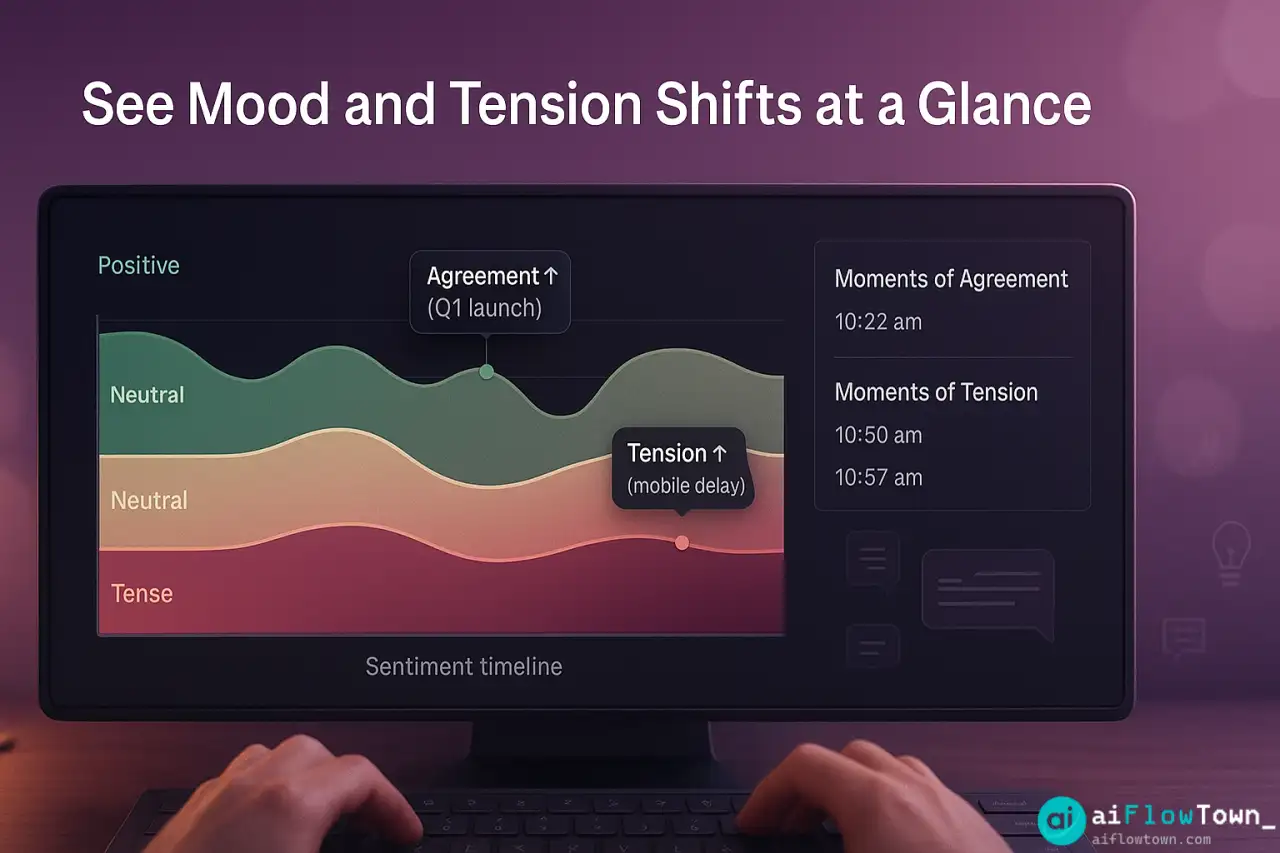
7. SENTIMENT ANALYSIS
- Overall mood: [Positive/Neutral/Tense/Confused]
- Moments of agreement: [Topics with clear consensus]
- Moments of tension: [Topics with disagreement or frustration]
- Engagement level: [High/Medium/Low based on participation]
- Team dynamics notes: [Any notable interaction patterns]

8. FOLLOW-UP NEEDED
- Next meeting needed: [Yes/No, about what topic]
- Information to gather before then
- People to loop in who weren't present

Format for readability. Be specific—quote relevant parts of transcript where helpful (especially for decisions and concerns). Flag anything that seems important but ambiguous."
This comprehensive prompt ensures detect meeting sentiment using ai analysis systematically. For more prompts, check productivity flow hacks.
Real Analysis Example
Sample Input: Product Planning Meeting
90-minute transcript, 16 pages. Key excerpts AI analyzed:
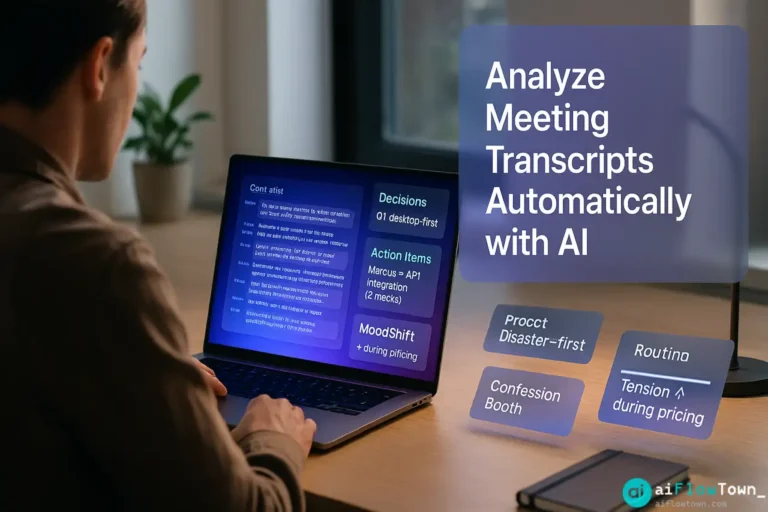
“…so I think we should ship the basic version in Q1, but Sarah raised a good point about mobile… [rambling discussion]… okay so we’re agreed, Q1 launch desktop-first, mobile follows Q2… Marcus you’ll handle the API integration right? Yeah I can do that, probably need two weeks… we should also figure out the pricing but let’s table that for now…”
AI-Generated Analysis Output
EXECUTIVE SUMMARY
Product team aligned on Q1 desktop launch strategy, with mobile release pushed to Q2. API integration assigned to Marcus with 2-week timeline. Pricing strategy remains undecided and requires dedicated discussion.KEY DECISIONS
– Decision: Launch desktop version Q1, delay mobile to Q2
Rationale: Mobile features need more development time; desktop-first reduces initial complexity
Impact: Shifts timeline, requires updated marketing planACTION ITEMS
– Task: Complete API integration
Owner: Marcus
Deadline: 2 weeks from meeting date
Priority: High (blocks other development)– Task: Update marketing plan for desktop-first launch
Owner: TBD (mentioned but not assigned)
Deadline: TBD
Priority: MediumOPEN QUESTIONS
– Question: Pricing strategy for new features
Context: Discussed briefly but explicitly tabled for future meeting
Who needs to address: Full product team + financeCONCERNS OR RISKS RAISED
– Concern: Mobile delay might disappoint early-access users who expected mobile app
Raised by: Sarah
Addressed: Partially—team acknowledged but didn’t create specific mitigation planSENTIMENT ANALYSIS
– Overall mood: Positive, collaborative
– Agreement: Strong consensus on Q1 timeline and desktop-first approach
– Tension: Brief tension when discussing mobile delay; Sarah’s concern not fully addressed
– Engagement: High—all participants actively contributing
– Dynamics: Sarah’s valid concerns were acknowledged but somewhat rushed past; may need follow-upFOLLOW-UP NEEDED
– Schedule dedicated pricing strategy meeting (include finance)
– Create communication plan for mobile delay announcement
– Follow up with Sarah on mobile concerns—ensure she feels heard
– Complete Meeting Analysis –
This analysis took AI 2 minutes. Manual extraction would take 45+ minutes and likely miss sentiment dynamics using automatically parse zoom transcripts with chatgpt comprehensively.
Integration with Notion
Automated Documentation
Structure meeting notes consistently in Notion:
Notion database properties:

- Meeting Type: [Select: Team / Strategy / Client / 1-on-1]
- Date: [Date field]
- Attendees: [Multi-select]
- Status: [Select: Completed / Follow-up Needed / Action Items Pending]
- Sentiment: [Select: Positive / Neutral / Tense]
- Open Items Count: [Number - tracks unresolved issues]

Page content (auto-filled from AI analysis):

# [Meeting Name] - [Date]

## Summary
[Executive summary from AI]

## Decisions
[Table: Decision | Rationale | Impact]

## Action Items
[Table: Task | Owner | Deadline | Priority | Status]

## Open Questions
[Checklist items that can be marked resolved]

## Concerns
[Callout blocks highlighting risks]

## Full Transcript
[Toggle block - collapsed by default, full transcript available if needed]
Linking Action Items to Projects
Each action item extracted by AI automatically creates linked task in your project management system. Meeting decisions reference relevant projects. Creates single source of truth—you see project status and know exactly which meeting decided what.
Tracking Metrics Over Time
Meeting Quality Insights
Analyze patterns across multiple meetings:
Monthly review prompt:

"I have meeting analyses from the past month. Analyze patterns:

[Paste summaries of 10-15 meetings]

Tell me:
1. How many decisions were made vs meetings held? (decision efficiency)
2. What % of action items had clear owners vs ambiguous?
3. Which topics appear repeatedly without resolution? (stuck issues)
4. Sentiment trends—are meetings getting more/less tense?
5. Who raises concerns most often? (potential early warning system)
6. Average action items per meeting—too many or too few?
7. Open questions accumulating or getting resolved?

Suggest:
- Meeting effectiveness improvements
- Topics that need dedicated sessions
- Team dynamics issues to address
This meta-analysis reveals meeting dysfunction invisible in individual sessions.
❓ FAQ
How accurate is AI at extracting decisions?
85-95% accurate for explicit decisions (“we’re going with option A”). Less accurate for implicit decisions or gradual consensus. Always review AI output for critical meetings—treat it as first draft that catches 90% of content, you verify the important 10%.
What if transcript quality is poor?
Poor audio = poor transcript = poor analysis. Invest in: good microphones, asking people to unmute when speaking, using Otter.ai or similar for better transcription. AI can’t extract meaning from “[inaudible]” entries. Garbage in, garbage out.
⚡ Can AI detect sarcasm or tension?
Partially. AI catches explicit disagreement (“I don’t think that will work”) but misses subtle sarcasm or passive-aggressive comments. Sentiment analysis is directional, not precise. Use it to spot meetings worth reviewing more carefully.
Is it safe to send transcripts to AI?
Depends on content sensitivity. ChatGPT API (paid) doesn’t train on data, but transcripts still leave your systems. For highly confidential meetings, either use on-premise AI solutions or skip AI analysis. For most business meetings, API use is fine.
What’s the cost for regular analysis?
ChatGPT API costs ~$0.20-0.50 per hour-long transcript analyzed. For team doing 20 meetings/month, roughly $10-15/month. Zapier adds $20-50/mo for automation. Total under $75/mo to never manually review transcripts again.
Final Thoughts
Meeting transcripts contain valuable information—decisions, commitments, insights, team dynamics. But only if you can extract that information without spending hours re-reading conversations. AI meeting analysis makes transcripts actually useful by automatically surfacing what matters: decisions, actions, concerns, and sentiment.
Start with your next important meeting. Record it, get the transcript, run it through the analysis prompt. See how much context you can extract in 3 minutes that would have taken 45 minutes manually. Then automate it so every meeting gets analyzed by default.
Your meetings are generating data about how your team works, decides, and collaborates. AI turns that data into insights you can actually use.
⚠️ Reminder: Even the smartest tools / AI can miss small details or make mistakes. Always double-check your work before presenting or publishing it - a quick review can save hours later.