Build Your AI-Powered Personal Operating System
Modern life is a battle against chaos. We have digital clutter on our desktops, a relentless stream of notifications on our phones, and a nagging feeling that we’re forgetting something important. We try apps, we buy planners, but the cognitive load of managing everything—from work projects and financial goals to meal prep and social plans—is overwhelming.
What if you could build a system? A personal operating system (Life OS) that acts as your central command center, bringing order to the chaos. And what if the architect of this system was your own personal AI assistant, chosen from the best AI productivity tools available?
This is not about rigid schedules or soulless optimization. It’s about using AI as a thinking partner to design a life that aligns with your values, freeing up your mental energy for what truly matters. In this comprehensive guide, we’ll give you over 50 detailed prompts that serve as the building blocks for your Life OS. You’ll learn how to command your AI to manage your goals, finances, health, and much more, with precision and intelligence.
Let’s build your system.
Part 1: The Philosophy — What is a ‘Life OS’?
A Life Operating System isn’t an app; it’s a mindset. It’s the practice of applying systems thinking to your personal life. Just as a computer’s OS manages resources like memory and processing power, your Life OS helps you manage your most valuable resources: your time, energy, and focus.
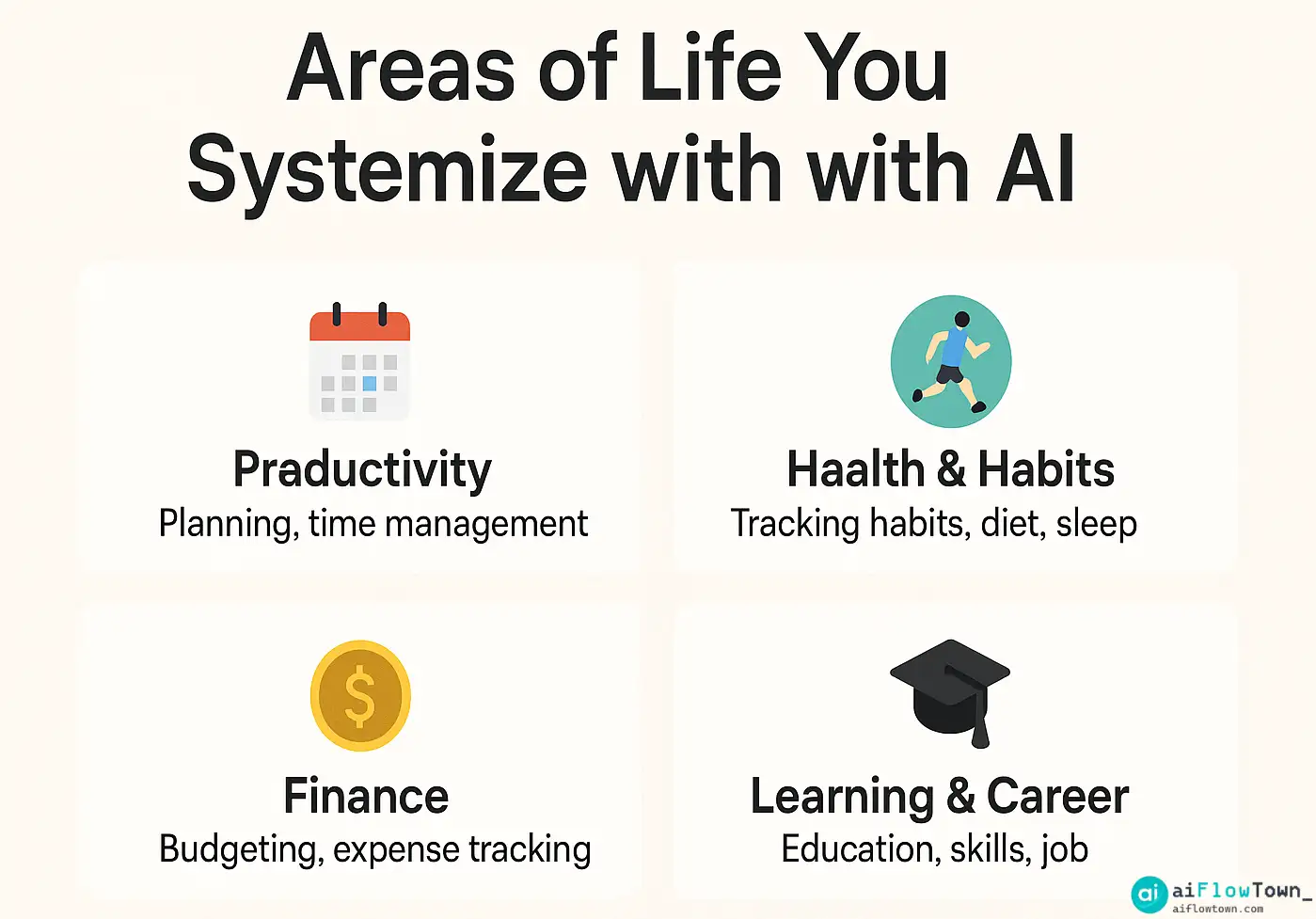
Your AI assistant is the perfect tool to run this system. It can process vast amounts of information, create structured plans from messy ideas, and act as an unbiased sounding board. The prompts below are organized into “Modules,” each representing a core area of your life. You don’t need to build everything at once. Start with the module that addresses your biggest pain point, and build from there.
Part 2: The Prompt Library — Building Your Life OS Modules
Here are the detailed prompts to construct each module of your personal operating system. Each prompt is a complete example, designed to be adapted to your specific situation.
Module 1: The Command Center (Goals, Planning & Review)
This is the strategic core of your OS, ensuring your daily actions align with your long-term vision.
1. Define Quarterly Goals (OKRs):
Act as a professional performance coach.
I want to use the OKR (Objectives and Key Results) framework.
My main ambition is to transition into a new career in data science within the next year.
Based on this, help me set 3 ambitious yet achievable Objectives for the next quarter.
For each Objective, propose 3 measurable Key Results. The format should be a nested bulleted list.
2. Break Down a Goal into a Project Plan:
My Q3 Objective is "Build a Portfolio of 3 Data Science Projects."
Act as a project manager and break this objective down into a detailed 12-week plan.
Create a markdown table with columns: 'Week', 'Focus Area', 'Key Tasks (Bulleted List)', and 'Completion Metric'.
3. Conduct a Weekly Review:
Act as a reflective journal guide. Guide me through my weekly review using a structured format.
Ask me the following questions one by one, and wait for my response before asking the next:
1. What was my biggest win this week?
2. What was the biggest challenge I faced?
3. What did I learn?
4. How can I improve next week?
After I have answered all four, synthesize my responses into a 3-sentence summary of my week.
4. Plan The Upcoming Week (Weekly planning prompts):
Act as a productivity planner.
My three main priorities for next week are: 1) Finish the data cleaning script for my housing price project, 2) Complete 2 modules of my Python course, 3) Go to the gym 3 times.
My fixed appointments are: Dentist on Tuesday at 10 AM, Team meeting on Wednesday at 2 PM.
Create a daily schedule in a markdown table that blocks out time for my priorities and appointments from Monday to Friday.
5. Daily “Mental Startup” Prompt:
Act as a mindset coach. To start my day with focus, give me three questions.
One about my main goal for the day, one about a potential obstacle, and one about what I'm grateful for.
6. End-of-Day Shutdown Routine:
Act as an executive assistant. Help me perform my end-of-day shutdown routine, a concept popularized by Cal Newport.
Ask me to list any open loops or tasks from today.
Then, ask me for my single most important task for tomorrow. Finally, tell me to close my laptop and disconnect.
7. The “Unstuck” Prompt:
Act as a solution-focused therapist. I'm feeling stuck and procrastinating on my task of 'writing documentation for my code.'
Guide me by asking questions to break the task down into the smallest possible first step, and help me identify what is blocking me.
8. Monthly Goal Review:
Act as a strategy consultant. Here were my goals for May: [List your goals and your completion status].
Analyze my performance. What patterns do you see? Based on this, suggest a focus for June.
9. Time-Blocking Your Ideal Day:
I want to design my ideal Tuesday. Act as a performance expert.
My most important work requires deep focus (writing code). I also have meetings, emails, and a workout to fit in. Create an ideal daily schedule from 8 AM to 6 PM that prioritizes 3 hours of uninterrupted deep work, a key technique for achieving deep work with AI.
10. The “Decision Journal” Prompt:
Act as a rational thinking partner. I need to make a decision: Should I enroll in an expensive online bootcamp or continue self-studying?
Guide me through a decision journal process by asking me to define the situation, list the variables, explore potential outcomes (short and long term), and state my reasoning.
Module 2: The Finance Hub (Budgeting & Financial Planning)
This module helps you gain clarity and control over your financial life, turning vague money goals into actionable plans. It’s time to manage personal finances with AI.
11. Create a Monthly Budget:
Act as a personal finance advisor.
My monthly take-home pay is $4,500. My fixed expenses are: Rent ($1,500), Utilities ($150), Car Payment ($300), Subscriptions ($50).
My financial goal is to save $800 per month. Create a simple budget using the 50/30/20 rule (Needs/Wants/Savings), categorize my spending, and tell me how much I have left for "Wants."
12. Analyze Spending Habits:
Here is a list of my transactions from last week: [Paste a list of transactions, e.g., '$7.50 - Coffee Shop', '$85.20 - Groceries', '$45.00 - Restaurant'].
Act as a financial analyst. Categorize these transactions and identify the top 3 spending categories.
Suggest one area where I could potentially cut back.
13. Plan to Pay Off Debt:
Act as a debt-reduction strategist.
I have a credit card debt of $5,000 with a 19% APR.
I can afford to pay an extra $250 towards it each month.
Create a simple month-by-month table showing how long it will take to pay off the debt and the total interest paid, following the "debt avalanche" method principle.
14. Brainstorm Side Hustle Ideas:
My skills are in graphic design and writing, and I have about 10 hours of free time per week.
Act as an entrepreneur. Brainstorm 5 realistic side hustle ideas I could start with low upfront cost.
For each idea, list the potential first step to get a client.
15. Draft a Salary Negotiation Script:
I'm preparing for my annual review and I want to ask for a 10% raise.
Act as a career coach. Based on my accomplishments this year (led a project that increased efficiency by 20%, mentored a junior developer), write a script for me to open the conversation and state my case confidently and professionally.
16. Set a Savings Goal:
I want to save for a $4,000 down payment on a car in 10 months.
Act as a financial planner. Break this goal down into a monthly savings target.
Suggest 3 specific, actionable tips to reduce my discretionary spending to meet this goal.
17. Review a Financial Product:
I'm considering signing up for the "XYZ" credit card.
Its main features are [list features, e.g., '2% cashback on groceries, $95 annual fee, no foreign transaction fees'].
Act as a skeptical financial journalist. What are the key questions I should ask myself to decide if this card is right for my spending habits?
18. Plan for a Large Purchase:
I want to buy a new laptop that costs $1,800. Create a simple savings plan.
Also, act as a savvy consumer and suggest 3 ways I could potentially get this item for a lower price (e.g., waiting for sales, buying refurbished).
19. Learn a Financial Concept:
Explain the concept of 'compound interest' to me as if I were a 15-year-old.
Use a simple, real-world example involving saving a small amount of money over a long period.
20. The “Financial Check-in” Prompt:
Act as my weekly financial accountability partner.
Ask me three questions: 1) Did I stick to my budget this week? 2) What was my most mindful purchase?
3) What is one thing I can do next week to improve my financial health?
Module 3: The Health & Wellness Unit (Fitness, Meals & Mindfulness)
This module uses AI to help you build healthy habits for your body and mind.
21. Generate a Weekly Workout Plan:
Act as a certified personal trainer.
My goal is to improve my overall fitness and strength.
I have access to dumbbells and resistance bands at home, and I can work out for 45 minutes, 3 days a week (Monday, Wednesday, Friday).
Create a balanced, full-body workout plan for me. Format it in a table with columns: 'Day', 'Exercise', 'Sets x Reps'.
22. Create a Healthy Meal Plan:
Act as a nutritionist. I want a 3-day meal plan that is high in protein and easy to prepare (under 30 minutes per meal).
I am not a vegetarian. Create a plan for breakfast, lunch, and dinner, and then generate a consolidated shopping list for all the ingredients.
23. The “I Don’t Want to Cook” Prompt:
It's 6 PM, I'm tired, and I don't feel like cooking.
The ingredients I have are: chicken breast, a can of black beans, an onion, and some rice.
Act as a creative chef and give me 3 super simple, fast, and healthy recipe ideas I can make with what I have.
24. Generate a Guided Meditation Script:
Act as a mindfulness coach. I'm feeling stressed and overwhelmed by work.
Write a 5-minute guided meditation script that I can read to myself.
The script should focus on breathing and letting go of intrusive thoughts.
25. Design a Habit Tracker:
I want to build three new habits: 1) Drink 8 glasses of water a day, 2) Meditate for 5 minutes, 3) No screens 1 hour before bed.
Act as a behavioral scientist. Create a simple markdown checklist I can use as a daily habit tracker.
Also, provide one piece of advice on how to make these habits stick.
26. Overcome a Fitness Plateau:
I've been running 5k three times a week for two months, but my time isn't improving.
Act as a running coach. Suggest 3 specific changes I can incorporate into my routine to break through this plateau (e.g., interval training, strength exercises).
27. Healthy Snack Ideas:
Generate a list of 10 healthy, low-prep snack ideas that are good for an afternoon energy boost at the office.28. Create a “Digital Detox” Plan:
I feel addicted to my phone. Act as a digital wellness expert.
Create a simple "Digital Detox" plan for this upcoming weekend.
Include 3 rules to follow and 3 alternative, offline activities to try.
29. Morning Journal Prompts:
I want to start my day with journaling.
Give me 5 reflective prompts to help me set a positive intention for the day ahead.
30. Improve Sleep Quality:
I have trouble falling asleep. Act as a sleep hygiene expert.
Provide a checklist of 5 things I should do in the hour before bed to improve my sleep quality.
Module 4: The Knowledge & Growth Department (Learning & Skills)
This module is about lifelong learning, turning your AI into a personalized tutor and research assistant. A good AI learning plan can make all the difference.
31. Create a Learning Plan:
I want to learn the basics of SQL. Act as an expert tutor.
Create a structured 4-week learning plan for a complete beginner.
For each week, define the key topics to learn and suggest one simple, practical project to apply that knowledge.
32. Summarize a Complex Article:
Here is a long article about [e.g., "The impact of quantum computing on cryptography"]: [Paste article text].
Summarize it in 5 simple bullet points that a non-expert can understand.
Then, define the 3 most important technical terms from the article.
33. Practice a New Skill:
Act as a conversational AI.
I want to practice my conversational Spanish. You will be a waiter in a restaurant in Mexico City.
Start by greeting me and asking for my order. Correct any major grammatical mistakes I make.
34. Deepen Understanding with Analogies:
Explain the complex concept of 'Machine Learning' to me.
Act as a gifted teacher and use 2-3 different analogies to help me understand the core idea from different angles.
35. The Feynman Technique Prompt:
I've just read a chapter in a book about Cognitive Biases. Now, act as my student.
I will try to explain the 'Confirmation Bias' to you in simple terms using the Feynman Technique.
After my explanation, ask me clarifying questions to test the gaps in my understanding.
36. Build a Reading List:
I loved the book "Atomic Habits" by James Clear.
Based on that, act as a knowledgeable librarian and recommend 5 other books that focus on productivity, behavioral psychology, and systems thinking.
For each book, write a one-sentence summary.
37. Extract Actionable Advice from a Podcast:
Here is the transcript from a podcast episode with [Expert Name] about [Topic]: [Paste transcript].
Extract the top 5 most actionable pieces of advice or "hacks" that a listener could apply today.
38. Prepare for a Job Interview:
I'm interviewing for a Product Manager role. The company is a B2B SaaS startup.
Act as an experienced hiring manager. Ask me 5 common behavioral interview questions for this role and provide constructive feedback on my (hypothetical) answers.
39. Learn from Your Mistakes:
I made a mistake at work today: [Describe the mistake, e.g., 'I sent a report with incorrect data to a client'].
Act as a professional mentor. Guide me through a "post-mortem" analysis.
Ask me questions to help me understand the root cause, the impact, and how to create a system to prevent it from happening again.
40. Expand Your Vocabulary:
I am a writer and I want to expand my vocabulary.
Give me 5 uncommon but useful English words. For each word, provide its definition, a sentence using it in context, and a synonym.
Module 5: The Home & Social Coordinator (Household, Travel & Relationships)
This final module helps you systematize your life at home and manage social connections with less stress.
41. Plan a Weekly House Cleaning Routine:
Act as a professional organizer.
My house has a kitchen, a living room, two bedrooms, and one bathroom.
Create a simple weekly cleaning schedule that breaks down tasks by day so it only takes 20-30 minutes each day, rather than a huge effort on the weekend.
42. Organize a Social Event:
I'm planning a casual BBQ for 10 friends this Saturday. Act as an event planner.
Create a master checklist divided into three sections: "3 Days Before" (e.g., send reminders, plan menu), "1 Day Before" (e.g., grocery shopping, prep food), and "Day Of" (e.g., set up, music).
43. Plan a Vacation Itinerary:
I'm planning a 4-day trip to Tokyo, Japan. My interests are food, technology, and traditional culture.
Act as an expert travel agent. Create a balanced, day-by-day itinerary that includes 2-3 activities per day and suggestions for one budget-friendly and one "splurge" meal each day.
44. The “Difficult Conversation” Draft:
I need to talk to my roommate about cleaning the shared kitchen more often.
Act as a communication expert. Draft a script for me that is non-confrontational and uses "I" statements to express my feelings and request a change.
45. Generate Gift Ideas:
I need a birthday gift for my dad.
He is 65 years old and loves gardening, history books, and grilling. My budget is around $100.
Act as a creative gift consultant and suggest 5 thoughtful and unique gift ideas.
46. Write a Thank You Note:
I received a nice gift from my aunt for my graduation.
Draft a short, sincere, and well-written thank you note that I can send her.
47. Plan a Date Night:
My partner and I want to plan a special date night this Friday, but we're tired of "dinner and a movie."
Suggest 3 creative and interactive date night ideas in the city.
48. Maintain a Long-Distance Friendship:
My best friend moved to another country.
Suggest 5 simple, recurring activities we can do to stay connected despite the distance and time difference.
49. The “What’s for Dinner” Prompt:
It's dinner time. I have ground beef, pasta, a can of tomatoes, and an onion.
I'm bored of regular spaghetti. Give me 3 different recipe ideas I could make with these core ingredients.
50. Organize Digital Files:
My computer desktop is a mess of random files. Act as a digital productivity expert.
Suggest a simple, effective folder structure I can use to organize my personal and work files for easy access.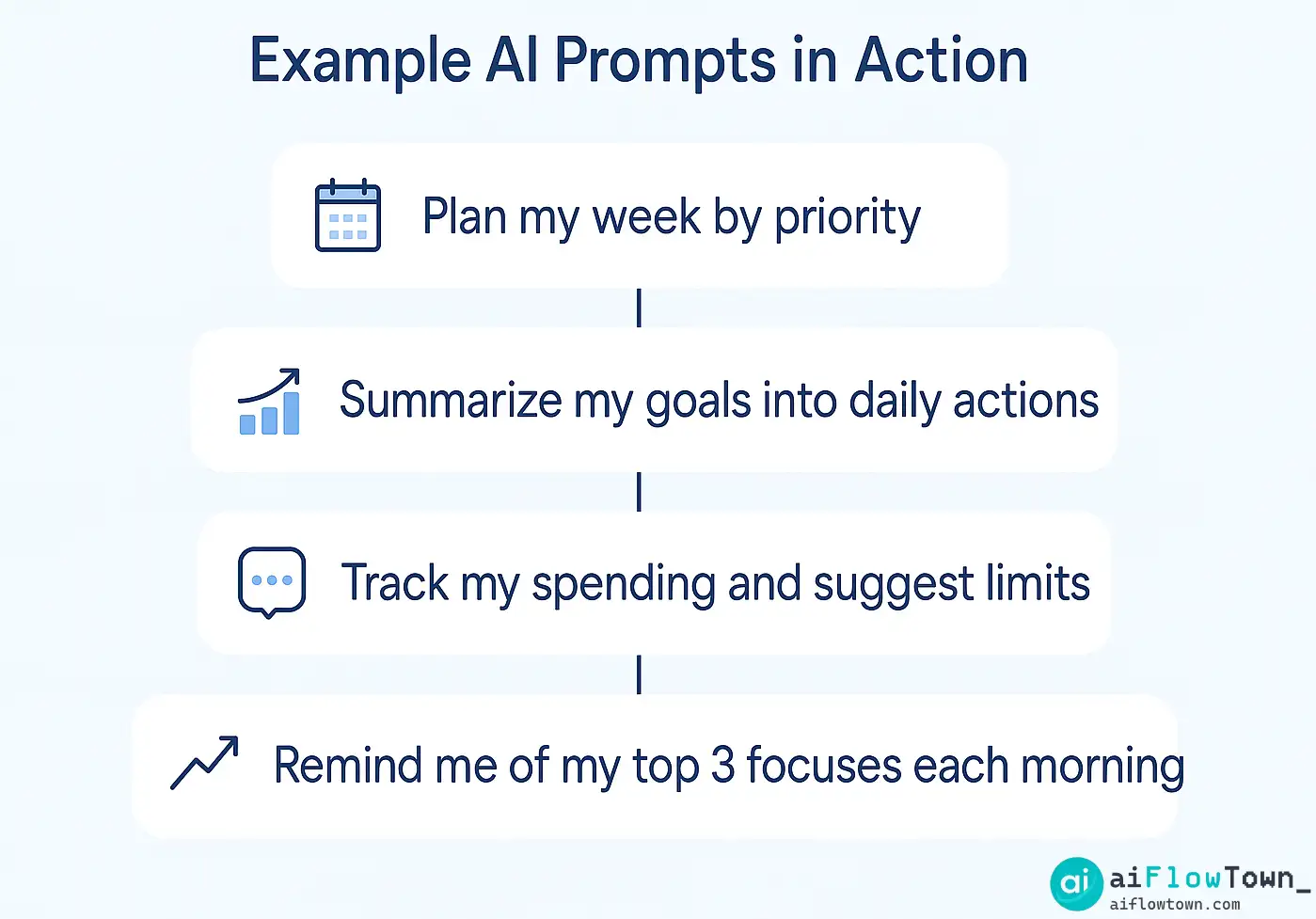
Part 3: Implementation — Making Your Life OS a Habit
A brilliant system is useless if it’s not used. To make your Life OS a core part of your routine, you must reduce the friction of using it.
- Schedule a Weekly Review: Block out 30-45 minutes in your calendar every Sunday. This is your most important appointment. Use the “Weekly Review” prompt (#3) to process the past week and the “Plan The Upcoming Week” prompt (#4) to prepare for the next.
- Use a Text Expander: This is a game-changer. Save your most-used prompts (like your daily check-in or meal planner) in a text expander tool (Raycast, Espanso, TextExpander). By typing a short keyword like
;daily, you can instantly paste your entire detailed prompt, ready to go. - Create a “Prompt” Notebook: Keep a dedicated digital note for your Life OS prompts. Tools like Notion are great for this, and you can learn more in our Notion AI review. When you feel overwhelmed, open the note, copy the relevant “Unstuck” or “Planning” prompt, and immediately regain a sense of control.
Conclusion: The Architect of Your Life
Building a Life Operating System is not a one-time event; it’s a continuous process of refinement. The 50+ prompts in this blueprint are your starting tools, not a rigid set of rules. The real power comes from adapting them, creating your own, and building a system that is uniquely yours. By using AI as a systematic thinking partner, you are not just outsourcing tasks; you are augmenting your ability to be intentional with your time and energy. You are moving from being a passive passenger in a chaotic life to being the active architect of a well-designed one. Which module of your Life OS will you build first?
❓ FAQ
What’s the best AI tool for these life organization prompts?
Most of these prompts work well with major large language models (LLMs) like ChatGPT (GPT-4), Claude 3, and Google Gemini. The key is not the specific tool, but the quality and detail of your prompt. For integrating with other apps, you might explore tools that have AI features built-in, like Notion AI.
This seems complicated. What’s the easiest way to start?
Don’t try to build the entire system at once. Start with the single biggest point of chaos in your life. Is it meal planning? Start with prompt #22. Is it managing your weekly tasks? Start with prompt #4. Master one area, feel the benefit, and then expand from there.
✅ How is this different from just using a to-do list app?
A to-do list app tells you what to do. The AI prompts in this Life OS help you think through why you’re doing it, how to do it better, and how it connects to your larger goals. It’s the difference between having a list of ingredients and having a chef to help you plan the entire meal.
How often should I review and update my Life OS?
A weekly review is essential (see prompt #3). This is when you’ll update your plans and track progress. Beyond that, a larger review every quarter (see prompt #1) is great for ensuring your daily system is still aligned with your long-term ambitions.
⚠️ Reminder: Even the smartest tools / AI can miss small details or make mistakes. Always double-check your work before presenting or publishing it - a quick review can save hours later.