10 Free Notion Templates to Supercharge Your Workflow
Notion is a powerhouse of productivity, a digital LEGO set that lets you build any workflow you can imagine. But for many, that power comes with a challenge: the intimidating blank page. Where do you even begin? The answer, for millions of users, is templates. And now, with the integration of AI, these templates have transformed from static layouts into dynamic, intelligent systems. This guide presents a curated collection of 10 powerful, free Notion templates designed to organize every aspect of your life and work.
We’re not just talking about pre-filled databases. These are smart notion templates, each with AI-powered features built-in to automate tasks, summarize information, and spark new ideas. Whether you’re a student, a project manager, or a content creator, these templates will save you hours of setup time and help you build a more organized, efficient system from day one.
If you’re new to the concept, we recommend reading our full Notion AI review to understand its capabilities. Otherwise, let’s dive in and supercharge your workspace.
Why AI-Powered Templates Are a Game-Changer
A standard Notion template gives you structure. An AI-powered template gives you leverage. By integrating Notion’s AI capabilities directly into the template’s workflow, you unlock a new level of productivity. Instead of just organizing information, the template starts to *work for you*.
Key benefits include:
- Automated Summaries: Instantly get the gist of long meeting notes or research documents.
- Action Item Extraction: Automatically pull tasks and deadlines from a block of text.
- Idea Generation: Use AI to brainstorm blog post ideas, project risks, or marketing angles directly within your dashboard.
- Content Refinement: Improve your writing, change its tone, or translate it without ever leaving the page.
These features, which you can learn more about on the official Notion AI product page, turn your static pages into an interactive workspace.
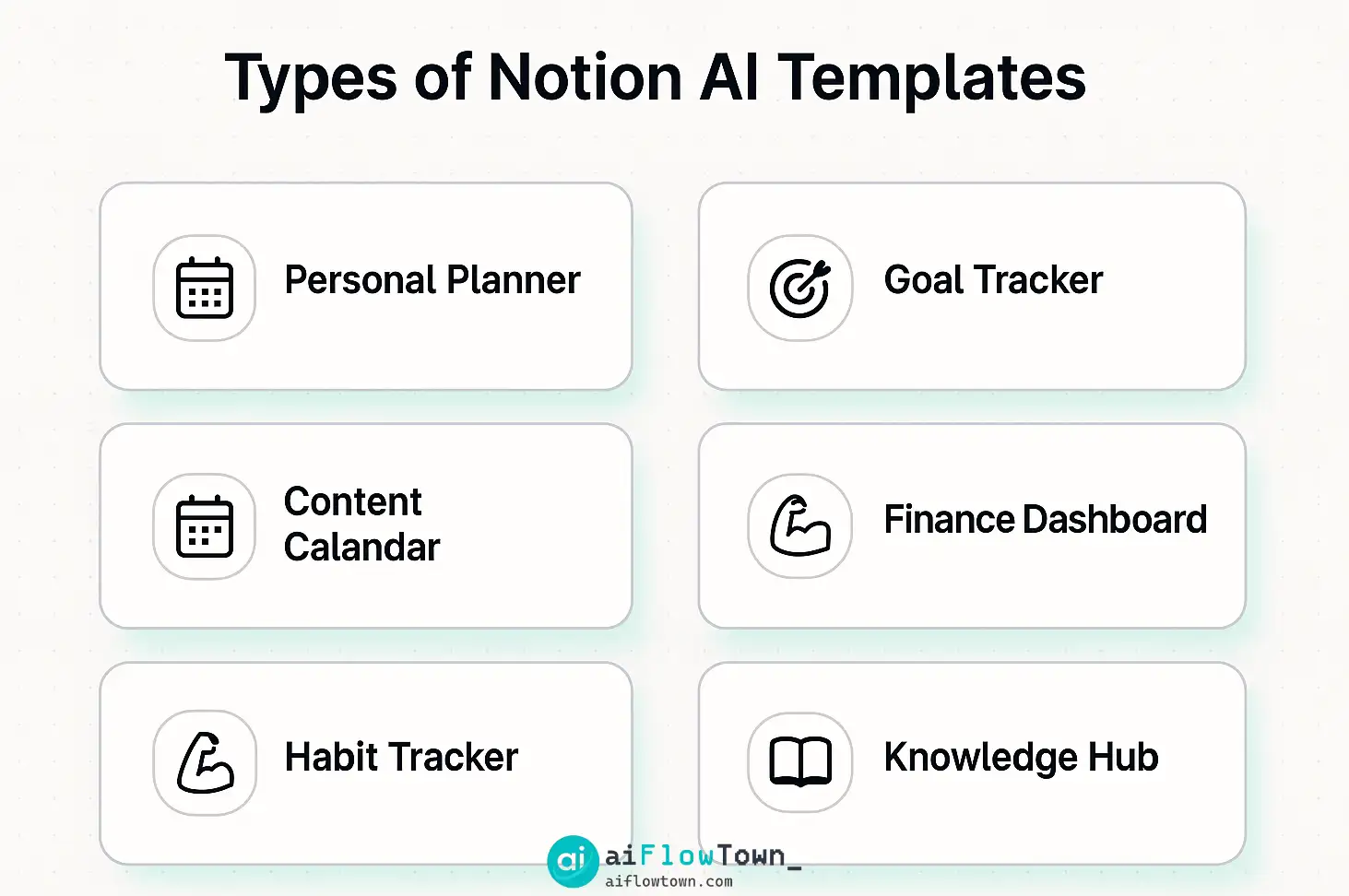
Types of Notion AI Templates
10 Free Notion AI Templates to Download Now
To use any of these templates, simply click the link and then click the “Duplicate” button in the top-right corner of the page to copy it into your own Notion workspace.
1. The Smart Meeting Notes Template
Problem: Your meeting notes are a wall of text, and finding key decisions or action items is a chore.
The Template: This template provides a structured format for every meeting, with sections for attendees, agenda, notes, and decisions. Its power lies in the post-meeting workflow. After you’ve pasted in your raw notes, a pre-configured AI button works its magic.
AI-Powered Feature: A button labeled “✨ Generate Summary & Action Items”. When clicked, Notion AI reads your notes and automatically populates two fields: a concise, bulleted summary of the meeting, and a to-do list with checkboxes for every action item it identified.
2. The Dynamic Project Tracker
Problem: Standard project plans become outdated quickly, and writing weekly status updates is a tedious copy-paste job.
The Template: This is a robust project management dashboard with databases for projects, tasks, and sprints. The magic happens in the “Weekly Updates” section.
AI-Powered Feature: An AI-block pre-prompted to “Summarize the status of all tasks updated this week that are not yet complete, and identify any tasks marked as ‘Blocked’.” This instantly generates the core of your weekly status report, saving you 30 minutes of manual compilation.
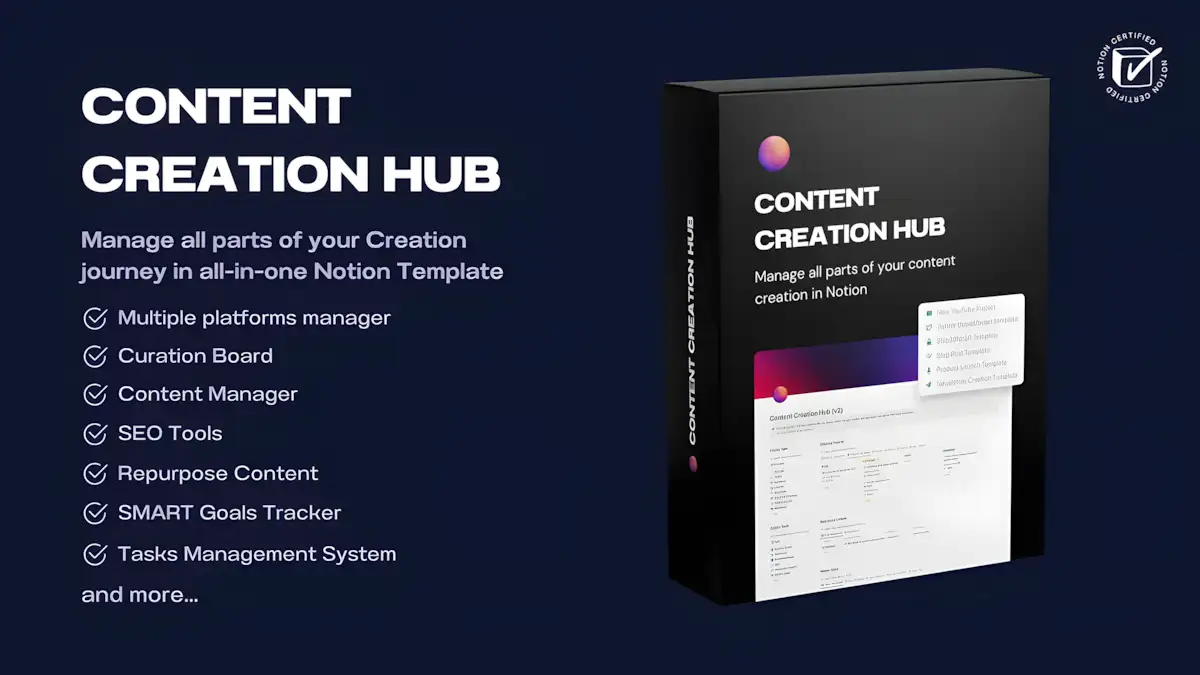
3. The Content Creation Hub
Problem: You have dozens of content ideas but struggle to turn them into structured outlines and first drafts.
The Template: This template organizes your content pipeline from idea to publication. Each idea is a page with properties for status, platform, and publish date.
AI-Powered Feature: Inside each idea page, there are AI buttons for “Brainstorm 5 Titles,” “Generate a Blog Post Outline,” and “Write an Introduction.” It turns a blank page into a structured starting point in seconds, defeating writer’s block before it starts.
4. The Personal CRM
Problem: You meet interesting people but forget to follow up, letting valuable connections go cold.
The Template: A simple database to track your professional contacts, with properties for their company, last contact date, and a notes section.
AI-Powered Feature: A custom AI-prompt block inside each contact entry: “Based on my notes about [Contact Name], draft a short, casual follow-up email to check in and suggest a coffee meeting next month.” It removes the friction of networking.
5. The Learning & Research Hub
Problem: You save articles and videos to watch later, but they pile up, and you never have time to synthesize the information.
The Template: A database for all your learning resources. Simply paste the content of an article or a video transcript into a new entry.
AI-Powered Feature: The ” Extract Key Insights” button. Notion AI reads the pasted content and generates a bulleted list of the top 5 key takeaways. This allows you to “read” an article in 30 seconds, making your learning process vastly more efficient.
6. The Daily Journal & Reflection Template
Problem: You want to journal but don’t know what to write about.
The Template: A simple daily journal template that automatically creates a new page for each day. It includes sections for gratitude, daily wins, and challenges.
AI-Powered Feature: At the end of each week, you can highlight your 7 daily entries and use the AI prompt: “Analyze my journal entries from this week. What are the recurring themes in my wins and challenges? Suggest one area to focus on for next week.” It acts as your personal reflection coach.
7. The “Second Brain” / Digital Garden
Problem: Your notes are scattered across different apps and documents, and you can’t find anything when you need it.
The Template: A Zettelkasten-style knowledge base for connecting ideas. Every note is a single page, designed to be linked to other notes.
AI-Powered Feature: When you create a new note, an AI block can “Find related pages in this database.” It helps you discover connections between your ideas that you might have missed, turning a simple note-taking system into a true “second brain.”
8. The Habit Tracker
Problem: You start new habits with enthusiasm but lose momentum after a few days.
The Template: A database where each entry is a day, and checkbox properties represent your habits (e.g., “Workout,” “Read 20 Pages,” “Meditate”).
AI-Powered Feature: This is a great way to build your own personal operating system. At the end of the month, highlight all the entries and ask the AI: “I tracked my habits for a month. My goal was to work out 12 times. Based on the data, did I hit my goal? What was my longest streak?” It gamifies your personal growth.
9. The Social Media Planner
Problem: You know you need to post on social media, but coming up with fresh ideas and captions is exhausting.
The Template: A content calendar view for planning your social media posts across different platforms.
AI-Powered Feature: Inside each post idea, there are AI blocks for “Write 3 variations of a Tweet about this topic,” “Turn these bullet points into a LinkedIn post,” and “Suggest 5 relevant hashtags.”
10. The Weekly Meal Planner
Problem: Deciding what to eat every day leads to decision fatigue and last-minute takeout orders.
The Template: A simple weekly calendar where you can drag and drop recipe ideas. A separate database holds all your favorite recipes.
AI-Powered Feature: The ” Generate Shopping List” button. Highlight the recipes for the week, and the AI will read the ingredient lists and compile a consolidated shopping list, sorted by category (produce, dairy, etc.).
Conclusion: From Template to System
These free Notion templates are more than just layouts; they are starting points. The real power comes when you begin to customize them, combining elements from different templates to build a unified system that perfectly fits your workflow. By leveraging these AI-powered templates, you’re not just organizing your work—you’re building an intelligent, automated foundation for a more productive life. Start by duplicating one or two that solve an immediate pain point. As you get comfortable, you’ll see how they can connect, forming a cohesive dashboard for managing everything that matters to you.
❓ FAQ
Do I need a paid Notion plan to use these AI templates?
No. You can use all of these templates on the free Notion plan. The free plan includes a limited number of AI actions that you can use. For most casual users, this is enough to get a feel for the features. Heavy users may need to upgrade to a paid plan for more AI credits.
How do I customize these templates?
Once you duplicate a template into your workspace, it’s yours to modify completely. You can change database properties, add or remove sections, and edit the AI prompts inside the buttons and blocks to better suit your specific needs. Think of them as a starting point, not a final product.
What exactly is Notion AI and how does it work?
Notion AI is a set of features built into Notion that uses large language models to help you work with your text. It can summarize, translate, edit, and generate content directly within your pages. You can learn more in our comprehensive Notion AI review.
Where can I find more free Notion templates?
The best place to start is Notion’s official Template Gallery. Beyond that, there is a massive community of creators on sites like Gumroad, Reddit (r/Notion), and dedicated template websites who share both free and paid templates for almost any use case imaginable.
⚠️ Reminder: Even the smartest tools / AI can miss small details or make mistakes. Always double-check your work before presenting or publishing it - a quick review can save hours later.