Introduction
Sunday evening. You stare at your chaotic task list trying to figure out what actually matters this week. You shuffle priorities, guess at time estimates, and hope it all works out. What if AI could analyze your workload, suggest priorities, and build your weekly plan in minutes? This notion planning template does exactly that—turning scattered tasks into a structured, achievable week.
Why Weekly Planning in Notion Works
Notion is where your work lives. Tasks, projects, notes, meetings—it’s all there. Adding AI to your notion planning workflow means you can analyze patterns, automate repetitive planning tasks, and get smart recommendations without leaving the app.
This template combines Notion’s database power with AI prompts that help you prioritize, estimate time, identify bottlenecks, and stay focused on what moves the needle.
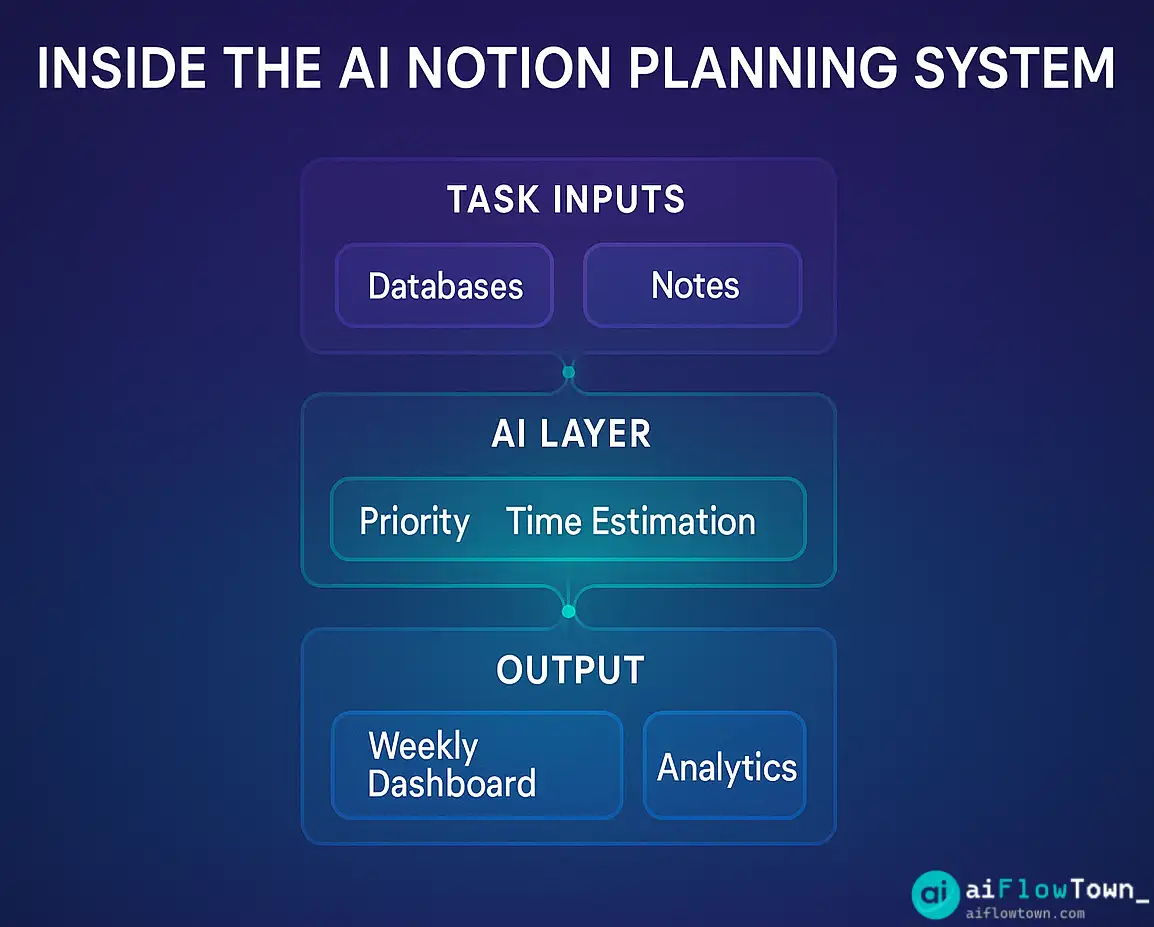
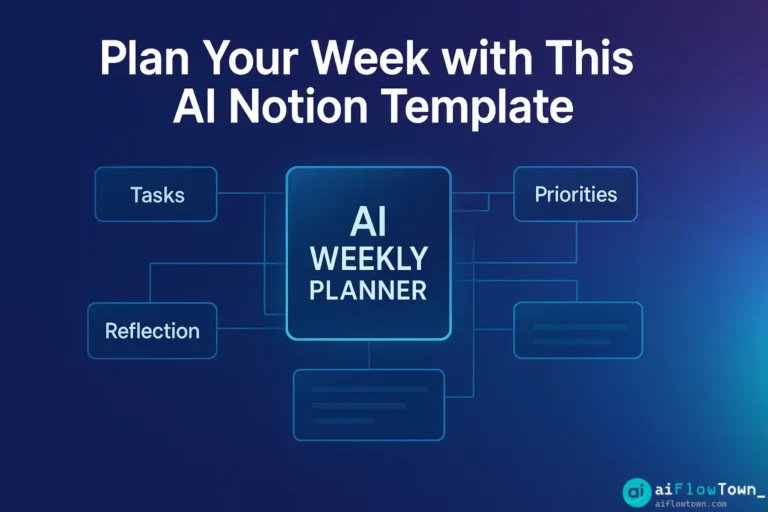
What’s Inside the AI Weekly Planning Template
Weekly Overview Dashboard
See your entire week at a glance: priority tasks, time blocked, meetings scheduled, and progress tracking. The dashboard pulls from your task database automatically, so it’s always current.
AI-Powered Priority Scoring
Paste your task list into the built-in AI prompt, and it scores each task by urgency and impact. No more guessing what deserves your Monday morning focus.
Time Block Generator
The template includes prompts that create realistic time blocks based on your task list and energy levels. Morning person? AI schedules deep work early. Afternoon slump? Light admin tasks get moved there.
Reflection & Adjustment Section
Each Friday, use the AI reflection prompt to review what worked, what didn’t, and what to adjust next week. Over time, you’ll spot patterns and optimize your planning process.
How to Use the Template
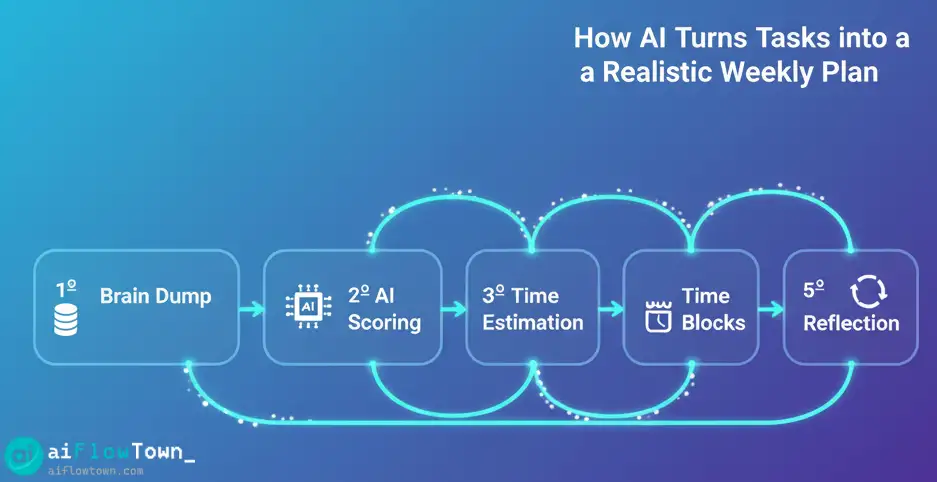
| Step | Action | Time Required |
|---|---|---|
| 1. Brain Dump | List everything on your plate in the task database | 5 minutes |
| 2. AI Priority Scoring | Run the priority prompt to rank tasks by importance | 2 minutes |
| 3. Time Estimation | Use AI to estimate realistic time for each task | 3 minutes |
| 4. Build Time Blocks | Create daily schedules based on AI suggestions | 5 minutes |
| 5. Review & Adjust | Tweak based on meetings and energy levels | 3 minutes |
Total planning time: under 20 minutes for a full week.
Setting Up the Template
Step 1: Duplicate the Template
Add the template to your Notion workspace. It includes pre-built databases for tasks, time blocks, and weekly reflections.
Step 2: Connect Your Task Sources
If you already have task databases in Notion, link them to this template using relations. Your existing tasks will flow in automatically.
Step 3: Customize AI Prompts
The template includes default prompts for prioritization and time estimation. Adjust them to match your work style, industry terminology, and specific goals. For more prompt inspiration, check out our AI productivity prompts guide.
Step 4: Set Your Planning Ritual
Pick a consistent time for weekly planning—Sunday evening or Monday morning work best. Block 20 minutes on your calendar and make it non-negotiable.
AI Prompts Built Into the Template
Priority Scoring Prompt
Here are my tasks for this week:
[Paste task list with descriptions]

Score each task from 1-10 based on:
- Urgency (deadline proximity)
- Impact (how much this moves key goals forward)
- Dependencies (does this unblock other work?)

Return a prioritized list with scores and brief reasoning.
Time Block Generator Prompt
I need to schedule these tasks across 5 days:
[Paste prioritized task list with time estimates]

My constraints:
- Meetings: [list meeting times]
- Peak energy: [morning/afternoon/evening]
- Deep work capacity: [hours per day]

Create a realistic daily schedule with time blocks. Include buffer time and breaks.
Weekly Reflection Prompt
Review my week:

Completed: [list finished tasks]
Incomplete: [list unfinished tasks]
Blockers: [what got in the way]
Wins: [what went well]

Analyze patterns and suggest 3 adjustments for next week's planning.
How AI Improves Your Weekly Planning
Eliminates decision fatigue. Instead of agonizing over priorities, AI applies consistent criteria to rank tasks objectively.
Surfaces hidden bottlenecks. AI spots when you’re overcommitted or when tasks have dependencies you missed.
Learns your patterns. Over time, you’ll refine prompts based on what actually works for you, making planning faster and more accurate.
Reduces overcommitment. Time estimation prompts force you to face reality: you can’t fit 40 hours of work into 3 days.
For more templates and planning resources, explore our templates & resources collection.
Customizing the Template for Your Needs
For Freelancers
Add a client column to prioritize by revenue impact. Include billable hour tracking and invoice reminders in your weekly view.
For Students
Replace “tasks” with “assignments” and add columns for course names, due dates, and study time estimates. The AI prompts work the same way.
For Teams
Create shared views where team members see their weekly plans side-by-side. Use AI to identify capacity issues and redistribute work.
For Personal Projects
Add a “life category” property (health, learning, relationships) to ensure you’re not just planning work. AI can help balance across all areas.
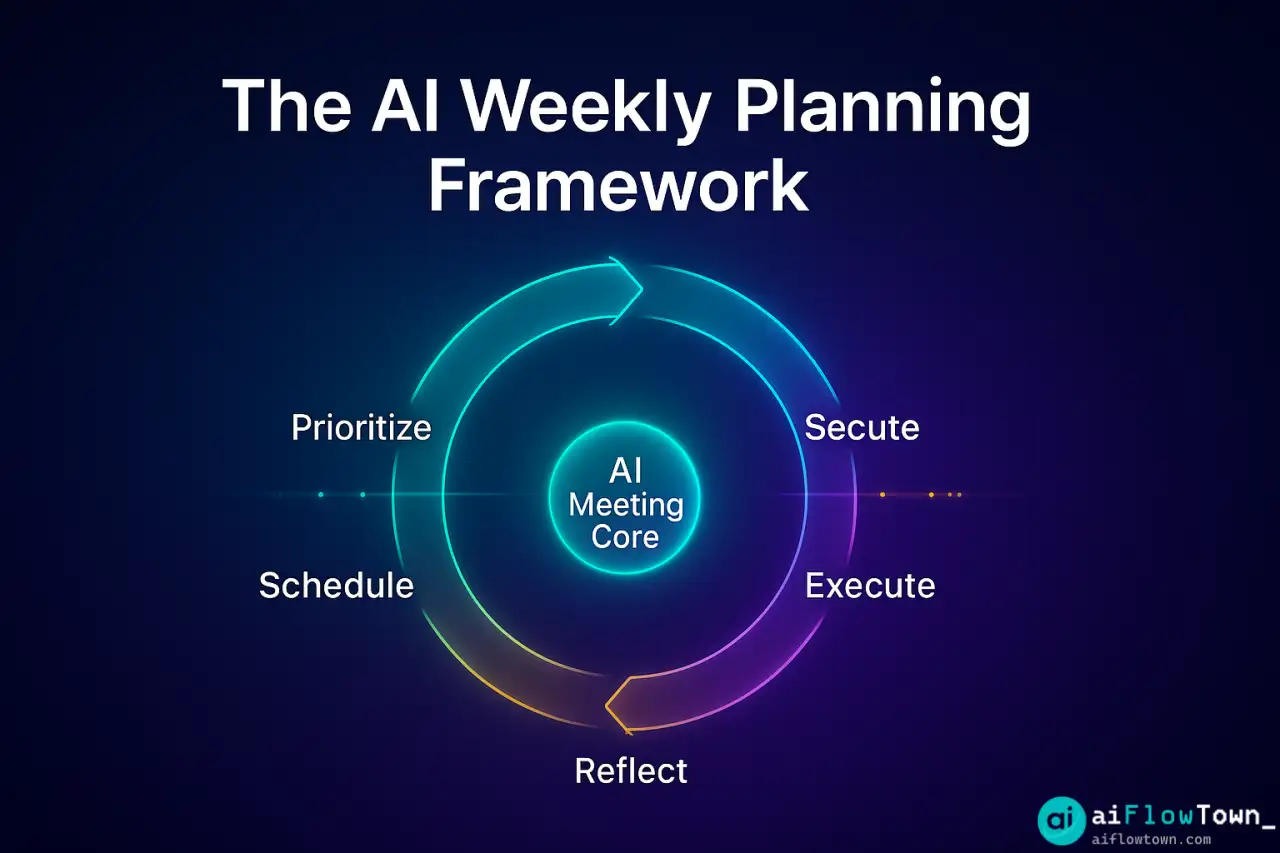
Common Planning Mistakes This Template Fixes
Overestimating capacity. The time estimation prompt forces realistic math. If your tasks add up to 60 hours, AI will tell you.
Ignoring energy levels. The time block generator accounts for when you do your best work, not just what’s urgent.
Planning without reflection. The built-in review prompt ensures you learn from each week and improve your process.
Reactive instead of proactive. Starting the week with a clear plan means you control your time instead of letting emails and Slack dictate your day.
Integration Tips
Connect with Google Calendar. Use Notion’s calendar sync to see time blocks alongside meetings. No context switching.
Link to project databases. Relate weekly tasks to larger projects so you always see how daily work connects to big goals.
Automate with Zapier. Push completed tasks to Slack, sync priorities with Asana, or create calendar events automatically. For a complete automation guide, check out AI automation tools for beginners.
Pros & Cons of AI-Powered Weekly Planning
| Pros | Cons |
|---|---|
| ✅ Faster planning (15-20 min vs 1+ hour) | ❌ Requires upfront template setup |
| ✅ Objective priority scoring | ❌ AI doesn’t know your context without input |
| ✅ Realistic time estimates | ❌ Needs tweaking to match your work style |
| ✅ Built-in reflection loop | ❌ Only works if you stick to the ritual |
| ✅ Reduces decision fatigue | ❌ Can feel rigid if you prefer flexibility |
Making Weekly Planning a Habit
Same time, same place. Sunday at 7pm or Monday at 8am. Pick one and stick to it for 4 weeks.
Start small. Your first week might take 30 minutes as you get familiar with the template. By week three, you’ll be down to 15 minutes.
Track your wins. Keep a log of tasks completed versus tasks planned. Watching your accuracy improve is motivating.
Adjust weekly. Use the reflection prompt every Friday. Small tweaks compound into a planning system that actually works for you.
Final Thoughts
Weekly planning doesn’t have to be a chore. With this AI-powered notion planning template, you’re not starting from scratch every Sunday night. You have a system that thinks with you, surfaces what matters, and builds realistic schedules you can actually follow.
The best part? It gets better over time. As you refine your prompts and adjust your workflow, planning becomes faster and more accurate. You spend less time organizing and more time doing work that matters.
Start this Sunday. Duplicate the template, dump your tasks, run the AI prompts, and see what a structured week feels like. You might actually finish everything on your list for once.
Ready to automate more of your productivity system? Discover practical strategies with our guide to the 15 best AI productivity tools that integrate seamlessly with Notion.
⚠️ Reminder: Even the smartest tools / AI can miss small details or make mistakes. Always double-check your work before presenting or publishing it - a quick review can save hours later.