You’re staring at ChatGPT wondering what to ask. You know it’s powerful, but generic prompts give generic results. This ai prompt library changes that. Over 100 battle-tested prompts organized by use case, ready to copy and customize. No more blank-page syndrome—just grab a prompt and start creating.
Why You Need a Prompt Library
Great prompts aren’t obvious. They’re refined through trial and error, tweaked based on results, and structured to give AI the context it needs. Building this from scratch wastes hours.
An ai prompt library gives you the starting point. You’re not reinventing wheels—you’re using proven templates and customizing them for your specific needs.
What’s Inside This AI Prompt Library
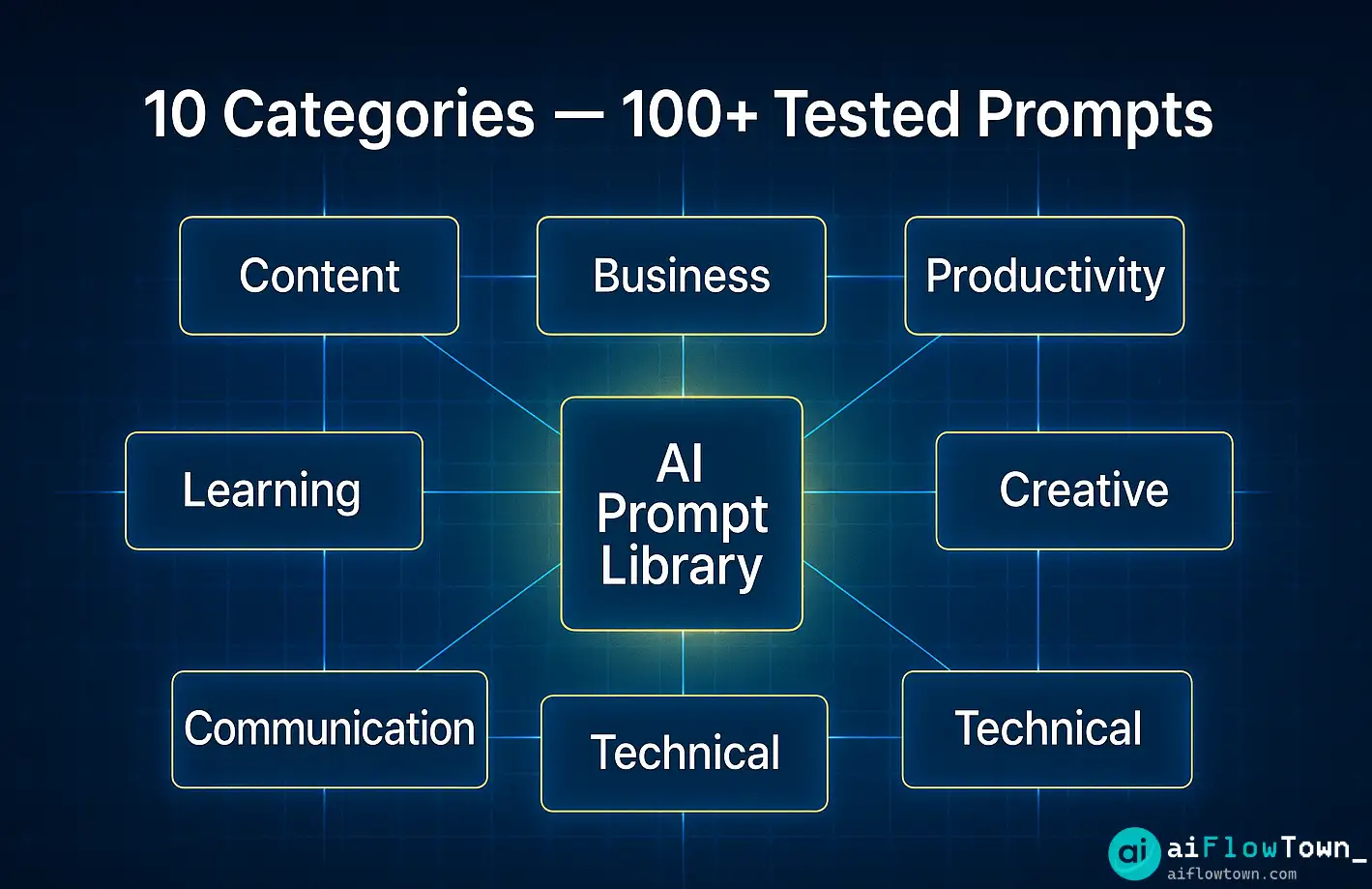
100+ Prompts Across 10 Categories
Every prompt has been tested with ChatGPT, Claude, and Gemini. They work across AI platforms with minimal adjustment.
| Category | Number of Prompts | Use Cases |
|---|---|---|
| Content Creation | 15 prompts | Blog outlines, social posts, newsletters |
| Business Strategy | 12 prompts | SWOT analysis, competitor research, positioning |
| Productivity | 18 prompts | Task planning, meeting prep, email drafting |
| Learning & Research | 10 prompts | Topic summaries, study guides, concept explanations |
| Data Analysis | 8 prompts | Report generation, trend identification, insights |
| Creative Thinking | 12 prompts | Brainstorming, problem-solving, ideation |
| Communication | 10 prompts | Client responses, team updates, presentations |
| Personal Development | 8 prompts | Goal setting, habit formation, reflection |
| Technical Tasks | 7 prompts | Code review, debugging, documentation |
| Marketing | 10 prompts | Campaign ideas, ad copy, audience research |
For more productivity strategies, explore our AI productivity prompts guide.
Content Creation Prompts
1. Blog Post Outline Generator
Create a detailed blog post outline for: [topic]
Target audience: [describe audience]
Desired length: [word count]
Key points to cover: [list 3-5 points]
Tone: [professional/casual/educational]

Include: attention-grabbing intro, 5-7 main sections with subsections, practical examples, and a strong conclusion with call-to-action.
2. Social Media Content Series
Generate 10 social media posts about [topic] for [platform].
Format: [carousel/single post/thread]
Goal: [educate/entertain/promote]
Brand voice: [describe tone]
Include relevant hashtags and engagement hooks.
3. Newsletter Template
Write a newsletter for [audience] covering:
Main topic: [describe]
Key insights: [list 2-3 insights]
Include: compelling subject line, personal intro, main content sections, one actionable tip, and clear CTA.
Length: [word count]
4. Video Script Creator
Create a video script for [topic]
Video length: [duration]
Platform: [YouTube/TikTok/Instagram]
Hook: [describe opening]
Key points: [list main ideas]
Include timestamps, visual cues, and call-to-action.
5. Content Repurposing
Take this content: [paste content]
Repurpose it into:
1. [format 1]
2. [format 2]
3. [format 3]
Maintain core message but adapt tone and structure for each format.
Business Strategy Prompts
6. SWOT Analysis Builder
Perform a SWOT analysis for [company/product/service]
Industry: [specify]
Current market position: [describe]
Key competitors: [list]
Generate detailed Strengths, Weaknesses, Opportunities, and Threats with actionable insights for each quadrant.
7. Competitor Research
Analyze these competitors: [list competitors]
Compare them on:
- Pricing strategy
- Target audience
- Key features
- Marketing approach
- Strengths/weaknesses

Identify gaps in the market and opportunities for differentiation.
8. Business Model Canvas
Create a Business Model Canvas for [business idea]
Include:
- Value propositions
- Customer segments
- Channels
- Revenue streams
- Key resources
- Key activities
- Key partnerships
- Cost structure

Provide specific examples for each section.
9. Pricing Strategy Analyzer
Develop a pricing strategy for [product/service]
Current pricing: [if any]
Target market: [describe]
Competitor pricing: [range]
Value proposition: [describe]

Suggest 3 pricing models with pros/cons for each. Include psychological pricing tactics.
10. Market Entry Strategy
Create a market entry strategy for [product] entering [market]
Timeline: [duration]
Budget: [range]
Target: [customer segment]
Barriers: [list challenges]

Include: go-to-market plan, key milestones, risk mitigation, and success metrics.
For business workflow automation, check out our AI workflows collection.
Productivity Prompts
11. Daily Planning Assistant
Plan my day based on these tasks: [list tasks]
Meetings: [list with times]
Energy peaks: [morning/afternoon/evening]
Priorities: [list top 3]

Create a realistic schedule with time blocks, breaks, and buffer time. Flag potential conflicts.
12. Meeting Agenda Generator
Create a meeting agenda for: [meeting type]
Attendees: [list roles]
Goal: [desired outcome]
Duration: [time limit]
Topics: [list items to discuss]

Include time allocations, discussion prompts, and decision points.
13. Email Response Templates
Draft an email response to: [paste email or describe situation]
Tone: [professional/friendly/formal]
Key points to address: [list]
Desired action: [what you want recipient to do]
Keep under [word count] words.
14. Task Breakdown
Break down this large task into manageable steps: [describe task]
Deadline: [date]
Resources available: [list]
Dependencies: [list]

Create a step-by-step action plan with time estimates and priority levels for each step.
15. Weekly Review Template
Help me review my week:
Completed: [list accomplishments]
Incomplete: [list pending items]
Challenges: [list obstacles]
Lessons: [what I learned]

Analyze patterns and suggest 3 improvements for next week.
Learning & Research Prompts
16. Concept Explainer
Explain [complex concept] in simple terms
Audience: [level of expertise]
Use analogies, examples, and avoid jargon
Include: what it is, why it matters, how it works, common misconceptions
17. Study Guide Creator
Create a study guide for [topic]
Key concepts: [list]
Format: summary, key terms, practice questions, real-world applications
Depth: [beginner/intermediate/advanced]
18. Research Summary
Summarize this research: [paste text or describe]
Focus on: methodology, key findings, implications, limitations
Target: [audience type]
Length: [word count]
19. Learning Roadmap
Create a learning roadmap for mastering [skill/topic]
Current level: [describe]
Timeline: [duration]
Resources: [preferred learning style]
Include: milestones, estimated time per stage, practice exercises, success criteria
20. Question Generator
Generate 20 thoughtful questions about [topic] to deepen understanding
Include: definitional questions, application questions, analysis questions, synthesis questions
Arrange from basic to advanced.
Data Analysis Prompts
21. Trend Identifier
Analyze this data: [paste data or describe]
Identify:
- Key trends
- Anomalies
- Patterns over time
- Correlations
- Actionable insights

Present findings in clear, non-technical language with recommendations.
22. Report Generator
Create an executive summary report from this data: [describe/paste data]
Include:
- Key metrics
- Performance vs. targets
- Notable changes
- Recommendations
Format for [audience]. Keep to [length].
23. Comparative Analysis
Compare [item A] vs [item B] across these dimensions:
- [dimension 1]
- [dimension 2]
- [dimension 3]

Create a comparison table and provide insights on which is better for [specific use case].
24. Data Visualization Suggestions
I have this data: [describe data type and variables]
Goal: [what story to tell]
Audience: [who will see it]

Suggest 3 types of visualizations that would best communicate insights. Explain why each would be effective.
Creative Thinking Prompts
25. Brainstorming Multiplier
I need ideas for [challenge/opportunity]
Constraints: [list limitations]
Goals: [desired outcomes]

Generate 30 ideas across these categories: conventional, unconventional, wild, and hybrid approaches. Don't filter—quantity over quality.
26. Problem Reframing
Original problem: [describe problem]
Reframe this problem 5 different ways:
- From a customer perspective
- From a competitor perspective
- As an opportunity instead of problem
- At 10x scale
- At 1/10 scale

For each reframe, suggest 2 solution approaches.
27. Creative Constraints
Generate ideas for [goal] with these artificial constraints:
- Must cost under $[amount]
- Must launch in [timeframe]
- Must use only [resources]
- Must appeal to [audience]

How do these constraints spark creative solutions?
For more creative workflows, explore our prompt library collection.
Communication Prompts
28. Difficult Conversation Prep
I need to have a difficult conversation about: [situation]
Person: [relationship/role]
My goal: [desired outcome]
Concerns: [potential issues]

Help me structure this conversation: opening, key points, addressing objections, and closing.
29. Presentation Builder
Create a presentation outline for [topic]
Audience: [who]
Duration: [time]
Goal: [what you want them to do/think]
Key messages: [list 3-5]

Include: hook, main sections, supporting points, visuals suggestions, closing.
30. Stakeholder Communication
Draft a stakeholder update about [project/situation]
Audience: [list stakeholders]
Tone: [specify]
Status: [current state]
Next steps: [upcoming actions]
Risks: [concerns]

Keep it clear, concise, and action-oriented.
Personal Development Prompts
31. Goal Setting Framework
Help me set SMART goals for [area of life]
Current situation: [describe]
Desired outcome: [vision]
Timeline: [duration]
Obstacles: [challenges]

Break down into: specific goals, measurable metrics, action steps, timeline, and accountability system.
32. Reflection Prompts
Guide me through a reflection on [experience/period]
What went well?
What could improve?
What did I learn?
What will I do differently?
What patterns do I notice?

Provide follow-up questions to deepen insights.
33. Strengths Assessment
Based on these accomplishments: [list 5-10 achievements]
And these activities I enjoy: [list]
Help me identify my core strengths and suggest:
- How to leverage them more
- Career paths that align
- Skills to develop that complement them
Technical Task Prompts
34. Code Review Assistant
Review this code: [paste code]
Language: [specify]
Purpose: [what it does]

Check for:
- Bugs or errors
- Performance issues
- Best practice violations
- Security concerns
- Readability improvements

Provide specific suggestions with examples.
35. Documentation Generator
Create documentation for: [function/feature/API]
Technical level: [audience expertise]
Include:
- Overview and purpose
- Parameters and return values
- Usage examples
- Edge cases
- Common errors

Format: [README/API docs/inline comments]
36. Debugging Helper
I'm getting this error: [paste error message]
Context: [what you were trying to do]
Code: [relevant snippet]
Environment: [system/language/framework]

Help me:
1. Understand what the error means
2. Identify the root cause
3. Suggest fixes with code examples
4. Prevent this in the future
Marketing Prompts
37. Campaign Ideation
Generate marketing campaign ideas for [product/service]
Target: [audience]
Goal: [conversions/awareness/engagement]
Budget: [range]
Channels: [list available]
Unique angle: [what makes this different]

Create 5 campaign concepts with taglines, key messages, and activation ideas.
38. Ad Copy Variations
Write 10 ad copy variations for [product/service]
Platform: [Facebook/Google/LinkedIn]
Character limit: [specify]
Key benefit: [main selling point]
Target: [audience]
Include different emotional appeals: urgency, curiosity, social proof, value.
39. Customer Avatar Builder
Create a detailed customer avatar for [product/service]
Include:
- Demographics
- Psychographics
- Pain points
- Goals and aspirations
- Buying behavior
- Media consumption
- Objections to purchase

Make it specific and realistic.
40. Content Calendar
Create a 30-day content calendar for [platform]
Theme: [focus area]
Goals: [what you want to achieve]
Content types: [mix of formats]
Posting frequency: [how often]

Include: topics, formats, hooks, and posting times for optimal engagement.
How to Use This Prompt Library Effectively
| Best Practice | Why It Matters | Example |
|---|---|---|
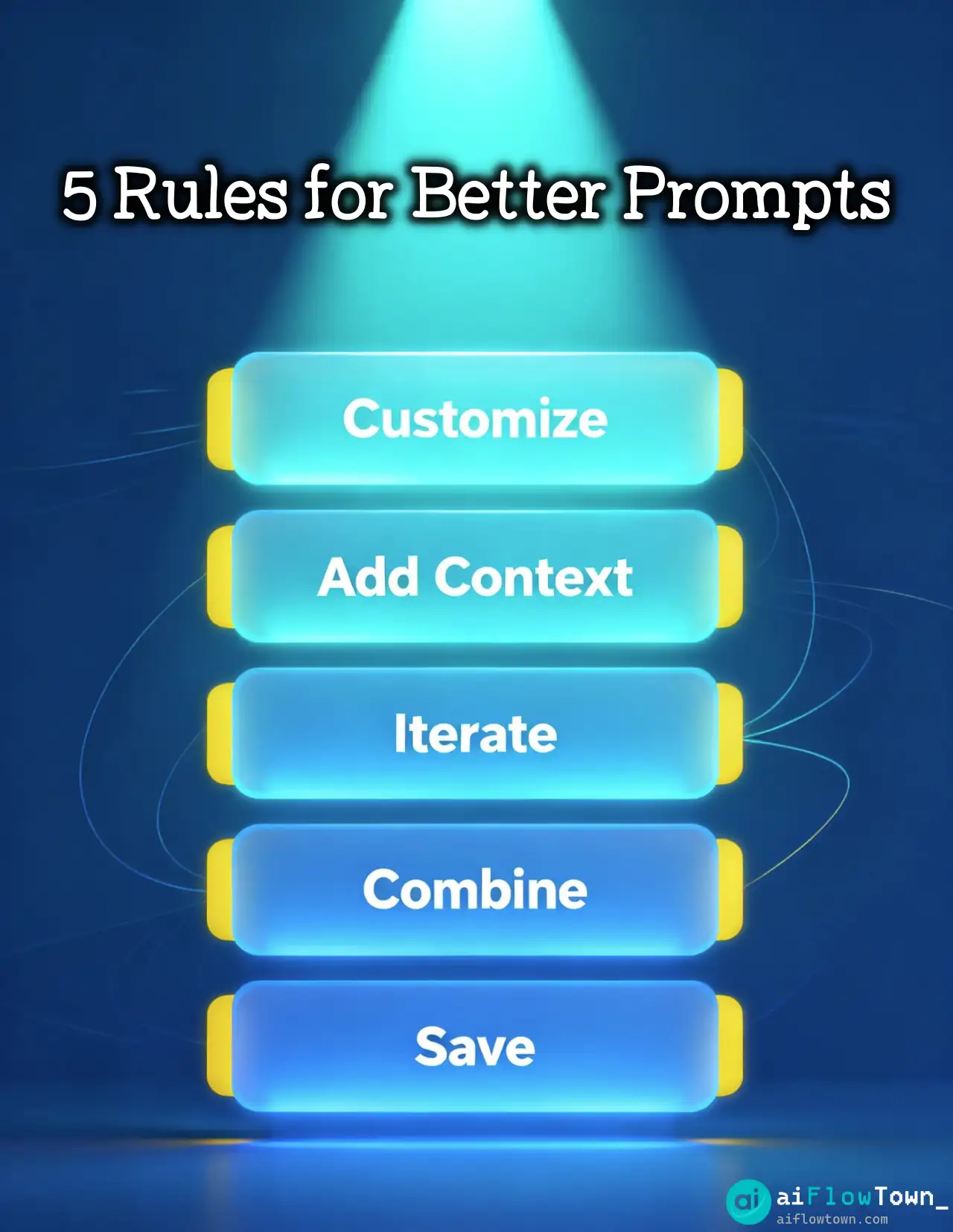
| Customize every prompt | Generic inputs get generic outputs | Replace [topic] with “sustainable fashion for Gen Z” |
| Add context | AI needs background to give relevant answers | Include industry, audience, constraints |
| Iterate on results | First output is rarely final | Ask: “Make this more specific” or “Add examples” |
| Combine prompts | Complex tasks need multiple steps | Use ideation prompt, then evaluation prompt |
| Save your best versions | Build your personal library | Keep variations that work for your use cases |
For complete workflow integration, check out our AI automation tools for beginners guide.
Common Prompt Library Mistakes
Using prompts as-is without customization. Every business, audience, and goal is different. The brackets exist for a reason—fill them in with specifics.
Not providing enough context. AI doesn’t know your industry jargon, company values, or target audience unless you tell it. More context = better outputs.
Expecting perfection on first try. Prompts are starting points. Plan to iterate. Ask follow-up questions. Refine the output.
Overwhelming yourself with too many prompts. Start with 5-10 that solve your immediate problems. Master those before exploring the full library.
Not saving successful variations. When you tweak a prompt and get great results, save that version. Build your own personal collection over time.
Advanced Prompt Techniques
Chain of Thought Prompting
Add “Think through this step-by-step” or “Show your reasoning” to get more thorough, logical responses.
Role Assignment
Start prompts with “You are an expert in [field]” to get responses from a specific perspective.
Output Formatting
Specify format explicitly: “Respond in bullet points” or “Create a table with columns: [list]”.
Constraint Setting
Add limitations to improve focus: “In under 200 words” or “Using only non-technical language”.
Few-Shot Examples
Include examples of desired output: “Like this: [example 1], [example 2]”.
Organizing Your Personal Prompt Library
By frequency: Pin your most-used prompts at the top. Archive rarely-used ones.
By project: Create folders for different clients, products, or initiatives.
By quality: Tag prompts as “tested” vs “experimental” so you know which to trust.
By tool: Some prompts work better with specific AI models. Note which tool gives best results.
Pros and Cons of Using a Prompt Library
| Pros | Cons |
|---|---|
| ✅ Saves time—no starting from scratch | ❌ Can lead to lazy prompting without customization |
| ✅ Tested prompts that actually work | ❌ May not fit your specific use case perfectly |
| ✅ Teaches prompt structure through examples | ❌ Requires learning which prompts work for what |
| ✅ Consistent format across team | ❌ Can make outputs feel templated without iteration |
| ✅ Easy to share and collaborate | ❌ Needs regular updates as AI improves |
Building on This Library
This ai prompt library is your foundation. As you use these prompts:
Document what works. Keep notes on which prompts deliver best results for your specific needs.
Create variations. When a prompt works well, create 2-3 versions for different scenarios.
Share with team. The best prompt libraries are collaborative. Team members find use cases you’d never consider.
Update regularly. As AI tools improve, prompts evolve. What worked 6 months ago might have better versions now.
Getting the Most Value
Don’t just collect prompts—use them. Pick 5 that solve immediate problems. Use them daily for a week. Learn what makes them effective. Then expand.
The value isn’t in having 100 prompts. It’s in mastering 20 that transform your workflow.
❓ FAQ
Is this prompt library really free?
Yes, completely free. No email required, no hidden costs. Download, customize, and use immediately. We built it because good prompts should be accessible.
Do these work with all AI tools?
Tested with ChatGPT, Claude, and Gemini. Most work across platforms with minor tweaks. Some prompts perform better on specific tools—we note those in the library.
⏱️ How often is the library updated?
Monthly additions based on user feedback and new AI capabilities. Download once, check back quarterly for new prompts and improved versions.
Can I share this with my team?
Absolutely. Share, remix, adapt. We only ask that you credit the source when sharing externally. Use it internally however helps your team most.
Is there a mobile-friendly version?
The library is provided as a Notion template and PDF. Both work on mobile, but desktop is better for copying and customizing prompts.
How do I find the right prompt quickly?
Use the category index and search function. Each prompt has tags for quick filtering. Star your favorites for instant access.
✍️ Can I submit my own prompts?
Yes! We accept community submissions. If your prompt gets added, we credit you in the library. Help us build the best free resource.
Final Thoughts
This ai prompt library represents hundreds of hours of testing, refinement, and real-world application. But it’s just a starting point. The real magic happens when you customize these prompts for your specific needs, industry, and style.
Great AI results don’t come from perfect prompts—they come from understanding what makes prompts work. Use this library to learn prompt structure, then build your own collection based on what delivers results.
Start today. Pick one category. Try 3 prompts. Tweak them. See what changes. Within a week, you’ll have 5-10 personalized prompts that dramatically improve your AI interactions.
The difference between mediocre and exceptional AI outputs is often just a better prompt. Now you have 100+ to choose from.
Ready to integrate these prompts into your complete productivity system? Discover how prompt engineering fits into your workflow with our guide to the 15 best AI productivity tools that amplify every prompt you use.
⚠️ Reminder: Even the smartest tools / AI can miss small details or make mistakes. Always double-check your work before presenting or publishing it - a quick review can save hours later.